
Livraison le jour même ou le lendemain

Qualité garantie

Débloquez vos offres de bienvenue: Livraison GRATUITE | Jusqu'à -80 % | 30 jours d'essai gratuits à JoyPlus
Téléchargez l'application
Choosing a mechanical gaming keyboard can quickly become overwhelming given the sheer number of options available. Between the different switch types, form factors, and features, it's easy to get lost. As a product expert at Joybuy, my mission is to help bring some clarity. This guide is designed to give you concrete selection criteria and introduce you to the models that matter, helping you find the perfect keyboard for your gaming sessions and workdays—all without the unnecessary marketing jargon.
Before diving into our selection, it's essential to master the three criteria that truly set one keyboard apart from another.
The switch is the mechanism located under each key. It's what determines the typing feel, sound, and responsiveness of the keyboard. Here are the most common types?:
The form factor of your gaming PC keyboard has a direct impact on your desk ergonomics and freedom of movement.
Beyond switches and form factor, other features deserve your full attention?:
Here are a few models that stand out for their performance and design philosophy, all offered in a QWERTY layout, a configuration that is increasingly popular among developers and a segment of the gaming community in France.
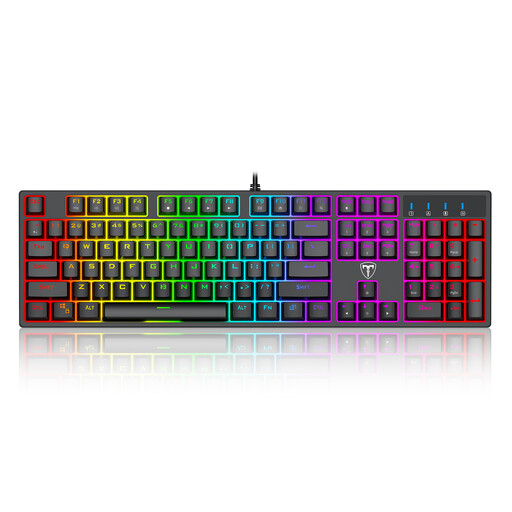
This model is the all-in-one solution for those seeking a pure, hardcore mechanical experience. Its full-size 104-key format includes the number pad, and its Blue switches provide that characteristic satisfyingly loud and clicky feedback. Its wide range of RGB lighting modes makes it a true aesthetic chameleon.
This keyboard is for gamers and users who want a complete command station with every key at their fingertips. It will particularly appeal to fans of lighting effects and the very distinct typing feel of Blue switches.
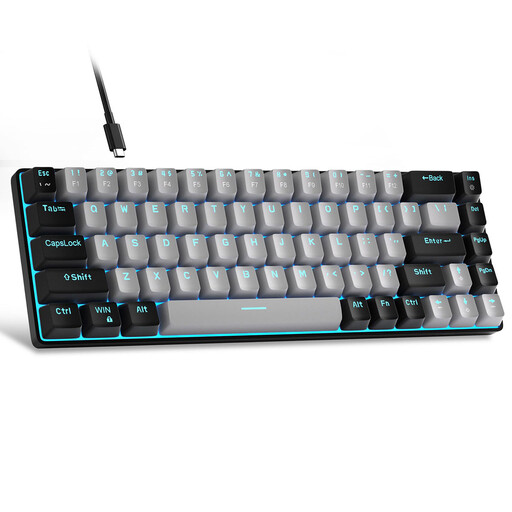
The MageGee MK-Box is the quintessential compact gaming keyboard. With its 60% layout (68 keys), it maximizes desk space—a decisive advantage for FPS players who need ample room for wide mouse sweeps. Its detachable USB-C cable makes it even more portable.
This keyboard is tailor-made for competitive gamers, fans of clean setups, or those with a small desk. Its portability also makes it a great companion for LAN parties and travel.
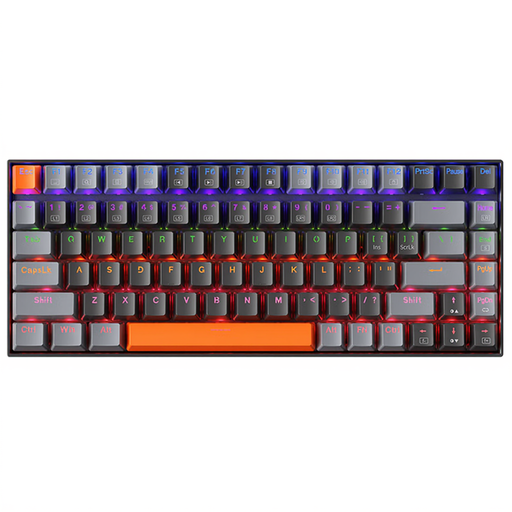
The Machenike K500A-B84 strikes a smart balance between compactness and functionality. Its 75% format retains the precious arrow keys and function row, which are often sacrificed on 60% models. Equipped with Brown switches, it offers a tactile but much quieter typing experience, making it perfect for hybrid gaming/work use.
An excellent choice for professionals who love to game, developers, or anyone working in a shared office. It offers all the benefits of a mechanical keyboard, without the noise.
Not completely sold on our selection? Don't worry, there are a myriad of other models for every taste and budget. A well-chosen keyboard is a real investment in your comfort and performance.
? Discover our full range of wired LED keyboards
Even though the AZERTY layout is the standard in France, the QWERTY keyboard is favored in the world of development, as many programming languages and keyboard shortcuts are designed for it. It's also preferred by expats or gamers who are simply used to this layout for its comfort and their muscle memory.
The fundamental difference lies in the technology under the keys. A mechanical keyboard uses an individual switch for each key, giving it superior precision, durability, and tactile feedback. A membrane keyboard, on the other hand, relies on a rubber dome shared by several keys; it's generally quieter and cheaper, but its typing feel is often described as "mushy" and less responsive.
Let's be clear: no. RGB backlighting is a purely aesthetic feature. It has no direct impact on your performance. However, it can improve user comfort by helping you find keys in the dark and, most importantly, it allows you to match the style of your keyboard with the rest of your setup.