
Livraison le jour même ou le lendemain

Qualité garantie

Débloquez vos offres de bienvenue: Livraison GRATUITE | Jusqu'à -80 % | 30 jours d'essai gratuits à JoyPlus
Téléchargez l'application
Choosing a mechanical gaming keyboard can quickly become overwhelming. Between the different switch types, form factors, backlighting, and a myriad of features, it's easy to get lost. This guide is here to clear things up, decode the technical jargon, and present a selection of proven models. Our goal: to help you find THE perfect keyboard for your playstyle and budget.
Before you jump into our selection, let's review the key points that will guide your choice.
The typing feel, the sound, the responsiveness—everything in a mechanical keyboard depends on its switches. Here are the three main families you'll encounter most often:
The choice of connection and the size of your PC keyboard directly impact your comfort and the organization of your setup.
Beyond switches and form factor, a few technologies have become almost essential for an optimal gaming experience:
Let's get down to specifics with three models that caught our eye, each targeting a very specific type of gamer.
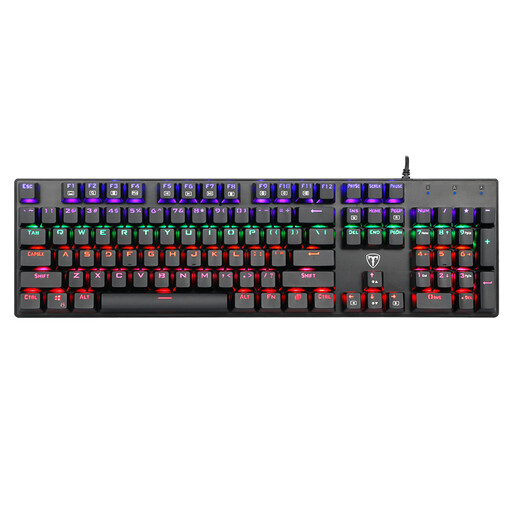
Why it stands out: This is an excellent, accessible, and reliable entry point into the world of mechanical keyboards. Its full-size format and blue switches make it a versatile ally, just as comfortable for gaming as it is for office work.
Key Features:
Who is it for? This wired gaming keyboard is a perfect option for beginners or those on a tight budget. It will also delight fans of the "clicky" feel of blue switches for mixed gaming/office use. Please note, this is a QWERTY keyboard (American layout).
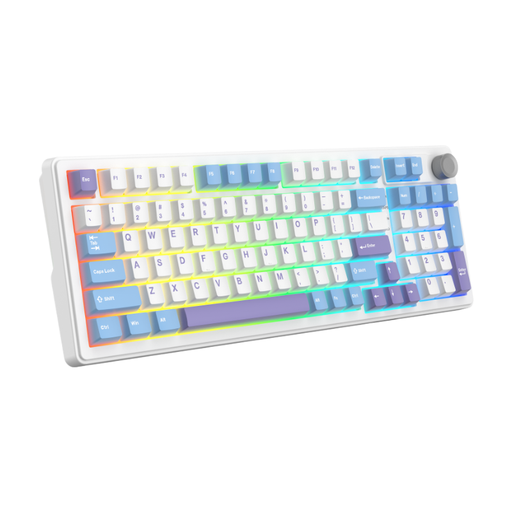
Why it stands out: This model is the champion of versatility. With its triple connectivity and smart compact layout, it checks all the boxes for a modern, flexible keyboard.
Key Features:
Who is it for? For gamers looking for the best balance of performance, customization, and versatility. Its triple connectivity makes it equally at home on a desktop PC, a Mac, or on the go with a laptop. A very solid choice for anyone who wants a clean setup without sacrificing features. This is also a QWERTY keyboard.
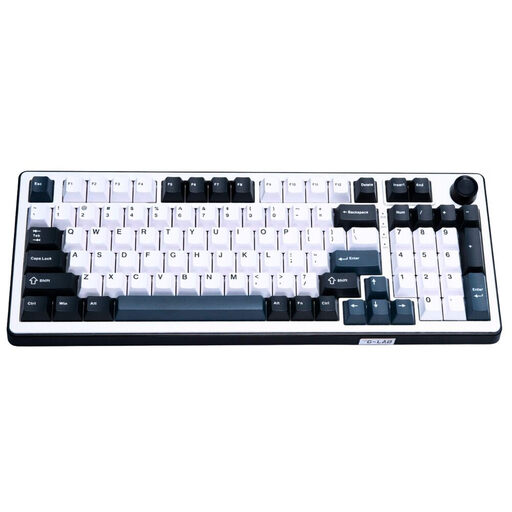
Why it stands out: Here we enter the big leagues. This keyboard features cutting-edge magnetic switch (Hall effect) technology and a polling rate that goes up to 8000 Hz. It's built for absolute responsiveness and the most demanding gamers.
Key Features:
Who is it for? This model is clearly aimed at competitive gamers and hardware enthusiasts who demand ultimate performance. The responsiveness of the magnetic switches and the 8000 Hz polling rate make it a precision weapon for esports. Like the other models in this selection, this is a QWERTY keyboard.
Your setup is a reflection of your personality. If you want to stand out from the crowd with a splash of color, other options are available.
? Discover our selection of pink gaming keyboards for a unique style
A membrane keyboard uses a rubber dome under each key, which often results in a mushy and imprecise typing feel. In contrast, a mechanical keyboard has an independent switch for each key, offering far better responsiveness, unmatched durability, and a much more distinct and satisfying typing experience.
Anti-ghosting ensures your keyboard correctly interprets multiple simultaneous key presses. In most games, you're constantly pressing several keys at once (for example, running diagonally while jumping and reloading). Without effective anti-ghosting, the keyboard can't keep up, and some actions won't be registered, which is often synonymous with defeat.
QWERTY is the most common keyboard layout standard in many parts of the world. It's very popular in the gaming and programming communities. If you're used to a different layout (like AZERTY or QWERTZ), a short adjustment period may be needed. Rest assured, all major operating systems (Windows, macOS, Linux) allow you to change the software layout with a single click. The letters on the physical keycaps will remain QWERTY, but what you type will correspond to your selected layout. For gaming, this is even less of an issue, as keybinds are almost always fully customizable.