
Livraison le jour même ou le lendemain

Qualité garantie

Débloquez vos offres de bienvenue: Livraison GRATUITE | Jusqu'à -80 % | 30 jours d'essai gratuits à JoyPlus
Téléchargez l'application
Finding the right mechanical gaming keyboard can literally transform your gaming experience. But faced with a jungle of options, technologies, and form factors, it's hard to find your way. Key responsiveness, typing comfort, customisation options... these criteria are decisive and directly impact both your performance and your enjoyment in-game.
Don't worry, we're here to guide you. This guide breaks down the essential points to check and presents a selection of models that have caught our eye, helping you make the right choice based on your budget and playstyle.
Before we dive into our favourite models, let's review the key points to evaluate to ensure you make the right decision.
The type of switch (the mechanical component under each key) is arguably the most important criterion. It defines the feel, sound, and responsiveness of your keyboard.
The size of your PC keyboard has a direct impact on your desk's ergonomics.
Regarding connectivity, the choice is mainly between wired and wireless. A modern wireless gaming keyboard (via a 2.4 GHz dongle) offers nearly imperceptible latency, easily rivaling wired models while providing freedom of movement and a cleaner desk setup.
Aesthetics and modularity are becoming increasingly important factors in the decision-making process.
Let's get down to business: here are the models that stand out in 2026 for their performance and value.
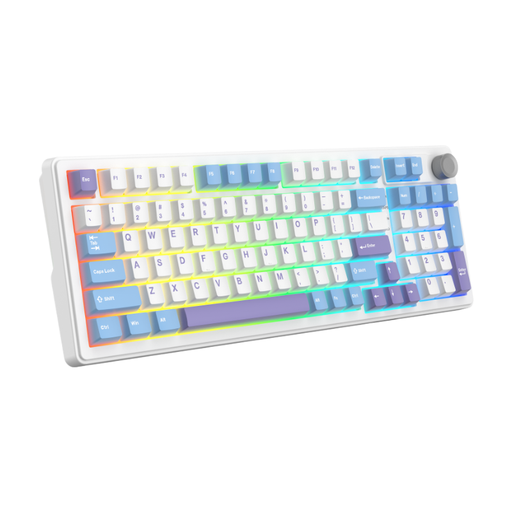
Why it stands out: This model is a true powerhouse of versatility. It combines the freedom of wireless, a compact yet functional layout, and the smoothness of linear switches, all in a particularly well-designed chassis.
Key Features:
Who is it for? For gamers looking for a versatile gaming keyboard that can switch from an intense gaming session to on-the-go use without any compromise. Ideal for those who appreciate a clean desk setup and a quiet, linear typing experience.
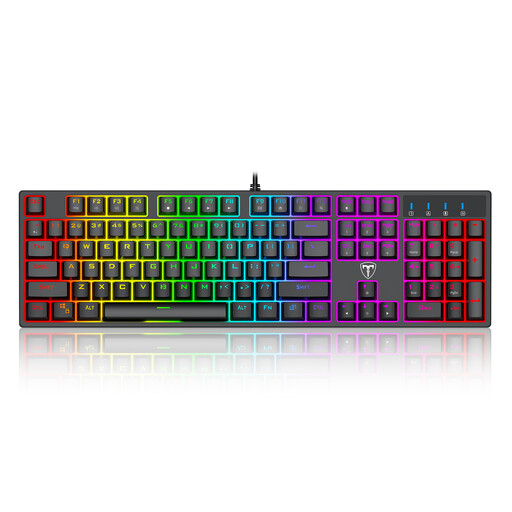
Why it stands out: This keyboard embodies a classic and effective approach to the mechanical keyboard. With its full-size layout and "clicky" Blue switches, it offers a very distinct and particularly satisfying typing experience.
Key Features:
Who is it for? For gamers and typists who love the characteristic feel and sound of "clicky" switches. It's a reliable and complete option for those who prefer a stable wired connection and a traditional layout.
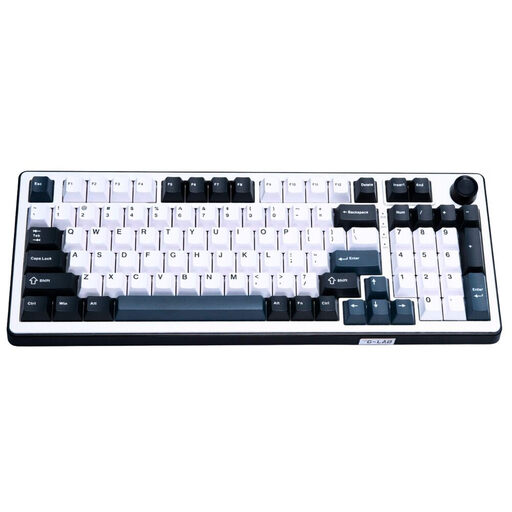
Why it stands out: This keyboard features the cutting-edge technology of magnetic switches, offering a level of responsiveness and customisation aimed at the most demanding gamers.
Key Features:
Who is it for? For competitive gamers and tech enthusiasts seeking absolute performance. The magnetic switch keyboard is ideal for those who want total control over their keys' responsiveness and near-zero latency.
If your setup's style is as important as its performance, take a look at our themed collections. For example, discover our selection of pink mechanical keyboards to add a unique touch to your gaming space.
The fundamental difference lies in the technology under each key. A mechanical keyboard uses an individual switch for each key, offering better precision, greater durability, and a variety of typing sensations. A membrane keyboard, on the other hand, uses a sheet of rubber domes; the feel is often "mushier" and less precise.
The keyboards featured are in the QWERTY layout (the American/international standard). While some regions use different layouts, such as AZERTY in France, it's entirely possible to use a QWERTY keyboard. You just need to configure your operating system's (Windows, macOS) input language to your local preference. The letters you type will then correspond to your local layout, even if the physical keys show QWERTY. It's simply a matter of getting used to it, and many gamers and developers actually prefer the QWERTY layout.
Absolutely not, for the vast majority of users, including competitive gamers. Modern wireless technologies, especially via a 2.4 GHz receiver, have reached simply stunning levels of performance. The latency is often under 1 ms, which is indistinguishable from that of a wired keyboard. Bluetooth may introduce slightly higher latency but remains perfectly viable for casual gaming and office use.