
Livraison le jour même ou le lendemain

Qualité garantie

Débloquez vos offres de bienvenue: Livraison GRATUITE | Jusqu'à -80 % | 30 jours d'essai gratuits à JoyPlus
Téléchargez l'application
Are you a content creator or imaging professional using an iPhone 15 or 16 Pro? You know the drill: 4K ProRes video is a marvel, but it devours storage space at an alarming rate. When your internal memory fills up, your entire creative workflow grinds to a halt. The obvious solution is to switch to external storage, but with so many options, which one should you choose?
This guide is here to help. We've broken down the essential criteria for heavy-duty use—speed, portability, reliability—and selected the best products on the market today. The goal: to help you find the perfect external SSD for your iPhone 15 Pro (and future models) for your shoots, without drowning you in impenetrable technical jargon.
Before diving into our top picks, let's review the key points to ensure you make the right choice.
For external ProRes recording directly from your iPhone, write speed is absolutely critical. Apple recommends a minimum speed of 220 MB/s. However, for a smooth workflow and transferring large files to your computer in a flash, a fast USB-C SSD with speeds exceeding 1000 MB/s is a must-have. Pay close attention to the interface standard: a USB 3.2 Gen 2x2 port will deliver performance that is in a different league compared to older generations.
A 1TB portable SSD is often an excellent starting point for videographers. To give you an idea, a single minute of 4K ProRes video at 60 fps takes up over 10 GB. A 1TB capacity therefore gives you comfortable headroom for long shooting sessions without constantly needing to offload your drive.
For creators on the move, convenience is king. A magnetic SSD for iPhone attaches directly to the back of your device, saying goodbye to bulky mounts and cables. It's the most elegant and secure solution for filming in motion. Also, consider the case's durability: an aluminium chassis that is resistant to shocks and vibrations will protect your precious footage in the field.
Here is our selection, designed to meet a variety of needs, from the ultra-demanding content creator to the casual user.
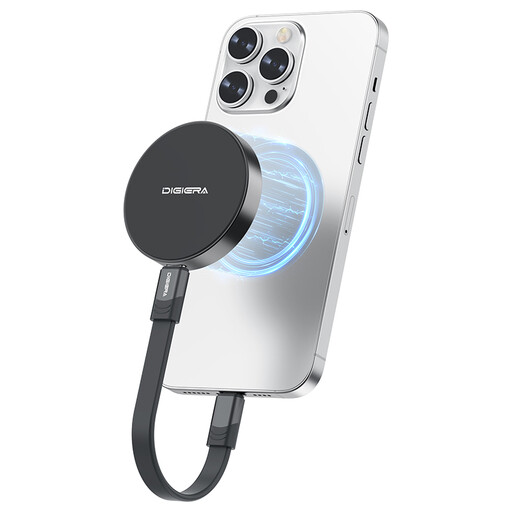
View Product: DigiEra LPS2000M-1 1TB Magnetic Portable SSD
The DigiEra LPS2000M-1 is built for the most demanding workflows. Its magnetic attachment makes it the ideal travel companion for the iPhone 15/16 Pro, allowing for direct recording without any cumbersome cables. But where it truly shines is its speed. Thanks to its USB 3.2 Gen 2x2 interface, it reaches read speeds of up to 2000 MB/s, enough to transfer hours of 4K footage to your editing station in just a few minutes.
This external storage for content creators is aimed at videographers, photographers, and professionals who have turned their iPhone into a true production tool. If you regularly shoot in ProRes and every minute counts in your post-production, this SSD is the obvious choice.
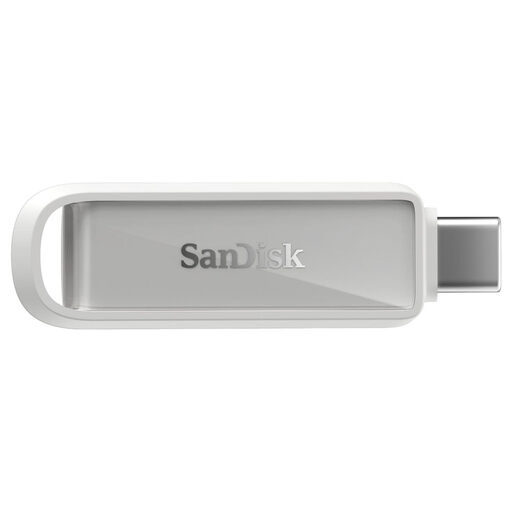
View Product: SanDisk Phone Drive with USB-C 64GB
The SanDisk Phone Drive focuses on simplicity and versatility. Its dual USB-C and USB-A connector is perfect for switching between your iPhone 15, an Android smartphone, and an older computer. The dedicated SanDisk app even automatically backs up your photos and contacts.
A smart option for those looking for a simple solution to free up space, back up photos, or transfer documents. Note that it is not cut out for ProRes video recording due to its limited speed and capacity.
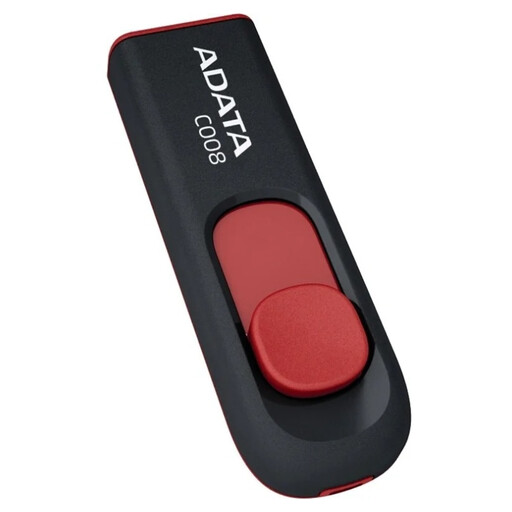
View Product: ADATA C008 32GB USB Flash Drive
The ADATA C008 is the quintessential entry-level storage solution: simple, effective, and budget-friendly. Its USB 2.0 Type-A connector makes it primarily intended for transferring small files (documents, music) on computers or car stereos.
This drive is for users with very basic needs. Be aware, however: with its USB 2.0 interface and low capacity, it is completely unsuitable for transferring large video files and, of course, for recording from an iPhone.
Our selection highlights very specific use cases, but the external storage market is vast. If you want to explore other capacities, form factors, or brands, feel free to browse our complete category.
? Explore Our Full Range of USB-C Storage Solutions
Recording video in 4K ProRes produces extremely large files. An external SSD allows you to record directly to the drive, which frees up your iPhone's internal storage and prevents interruptions mid-shoot. It also significantly speeds up the transfer of these files to a computer for editing, thus optimising your entire production workflow.
No, the magnets used in these SSDs are designed to be completely harmless to modern smartphones and their components, including the flash memory. Phones are very well shielded against this type of magnetic interference. As a precaution, it is still advisable to keep these devices away from credit cards, mechanical watches, and pacemakers, as specified by the manufacturer of the DigiEra LPS2000M-1.
Apple requires a sustained write speed of at least 220 MB/s. High-performance SSDs like the DigiEra LPS2000M-1, with write speeds of up to 1800 MB/s, far exceed this requirement. This guarantees perfectly smooth recording without any frame drops, even in the most demanding formats like 4K at 120 fps.