
Livraison le jour même ou le lendemain

Qualité garantie

Débloquez vos offres de bienvenue: Livraison GRATUITE | Jusqu'à -80 % | 30 jours d'essai gratuits à JoyPlus
Téléchargez l'application
A magenta ink cartridge should not be chosen based on price alone. This colour plays an important role in producing reds, purples, skin tones and numerous photographic shades. However, choosing the wrong reference can result in an unrecognised cartridge, unbalanced prints or a higher-than-expected cost per page.
Before ordering an Epson magenta cartridge, a Brother magenta cartridge or a compatible magenta ink cartridge, check three things: your printer’s exact reference, the stated page yield and the cartridge type.
The Epson 603, Epson 604 and Epson 24XL magenta references are not interchangeable. Although the cartridges may look similar, their electronic contacts and compatible printers can differ. With Brother, an LC422XL magenta cartridge must also match your device’s series precisely.
Check the manual, the label on the empty cartridge or the printer’s replacement menu. The reference must be identical or clearly listed as compatible with your model.
A low price does not necessarily mean a lower cost per page. A standard size may be enough if you print occasionally, while an XL ink cartridge can reduce the need for frequent replacements when working from home or running a small business.
Instead, compare:
A multipack of Epson cartridges can reduce repeat purchases, but it may not be worthwhile if the cyan, yellow and black cartridges still contain enough ink. Conversely, a four-colour pack can be useful before a period of intensive printing.
Compatibility remains the essential criterion. The Epson 603 magenta, for example, is designed for several Expression Home XP and WorkForce WF models, including the XP-2100, XP-3100, XP-4100, WF-2810DWF and WF-2870DWF. The Epson 604 magenta is intended for a different family, including the XP-2200, XP-3200, XP-4200 and several WorkForce WF-29xx models.
For an Epson Brother MFC-J5340DW, MFC-J5740DW or MFC-J6540DW printer, look for an LC422 or LC422XL reference explicitly associated with these models.
The stated page yield makes it easier to compare a standard cartridge with an XL version. These figures are indicative: consumption depends in particular on coverage, resolution and the type of document being printed.
As a guide:
An original ink cartridge is made by the printer manufacturer and carries the corresponding official reference. A compatible magenta ink cartridge is designed to replace that reference, but comes from a different manufacturer. It can be a cost-effective solution, provided you check the list of supported models and the returns policy.
Avoid mixing different ink technologies in the same printer without taking the necessary precautions. Dye-based inks are common in colour printers designed for home users, while pigment inks are used in certain professional and large-format ranges.
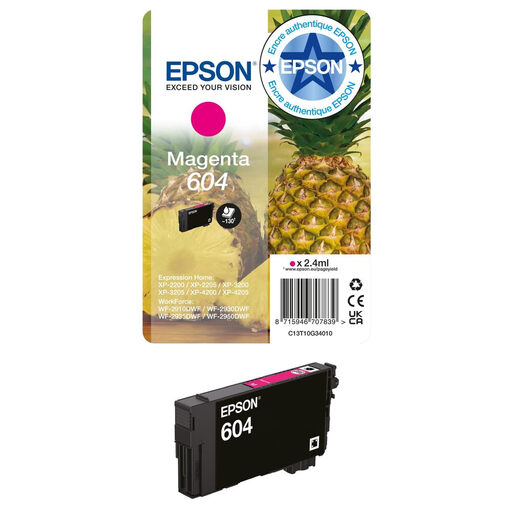
Why this choice suits this profile : A single cartridge is ideal for occasional use and means you do not have to buy all four colours.
The Epson 604 reference and list of compatible models are shown in the product details, reducing the risk of confusing it with the Epson 603.
A single-colour magenta format, a stated volume of 2.4 ml and an estimated yield of 130 pages according to ISO/IEC 24711.
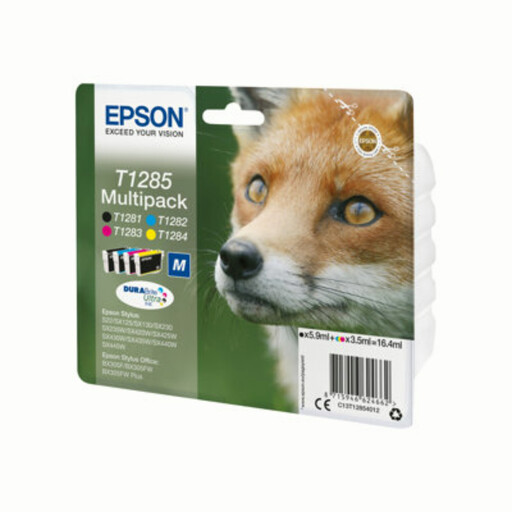
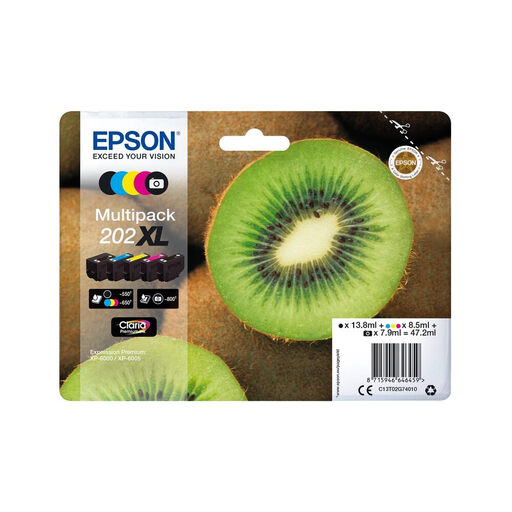
Why this choice suits this profile : This reference is designed for Expression Photo printer users looking for a high capacity and Claria Photo HD ink.
The 24XL model is clearly distinguished from the 603 and 604 references. Nevertheless, check the list of compatible printers before buying.
An original 8.7 ml Epson cartridge, an estimated yield of around 740 pages according to ISO/IEC 24711 and Micro Piezo technology.
Why this choice suits this profile : This cartridge is designed for users of an Epson Stylus Pro 3800 or 3880, particularly for large-format printing.
Its 80 ml capacity and UltraChrome K3 technology clearly indicate that it is intended for large-format use, rather than a standard home printer.
Original Epson pigment ink, an 80 ml capacity and a separate cartridge for the relevant Stylus Pro models.
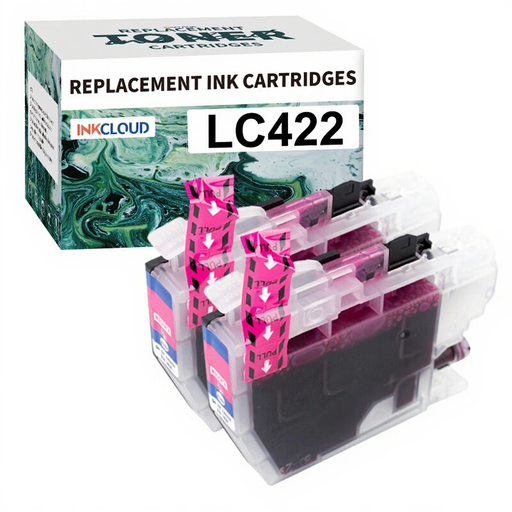
Why this choice suits this profile : This pack of two magenta cartridges is suitable for regular printing on the Brother MFC-J5340DW, J5740DW and J6540DW.
The list of supported Brother printers and the LC422XL/LC422 format make it easy to check compatibility before placing your order.
Two compatible magenta cartridges in one pack, separate installation and a high-yield format according to the product details.
We have put together a complete, real-time updated list of products that meet these strict selection criteria and European safety requirements.
Remove the protective cover only when you are ready to replace the cartridge. Insert it into the magenta slot until it clicks into place, then allow the printer to complete its initial preparation. Avoid touching the metal contacts and never pierce the cartridge.
Keep consumables in their sealed packaging, at room temperature and away from heat sources. If the printer indicates that the magenta is empty, replace the cartridge rather than running repeated cleaning cycles. This will help reduce ink wastage and printing interruptions.
Note the reference printed on the old cartridge or in the printer manual. Then compare it with the list of models shown in the product details. An Epson 603 reference should not be replaced with an Epson 604, or vice versa, unless the manufacturer explicitly states that it is compatible.
Shelf life depends on the date shown on the packaging, storage conditions and whether the cartridge has been opened. A sealed cartridge kept away from heat and light will generally last until the recommended date. Once opened, install it promptly to reduce the risk of the ink drying out.
Not necessarily. The XL format becomes worthwhile if you print regularly and its yield matches your usage. If you only print a few pages a month, a standard cartridge or a single magenta cartridge can help you avoid storing a consumable that will remain unused.