
Livraison le jour même ou le lendemain

Qualité garantie

Débloquez vos offres de bienvenue: Livraison GRATUITE | Jusqu'à -80 % | 30 jours d'essai gratuits à JoyPlus
Téléchargez l'application
Choosing a new professional laptop is never a decision to be taken lightly, especially when it's an investment like the MacBook Pro. The 14-inch model equipped with the M5 Pro chip is generating a lot of buzz, but how can you be sure it's right for your needs, without falling for the marketing hype? As the Head of Product Recommendations at Joybuy, my role is to provide you with concrete advice for a confident and informed purchase.
Before you decide, let's review the common mistakes and technical points to check before pulling out your credit card.
Getting a powerhouse for work is an investment. But it's easy to be swayed by marketing claims that don't align with your reality. Here are the most common pitfalls:
To make the right choice, focus on the features that will have a direct impact on your daily productivity.
The heart of this Apple M5 Pro laptop is, of course, its chip. The M5 Pro model is specifically designed for professionals who handle demanding applications. With an architecture featuring up to a 15-core CPU and a 16-core GPU, it offers a stunning balance. In practical terms, expect exemplary smoothness when editing 4K videos, compiling code, or retouching high-resolution photos. It's the sensible choice for a laptop for creatives seeking responsiveness without jumping to the extreme power (and price) of the M5 Max chip.
Unified memory is one of the signatures of Apple silicon. Unlike traditional RAM, it's integrated directly into the chip, allowing the CPU and GPU to pull data from it almost instantly. A configuration like the MacBook Pro with 24GB of RAM is ideal for intensive multitasking: you can simultaneously run editing software, a browser with dozens of tabs, and a messaging app without the slightest slowdown.
Paired with a MacBook Pro with a 1TB SSD, this memory ensures lightning-fast loading times for your applications and large files—a valuable asset in any professional workflow.
For creative professionals, screen quality is a non-negotiable criterion. The Liquid Retina XDR display delivers striking peak brightness and contrast, perfect for displaying HDR content with absolute fidelity. ProMotion technology, which adapts the refresh rate up to 120Hz, ensures stunningly fluid navigation and scrolling. Finally, the backlit QWERTY keyboard provides optimal typing comfort, a must-have for any professional.
To help you see more clearly, here are a few configurations tailored for different user profiles.
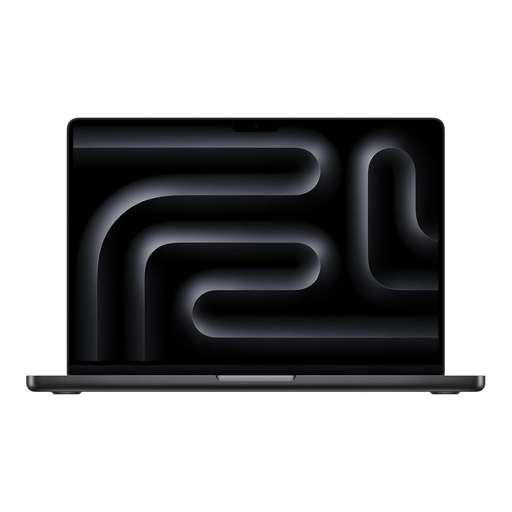
Why this choice? This configuration is the perfect balance for professionals who juggle video editing, graphic design, and photography. The Space Black MacBook Pro offers a sleek and professional aesthetic.
It offers the power of the M5 Pro chip and 24GB of RAM, more than enough for 95% of creative uses, without the extra cost of the M5 Max chip. This way, you avoid paying for superfluous power.
Formidable versatility to manage multiple pro applications at once, without any compromise on fluidity or battery life.
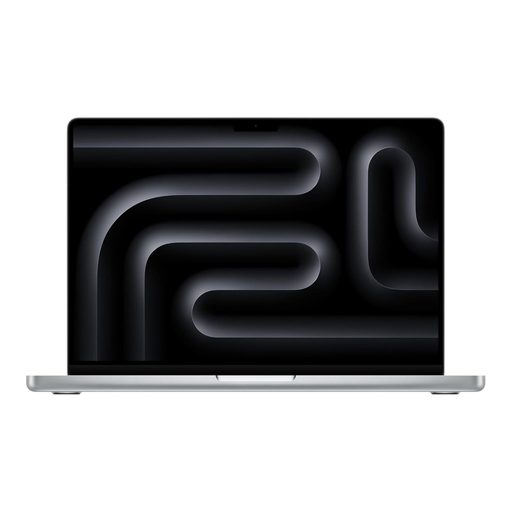
Why this choice? Perfect for code compilation, virtualization, and AI-related calculations. The 24GB of unified memory allows you to manage complex development environments effortlessly.
It precisely targets the CPU and RAM needs of developers, avoiding payment for an oversized graphics chip (like the M5 Max) that would be underutilized.
Its comprehensive connectivity (Thunderbolt, HDMI) allows you to connect multiple displays and peripherals without needing a bulky docking station, thus sidestepping the limited connectivity trap.

Why this choice? For those who want the chassis, screen, and battery life of the MacBook Pro, but whose usage doesn't justify the M5 Pro chip. The standard M5 chip is already very powerful for advanced office work and light content creation.
It sidesteps the chip confusion pitfall by offering a more accessible alternative. Here, the investment is wisely placed in memory (32GB) and storage (1TB), rather than in raw processing power.
Enjoy the Pro experience (screen, sound, battery) on a controlled budget, while ensuring a very comfortable memory and storage setup for years to come.
If these models aren't exactly what you're looking for, we've compiled a complete selection of laptops that meet equally strict selection criteria.
A MacBook Pro is a long-term investment. Generally, you can count on 5 to 7 years of good performance for typical use. Apple provides macOS software updates for many years, which guarantees longevity and security.
Yes, absolutely. For the majority of 4K editing projects, 24GB of unified memory is more than sufficient. This amount of memory allows you to handle complex timelines, effects, and color grading with great fluidity, thanks especially to the efficiency of the M5 Pro chip and its dedicated media engine.
The cooling system of the 14-inch MacBook Pro is renowned for its efficiency and quietness. During very heavy and prolonged tasks (a long video export, a large code compilation), it's normal to feel a slight warmth and hear the fans kick in. However, for daily use, even demanding tasks, the machine remains cool and perfectly silent.