
Livraison le jour même ou le lendemain

Qualité garantie

Débloquez vos offres de bienvenue: Livraison GRATUITE | Jusqu'à -80 % | 30 jours d'essai gratuits à JoyPlus
Téléchargez l'application
With its M5 chip, Apple is setting a new high bar for its 2026 laptops. Between the MacBook Air M5 and the powerhouse MacBook Pro M5, the promise of performance is enticing. However, navigating the configuration options can quickly become a headache. The result? Too many users pay for features they don't need or, conversely, end up with a machine that lags after just one year.
Before taking the plunge, it's crucial to avoid a few classic pitfalls:
This guide is here to help you see things more clearly and choose the 2026 portable Mac that is truly right for you.
To make an informed choice, you just need to understand the impact of three key components. Far from technical jargon, these are concrete decisions that will shape your user experience for years to come.
Choosing the processor is, of course, the first step.
Unified memory, or RAM, is your computer's workspace. The more you have, the more tasks you can handle simultaneously without slowdowns.
SSD storage determines not only how much data you can store but also how fast your Mac boots up and launches applications.
Rather than an exhaustive list, here are targeted configurations for distinct user profiles to help you find the model that's made for you.
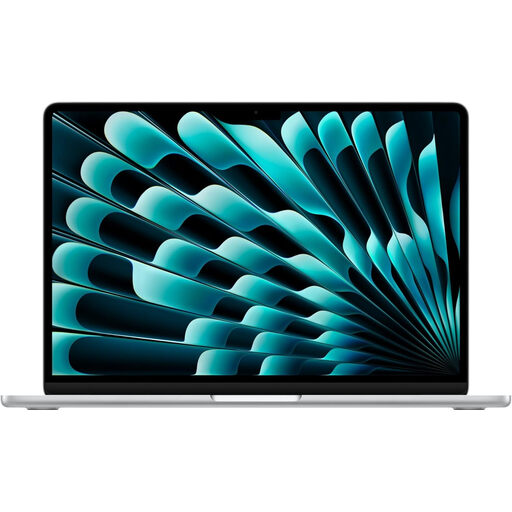
Why this model : Its compact form factor and fanless design make it the perfect travel companion. It's silent, lightweight, and its battery life can last a full day of classes or work without a charger. The M5 chip is more than powerful enough for research, writing, and even light creative projects.
This model avoids the extra cost of a Pro chip, which is unnecessary for this type of use. The configuration with 16 GB of RAM and 1 TB of SSD ensures long-lasting fluidity, unlike entry-level models that often age poorly.
The perfect balance of portability, battery life, and future-proof performance for versatile use.
Why this model : The 15.3-inch Liquid Retina display offers unparalleled visual comfort for photo editing, graphic design, or editing multiple audio/video tracks. The MacBook Air 15-inch remains thin and light, while also integrating an immersive six-speaker sound system.
It provides a large screen without the cost and weight of a MacBook Pro. The M5 chip is already highly capable for most creative software, saving you from overpaying for "Pro" power that wouldn't be fully utilized.
A large, comfortable screen in a thin, portable chassis, with a solid configuration for content creation.
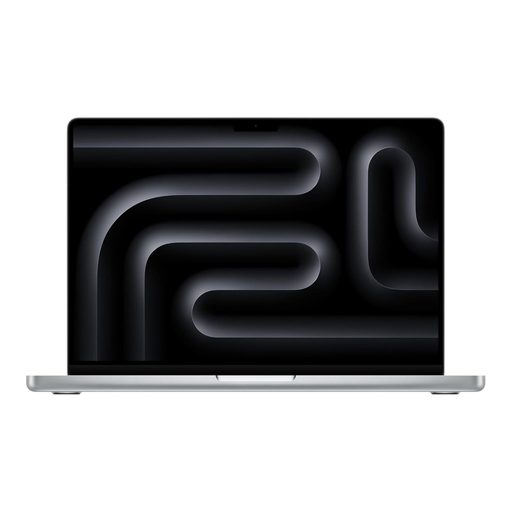
Why this model : For developers, videographers, or 3D artists, performance isn't an option—it's a necessity. The M5 Pro chip with its active cooling system maintains peak performance over long periods. The Liquid Retina XDR display offers stunning brightness and contrast, essential for working with HDR content, and the 24 GB of RAM allow you to juggle very demanding applications.
This model addresses a real need for power, justifying the investment in the Pro chip. It finally includes a comprehensive set of ports (Thunderbolt 5 ports, HDMI), ending the frustration of adapters and streamlining professional workflows.
Sustained performance for the most intensive tasks, a best-in-class display, and pro-level connectivity.
We have compiled a complete, up-to-date list of products that meet our demanding selection criteria.
For the vast majority of users, the answer is a resounding yes. While 8 GB may suffice for simple tasks, 16 GB of unified memory provides a much smoother experience. It allows you to keep numerous browser tabs open, use multiple applications at once, and engage in creative activities without slowdowns. It's the best way to ensure your computer remains fast and enjoyable to use for several years.
Battery life obviously depends on usage, but a clear trend emerges. The MacBook Air M5, thanks to its highly efficient M5 chip and fanless design, generally offers slightly superior battery life for light tasks like web browsing or video playback (up to 18 hours of video playback according to Apple's figures for the 15-inch model). The MacBook Pro M5, while also having great endurance, is designed for higher performance, which can consume more battery during intensive tasks. However, its larger battery capacity allows it to post very competitive battery life, reaching up to 22 hours of video playback according to the manufacturer's data for the 14-inch model.
Yes, all MacBook models sold on the French market by official distributors are equipped with an AZERTY keyboard by default. However, you should still check this specification in the product description before you buy a MacBook M5 to ensure you receive the configuration adapted for the French market.