
Livraison le jour même ou le lendemain

Qualité garantie

Débloquez vos offres de bienvenue: Livraison GRATUITE | Jusqu'à -80 % | 30 jours d'essai gratuits à JoyPlus
Téléchargez l'application
Are you looking for an Apple MacBook Air M5 AZERTY for your studies, remote work, or creative projects? The decision isn't just about colour or the price tag. Memory, storage, screen size and keyboard layout will all have a direct impact on your day-to-day comfort.
Some marketing claims are also worth taking with a pinch of salt. A larger screen doesn't necessarily make a laptop more practical to carry around, and generous storage won't always make up for limited memory. Here are the points to check before choosing your MacBook Air.
An imported laptop may have a different keyboard layout from the one used in the UK. Make sure you check for the AZERTY label in the specification, not just the system language. Touch ID and backlighting can also make a real difference in a dimly lit room.
For office work, browsing with lots of tabs open, video calls and creative applications, 16 GB of unified memory gives you a comfortable margin compared to an entry-level configuration. Because this memory is built into the machine, it generally cannot be upgraded after purchase.
A 512 GB SSD is enough for many students and professionals. However, a large photo library, videos or hefty work files can quickly eat up the available space. The 1 TB MacBook SSD gives you more breathing room, especially for creatives who regularly handle large files.
The configurations shown here feature an Apple M5 chip with a 10-core CPU. The 13-inch model has an 8-core Apple GPU, while the 15-inch versions on offer come with a 10-core GPU. This difference can matter for video editing, photo retouching or certain graphics tasks.
Both sizes are available with 16 GB of unified memory. On the storage front, the 13-inch model shown has a 512 GB SSD, while the selected 15-inch versions come with a 1 TB SSD.
The 13-inch MacBook Air M5 has a 13.6-inch Liquid Retina display with 2,560 × 1,664 pixels, and weighs in at a claimed 1.23 kg. It slips easily into a bag for trips between home, university and the office.
The 15-inch MacBook Air M5 offers a 15.3-inch panel with 2,880 × 1,864 pixels. At a claimed 1.51 kg, it's still reasonable for a laptop of this size, but it's inevitably bulkier. This format is better suited to working with multiple windows, even without an external monitor.
According to the specifications provided in the product listings, battery life reaches up to 18 hours of video playback or 15 hours of wireless web browsing. These figures naturally depend on brightness, the applications you use, your wireless connection and your chosen settings.
The models come with two Thunderbolt 4 / USB4 ports, a MagSafe 3 port and a headphone jack. Wi-Fi 7 compatibility can be useful if your router and local network support this standard. If not, the laptop works perfectly well with compatible Wi-Fi generations.
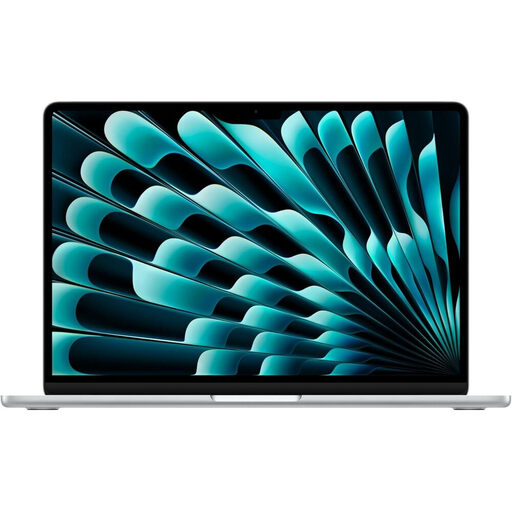
Why this choice suits this profile: This configuration is aimed at students and users who prioritise a compact laptop for taking notes, office work and daily commuting.
The AZERTY keyboard is clearly stated in the specification, and the 16 GB of memory stops you from hitting a multitasking limit too quickly. However, you should assess whether the 512 GB SSD is enough for your files.
13.6-inch display, claimed weight of 1.23 kg, M5 chip, two Thunderbolt 4 / USB4 ports and Wi-Fi 7 compatibility.
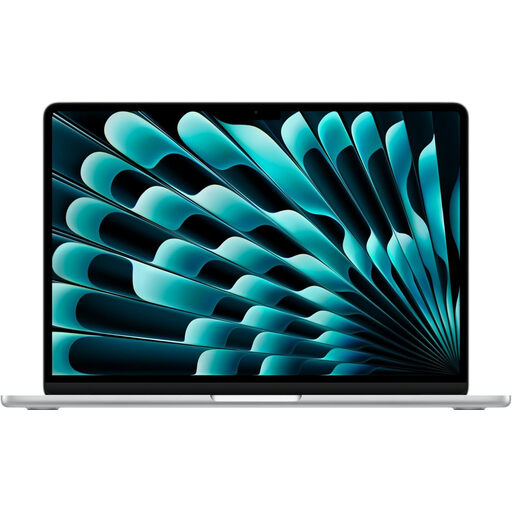
Why this choice suits this profile: Its large screen and 1 TB of storage are ideal for professionals who want to work comfortably without juggling multiple external drives.
The specification clearly distinguishes the 15.3-inch screen, 16 GB of memory and 1 TB SSD. However, the 1.51 kg weight is worth considering if you plan to carry it around often.
2,880 × 1,864 pixel resolution, 10-core GPU, six speakers and 1 TB SSD.
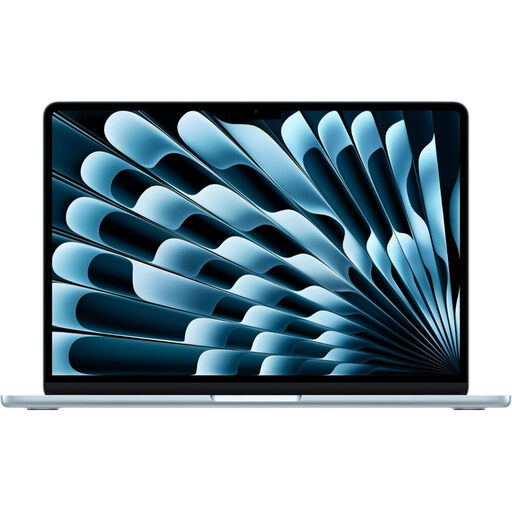
Why this choice suits this profile: Its large display area and generous storage are ideal for people who switch between video calls, content creation and managing heavy files.
The configuration brings together 16 GB of memory, 1 TB of storage and two Thunderbolt 4 / USB4 ports. However, it doesn't replace a dedicated graphics workstation for the most specialised professional tasks.
M5 chip with 10-core CPU and GPU, 15.3-inch display, Wi-Fi 7, Bluetooth 6.0 and claimed battery life of up to 18 hours of video playback.
We've put together a comprehensive, real-time updated list of products that fully meet these strict selection criteria and European safety regulations.
The specifications indicate compatibility with macOS Tahoe, Touch ID, Handoff and continuity features between Apple devices. If you already own an iPhone or iPad, file syncing and picking up certain tasks across devices can simplify your day-to-day life. However, do check the compatibility of your professional software before buying, especially if you use applications designed exclusively for Windows.
Yes, the selected models specify a backlit Magic Keyboard in AZERTY layout, with Touch ID. Always check this detail in the specification of the variant you choose, as the same range can be offered with several keyboard layouts.
The 512 GB SSD is fine for office work, coursework, documents and everyday use. The 1 TB SSD will be more suitable if you store videos, photos, creative projects or lots of virtual machines locally.
The 13-inch model focuses on lightness and portability, with a claimed 1.23 kg for the configuration shown. The 15-inch offers more screen space but weighs 1.51 kg. The choice really comes down to your travel habits and whether you need to have several windows open side by side.