
Livraison le jour même ou le lendemain

Qualité garantie

Débloquez vos offres de bienvenue: Livraison GRATUITE | Jusqu'à -80 % | 30 jours d'essai gratuits à JoyPlus
Téléchargez l'application
By the Joybuy Editorial TeamPublished July 18, 2026
The 2026 MacBook Air M5 is a game-changer in the ultraportable market. Between the stratospheric performance promised by the Apple M5 chip, the arrival of Apple Intelligence, and the two-screen-size dilemma, making a choice can be a real headache. Whether you're a student, a professional on the go, or a creative, this guide is here to help you see things more clearly. Our mission: to break down each configuration to help you find THE model that perfectly meets your needs, without getting lost in marketing jargon.
Before diving into our top picks, let's review the key factors that will guide your decision to buy the 2026 MacBook Air that's best suited for you.
This is the first decision you'll need to make: should you prioritise ultimate portability or the comfort of a larger screen?
Like its predecessors, the M5 chip is built on Apple's unified memory architecture. In practice, this means the RAM is shared between the processor (CPU), graphics chip (GPU), and the Neural Engine for formidable efficiency.
The entire 2026 lineup features the latest connectivity standards, including Wi-Fi 7 and Bluetooth 6.0. The result: ultra-fast transfers and a rock-solid connection. A key detail that shouldn't be overlooked: the presence of a QWERTY keyboard is essential for optimal typing comfort in most English-speaking regions. Rest assured, all the models we recommend can be configured accordingly.
Here are three configurations that we believe stand out for their balance and suitability for different user profiles.
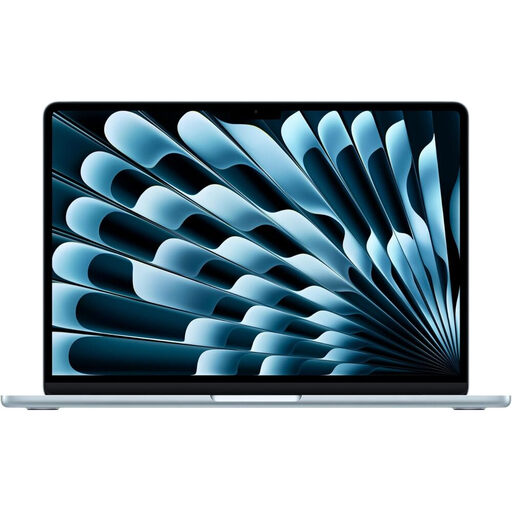
Why it stands out: This is the most balanced configuration in the lineup. It combines the comfort of a large 15.3-inch screen with a powerful spec sheet (16GB of RAM, 512GB of SSD), capable of breezing through most professional and creative tasks with stunning fluidity.
The pros:
Who is it for? Mobile professionals, consultants, or students looking for the comfort of a large screen for multitasking, without sacrificing portability or battery life.
Why it stands out: This is the "supercharged" version of the 15-inch MacBook Air. With 24GB of unified memory and 1TB of storage, it's aimed at demanding users who are pushing into "Pro" territory but still value the thinness and silence of the Air lineup.
The pros:
Who is it for? Creatives (photographers, videographers), developers, and "prosumers" who want maximum power and storage in the iconic MacBook Air chassis.
Why it stands out: The direct heir to the original vision of the MacBook Air: ultimate portability, with a major performance boost. The 16GB / 512GB configuration makes it a perfectly balanced and future-proof machine, ready to handle the years ahead without skipping a beat.
The pros:
Who is it for? Students, journalists, sales professionals... In short, anyone for whom mobility is the number one priority, but who refuses to compromise on everyday performance.
The new Sky Blue colour for the MacBook Air M5 is one of this year's most desirable finishes. If this shade has caught your eye, feel free to explore our selection of high-tech products in refreshing colours in our liquid blue category.
The price of the MacBook Air M5 depends on several factors: screen size (13-inch or 15-inch), the amount of unified memory (RAM), SSD capacity, and the chip configuration (number of GPU cores). To find the exact prices for the configurations we've selected, the easiest way is to check the product links above.
Yes, absolutely, for light to moderate video editing. The Apple M5 chip is perfectly capable of handling 4K projects in Final Cut Pro or DaVinci Resolve. However, for very intensive workflows (multitrack editing, heavy effects, long exports), a MacBook Pro will be more comfortable thanks to its active cooling system, which allows it to sustain peak performance over long periods.
It's crucial to select the correct keyboard layout for your region. For typing in English, the QWERTY keyboard is the standard and not just an option, but a necessity. It is specifically arranged for the English language, with a layout of symbols we use every day. All computers sold in English-speaking regions are equipped with it to guarantee optimal typing comfort.