
Livraison le jour même ou le lendemain

Qualité garantie

Débloquez vos offres de bienvenue: Livraison GRATUITE | Jusqu'à -80 % | 30 jours d'essai gratuits à JoyPlus
Téléchargez l'application
With a laptop lineup that's more extensive than ever, choosing a MacBook in 2026 can be a complex decision. Between the MacBook Air, the MacBook Pro, and newcomers like the MacBook Neo, it's hard to know where to start. Should you prioritise portability, raw power, or the perfect balance? This guide breaks down the 2026 lineup for you and helps you find the machine that will perfectly meet your needs and budget.
As a product expert at Joybuy, my mission is simple: to give you clear information and concrete advice to inform your choice, all with no marketing jargon.
Before diving into a model comparison, it's essential to define your priorities. Three key criteria will help you gain some clarity.
Your day-to-day usage is the most important factor.
The processor, or "chip," is the heart of your Mac. In 2026, here's how the lineup breaks down:
The screen size directly impacts your viewing comfort and the machine's portability.
Here is our selection of three flagship models from the MacBook 2026 lineup, each tailored to a specific user profile.
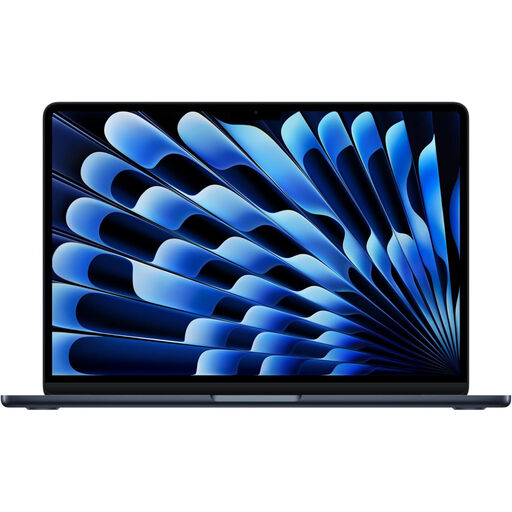
Why it stands out: This model combines a large 15.3-inch Liquid Retina display with the legendary thinness and silence of the MacBook Air. The M5 chip gives it a real performance boost, making it capable of handling demanding applications while ensuring marathon-like battery life.
Advantages:
Who is it for? Ideal for students, professionals, and anyone who wants a large screen for multitasking without sacrificing portability. It's the ultimate versatile Apple laptop, equally at home on the go or at the office.
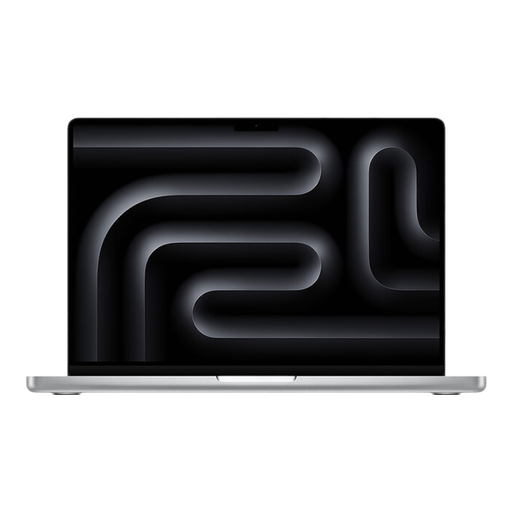
Why it stands out: The 14-inch MacBook Pro is a portable workstation with zero compromises. The M4 Pro chip is a powerhouse built for the most demanding workflows, and its Liquid Retina XDR display remains the absolute benchmark for colour accuracy and brightness.
Advantages:
Who is it for? Designed for creatives (videographers, photographers, musicians, developers) who demand maximum firepower in a format that remains portable. The MacBook's price tag reflects its professional ambitions.
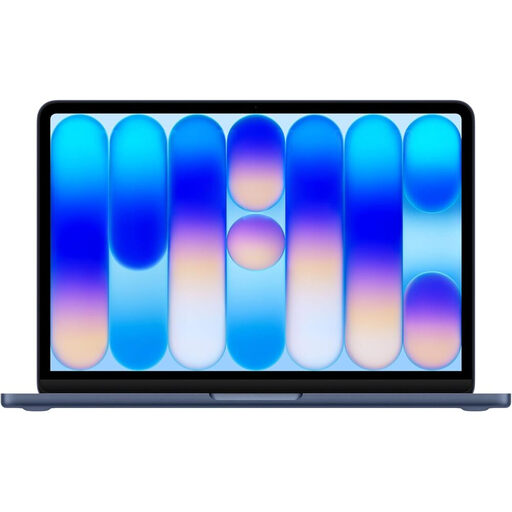
Why it stands out: The MacBook Neo is the ideal modern entry point into the Mac ecosystem. Its A18 Pro chip, optimised for efficiency and AI, ensures a perfectly smooth day-to-day experience, all in a colourful and ultra-light chassis.
Advantages:
Who is it for? Perfect for students, for those whose use is focused on the web, office work, and multimedia, or as an ultra-portable second computer. It's an excellent choice for a first student MacBook.
The Apple lineup is extensive, and configuration options (processor, memory, storage) are numerous. If you haven't found what you're looking for in this MacBook comparison, other models might be right for you.
Discover our entire selection of MacBooks on Joybuy
The main difference comes down to raw performance and cooling. The MacBook Pro packs faster chips (like the M4 Pro) and an active cooling system that allows it to maintain peak performance over long periods. In contrast, the MacBook Air, with its fanless design, prioritises thinness and silence, at the risk of having to throttle its performance on very long and intensive tasks to avoid overheating. The Pro also stands out with its higher-quality display (XDR) and more comprehensive connectivity.
For basic use (web, email, office suite), 8 GB of RAM and a 256 GB SSD are the bare minimum. To be truly comfortable and juggle multiple applications without slowdowns, 16 GB of RAM is the standard today. For storage, 512 GB offers plenty of headroom. Creatives and pros handling large files (4K video, RAW photos) should definitely opt for 24 GB of RAM (or more) and an SSD of at least 1 TB.
Absolutely. For the vast majority of degree programs, the MacBook Neo is an excellent choice. Its A18 Pro chip handles note-taking, web research, office suites, video calls, and even some light creative software without breaking a sweat. Its feather-light weight, marathon battery life, and accessible price point make it the ideal study companion.