
Livraison le jour même ou le lendemain

Qualité garantie

Débloquez vos offres de bienvenue: Livraison GRATUITE | Jusqu'à -80 % | 30 jours d'essai gratuits à JoyPlus
Téléchargez l'application
For a competitive gamer, every millisecond and every gram counts. In the high-octane arena of FPS or MOBA games, your gear's responsiveness doesn't just make a difference: it is the difference. A lightweight wireless gaming mouse is no longer a luxury, but a strategic weapon for quicker movements, sharper reflexes, and minimal fatigue.
But faced with a jungle of increasingly complex spec sheets, how do you find your way? Don't panic. This guide breaks down the criteria that truly matter and presents a selection of the best current models, all without the marketing fluff.
Before diving into our selection, let's review the key points that distinguish a simple mouse from a true winning machine.
This is the number one criterion. Models under the 70-gram mark are favoured by FPS mouse players because they require less effort for rapid accelerations and sharp stops. In practical terms? Increased responsiveness and less muscle fatigue, allowing you to play for hours on end without losing precision.
At the heart of the beast, you'll naturally find pure performance.
Wireless means battery. And nothing is more frustrating than a mouse dying mid-game. A long-battery-life gaming mouse is therefore non-negotiable. Current models last for tens, or even hundreds, of hours. Keeping an eye on the capacity (in mAh) and charging options (USB-C, wireless) will let you play with peace of mind.
Here is our selection of competition-grade mice that check all the boxes.
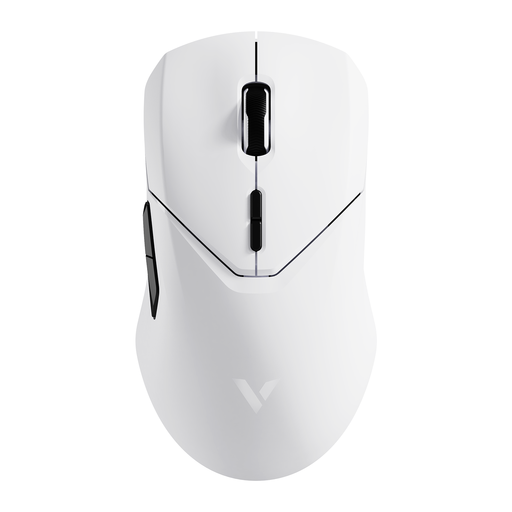
What sets it apart: The VT9Pro 4K offers a superb balance of lightness, performance, and battery life. Its 4000 Hz wireless polling rate puts it at the top for responsiveness, while its 68g weight makes it agile and comfortable.
Highlights:
Who is it for? Versatile gamers looking for a highly responsive mouse with solid battery life, without necessarily aiming for the most extreme ultralight models. Its ambidextrous design makes it accessible to a wide range of users.
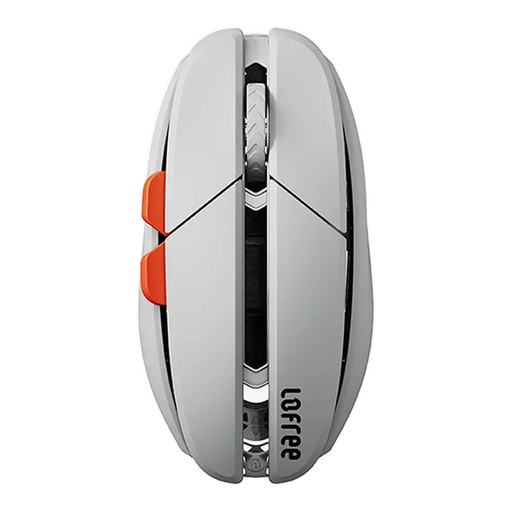
What sets it apart: With its magnesium alloy chassis, the Lofree Hypace boasts a record-breaking featherlight weight of 47g. It incorporates a cutting-edge PAW3950 sensor, capable of reaching stratospheric sensitivity via software.
Highlights:
Who is it for? Gamers for whom every gram counts. Its extreme lightness is designed to minimise inertia and maximise movement speed, making it a weapon of choice for FPS players with a very fast playstyle.
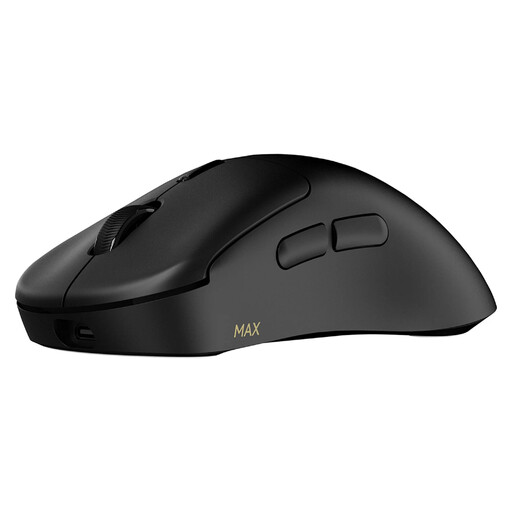
What sets it apart: The VT3 MAX shatters records for battery life and responsiveness. It offers a true native 8K wireless polling rate and a stated battery life of up to 750 hours (at 1000 Hz), all in a shell weighing just 53g.
Highlights:
Who is it for? Esports players and fierce competitors who demand near-zero latency and marathon-like battery life. The ability to adjust DPI on the X and Y axes independently is a major asset for experts who love to fine-tune everything.
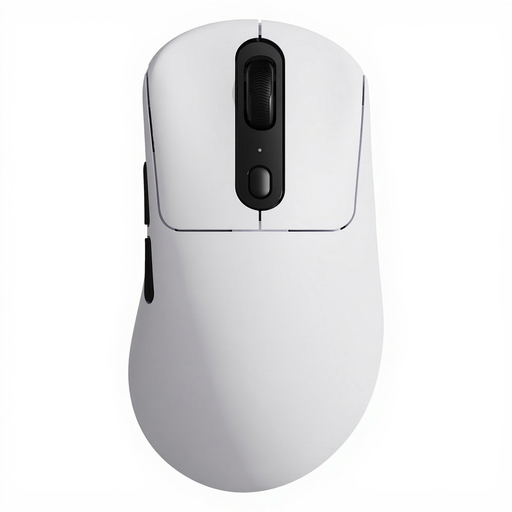
What sets it apart: This model combines a very low weight of 59g with the PAW 3950 Ultimate optical sensor and an 8KHz polling rate. It's a mouse built for victory, with no compromises for the esports scene.
Highlights:
Who is it for? High-level FPS and MOBA players looking to optimise every aspect of their hardware. The combination of the cutting-edge sensor, lightness, and very low latency makes it a formidable weapon for competition.
This selection highlights top-tier models for competition. If your criteria are different or if you're simply curious to explore other avenues, feel free to browse our full catalogue.
? Discover our catalogue of wireless mice and keyboards
The polling rate determines how often the mouse sends information to the computer. A higher rate (e.g., 4000 Hz or 8000 Hz) results in smoother cursor movement and lower latency between your action and its on-screen representation. For competitive games, low latency is crucial for responsiveness.
Yes, for many players. A lighter mouse requires less force to move and stop. In practical terms, this means shorter reaction times, faster aiming, and reduced wrist fatigue during long sessions. However, the ideal weight remains a personal preference; some players prefer the stability of a slightly heavier mouse.
The DPI (Dots Per Inch) setting is highly personal and depends on your playstyle, screen resolution, and habits. There is no universal "right" setting. The easiest method is to start with a moderate value (between 800 and 1600 DPI) and adjust it gradually until you find the right balance between speed and precision for your movements. A high-DPI gaming mouse simply gives you more headroom to find that perfect setting.