
Livraison le jour même ou le lendemain

Qualité garantie

Débloquez vos offres de bienvenue: Livraison GRATUITE | Jusqu'à -80 % | 30 jours d'essai gratuits à JoyPlus
Téléchargez l'application
Buying a laser engraving machine is a significant investment for a workshop, jewellery business, small enterprise or experienced maker. Yet product listings often highlight speed, power or compatibility with a long list of materials, without always spelling out the machine's real-world limitations.
Three common pitfalls keep cropping up:
So, to choose a laser engraver that suits your business in the UK, it's better to focus on the technology used, the materials it can genuinely handle and the operating conditions, rather than relying on a simple marketing promise.
A diode machine is generally suitable for wood, cardboard, leather and certain coated materials. For metal, an infrared fibre source is more specifically designed for marking metal surfaces. A configuration combining diode and fibre can therefore cover a wider range of uses, particularly in object personalisation and jewellery making.
Before ordering a laser engraver for metal and wood, carefully check the list of materials specified by the manufacturer. Glass, plastics, painted surfaces and composite materials may require specific settings, or even certain precautions. Glass engraving should not be confused with glass cutting: the machine can mark the surface without being designed to cut through it.
A speed expressed in millimetres per second corresponds to the maximum movement quoted by the manufacturer. On its own, however, it doesn't allow you to estimate the result or production time. Power, resolution, the design, the material used and the number of passes also play a decisive role.
For a personalised engraving business, make sure you check:
A small work area can be perfectly adequate for jewellery, nameplates, keyrings and other small items. For panels or large batches of pieces, a laser cutting machine with a more generous surface area will generally be more practical.
A laser device must be installed in a clear, stable and well-ventilated space. Before any use, take the time to read the safety documents, check the protections supplied and follow the manufacturer's instructions. The fumes produced vary depending on the materials; some plastics and coatings may even be incompatible with laser engraving.
The xTool F2 model shown below is stated as being for professional use in commercial material processing. Its product page asks you to consult the safety documentation and have the necessary qualifications before purchase. It should therefore not be presented as a machine intended for domestic or private use.
The products below correspond to very different uses. The features mentioned are those stated on their product pages; always check the included accessories, delivery conditions and safety instructions before placing an order.
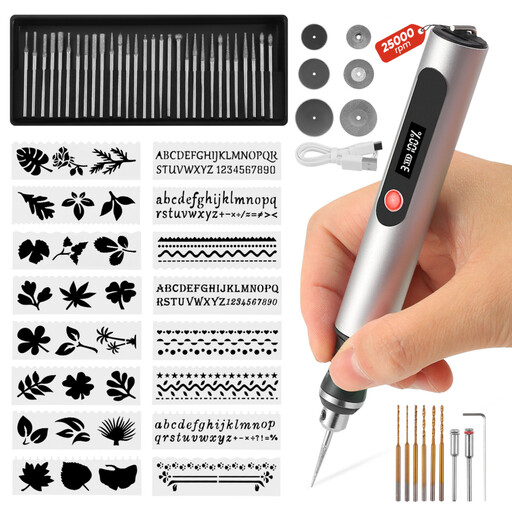
Why this choice suits this profile: Its compact format lends itself to small decorative jobs, touch-ups and DIY projects at home.
It avoids investing in a bulky machine when the need is limited to simple designs and small items. It won't, however, replace a laser engraver intended for batch production.
Digital display, three speeds, USB-C charging and a set of 30 engraving accessories stated for wood, metal and glass.
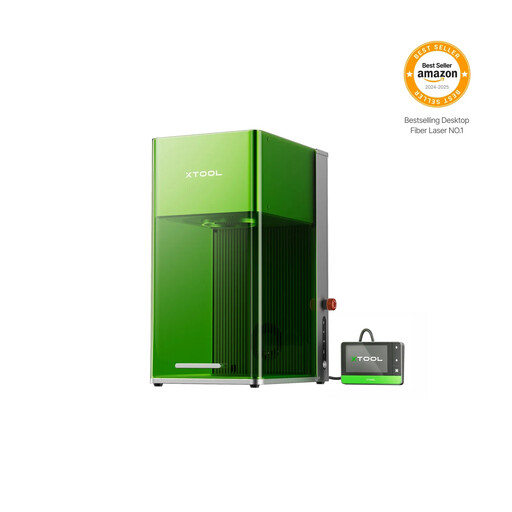
Why this choice suits this profile: Its dual technology targets personalisation professionals, jewellers and workshops working with metal and wood pieces.
The camera and positioning system can reduce alignment errors, a valuable advantage for small batches and valuable items.
Fibre and diode source, speed stated up to 10,000 mm/s, smart camera and 3D engraving function mentioned in the product name.
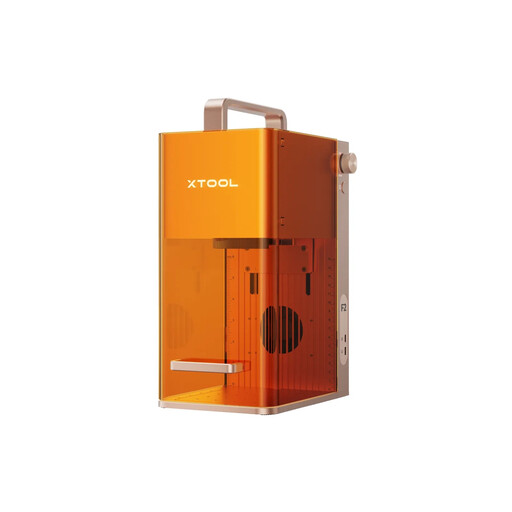
Why this choice suits this profile: This model targets professional and commercial users who need to mark metal, create relief on wood or process small batches.
The product page states that this is a device for professional and commercial use. This restriction serves as a reminder that an advanced machine requires the right skills, documentation and operating environment.
5 W infrared laser, 15 W diode, integrated 50 MP camera and speed stated up to 6,000 mm/s.
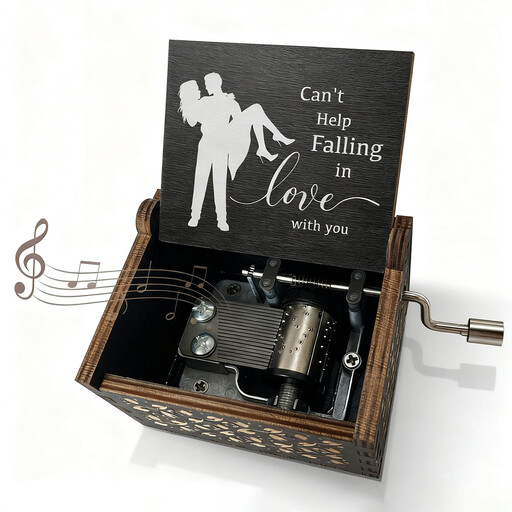
Why this choice suits this profile: If you're simply looking for an original gift without investing in a machine, this music box combines wood, decorative engraving and a wind-up melody.
This is a finished item, not a laser engraver. This distinction avoids buying technical equipment when the goal is simply to give a personalised decorative item.
Stated solid wood, metal wind-up mechanism and melody "Can't Help Falling in Love".
We've put together a comprehensive, real-time updated selection of products that meet these demanding selection criteria as well as European safety requirements.
A dual-source configuration, combining for example a diode with a fibre or infrared laser, can cover more uses than a diode alone. However, check the list of compatible materials, the power actually available and the size limits. For simple designs on wood, an engraving pen or compact machine may be more than enough.
The bill isn't limited to electricity consumption. You also need to factor in accessories, maintenance, lenses and any consumables, not to mention setting up your workspace. For regular use, compare the availability of spare parts, the quality of the documentation and how easy it is to clean before choosing a model.
It depends on many factors: frequency of use, work cycles, ventilation, maintenance and adherence to the recommended settings. There's no universal lifespan without knowing the technology used and the operating conditions. Ask for maintenance information and keep the safety documentation that comes with the device.