
Livraison le jour même ou le lendemain

Qualité garantie

Débloquez vos offres de bienvenue: Livraison GRATUITE | Jusqu'à -80 % | 30 jours d'essai gratuits à JoyPlus
Téléchargez l'application
A large-screen Android tablet with a keyboard can be used for taking notes, attending classes, writing documents, watching videos or working on the go. The problem is that product listings sometimes present impressive figures that are difficult to interpret. A stated 20 or 24 GB of memory, the term “5G Wi-Fi” or an included keyboard alone are not enough to guarantee an experience suited to your needs.
Here are the criteria to consider before buying a versatile and affordable Android tablet.
A tablet advertised with 20 GB or 24 GB of RAM may actually be combining physical memory with a virtual extension that uses part of the storage. An “8 + 12 GB” configuration generally means 8 GB of genuinely installed RAM, plus up to 12 GB of virtual memory.
This feature can help keep more apps open, but it does not replace physical RAM. For browsing the web, attending classes or carrying out light office tasks, 8 GB of actual RAM may be enough. For demanding games and intensive multitasking, it is worth taking a closer look at the technical specifications.
On many product listings, 5G Wi-Fi refers to Wi-Fi using the 5 GHz band, not 5G mobile connectivity. If you want to connect without a home network, look specifically for 4G LTE compatibility, a SIM card slot or a clear reference to 5G mobile connectivity.
A 10-inch Wi-Fi Android tablet may be perfectly suitable for use at home. For train journeys, university or business travel, a 4G LTE model will be considerably more practical.
An included keyboard can turn a tablet into a compact writing workstation. However, you should check its size, layout and connection method. A tablet with a keyboard and mouse is ideal for emails and everyday documents, but it will not necessarily replace a laptop for demanding professional software.
The keyboard is also something you will need to carry and recharge when it operates via Bluetooth. The weight of the whole setup — tablet, case and accessories — therefore deserves just as much attention as the tablet on its own.
A 13-inch Android tablet or a 14-inch Android tablet provides more room for spreadsheets, documents and watching content with others. In return, it is less comfortable to hold in one hand for long periods. A 10-inch Android tablet will be easier to read on public transport and better suited to family use.
The refresh rate is also worth checking. A 120 Hz tablet displays smoother scrolling than a screen limited to 60 Hz, provided the processor and apps can keep up. This figure does not guarantee better image quality or longer battery life.
For installing apps, downloading videos and storing study documents, 256 GB of storage provides plenty of headroom. Some models support a microSD card, sometimes with a stated capacity of up to 2 TB. This expansion is mainly useful for photos, videos and compatible documents, as not all apps can be moved entirely to a card.
A high capacity, such as 10,000 mAh, can reduce how often you need to recharge. However, battery life also depends on screen brightness, mobile network usage, refresh rate and the games you play. A tablet with long battery life should therefore be assessed according to your typical day, rather than solely by the figure stated for the battery.
To charge the device safely, use a compatible USB-C cable and adaptor. Avoid charging it in a damp environment or when the tablet is very hot. Small parts and cables should be kept out of the reach of young children.
Widevine L1 certification relates to the management of protected content on certain streaming platforms. It may allow access to a higher resolution, but the quality actually available also depends on the platform, your subscription, the installed operating system and your connection. Check the terms of the service you use before placing your order.
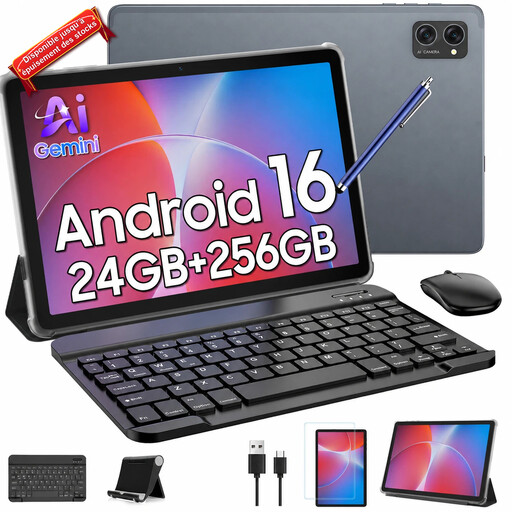
Why this choice suits this profile: Its 10.1-inch size makes it easy to carry for reading, attending classes, browsing the web or watching videos at home.
The listing clearly distinguishes the 8 + 16 GB configuration and states 256 GB of storage, with TF expansion advertised up to 2 TB.
The keyboard, mouse and stylus are advertised as included. The screen supports Widevine L1 and the battery is rated at 5,000 mAh.
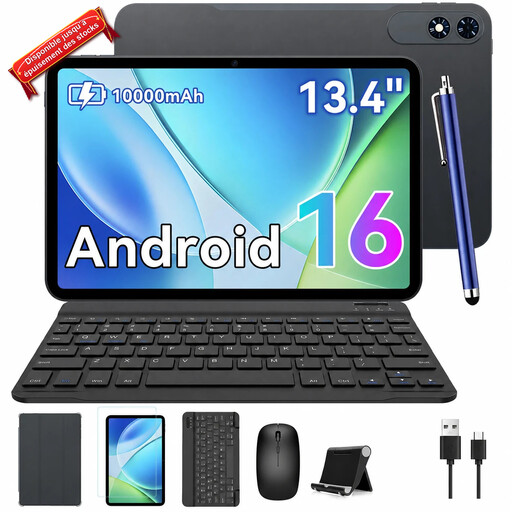
Why this choice suits this profile: Its 13.4-inch screen and advertised 120 Hz refresh rate are designed for users who prioritise screen space and smooth performance.
The listing details the advertised specifications: 8 + 16 GB of RAM, 256 GB of storage and Wi-Fi listed as 5G — not to be confused with 5G mobile connectivity.
A 2K screen is advertised, along with a 10,000 mAh battery, plus a keyboard, mouse and case according to the product title.
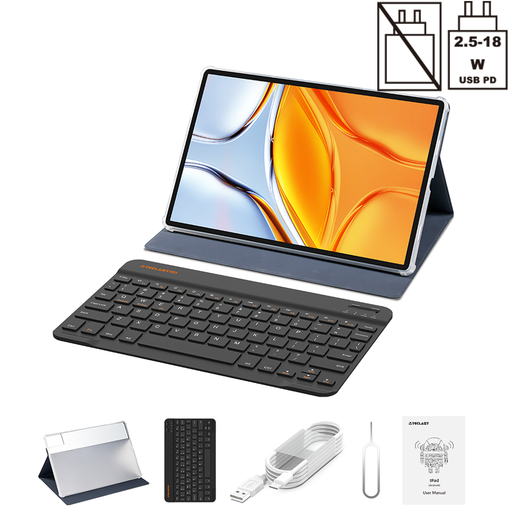
Why this choice suits this profile: Its large screen and 4G LTE connectivity meet the needs of mobile working, document viewing and entertainment on the go.
The advertised 4G LTE Dual SIM reduces the need to use tethering. However, the 20 GB of RAM consists of 8 GB of physical RAM and 12 GB of virtual RAM.
The tablet offers 256 GB of storage, a 10,000 mAh battery, an included keyboard and case, plus Bluetooth 5.2.
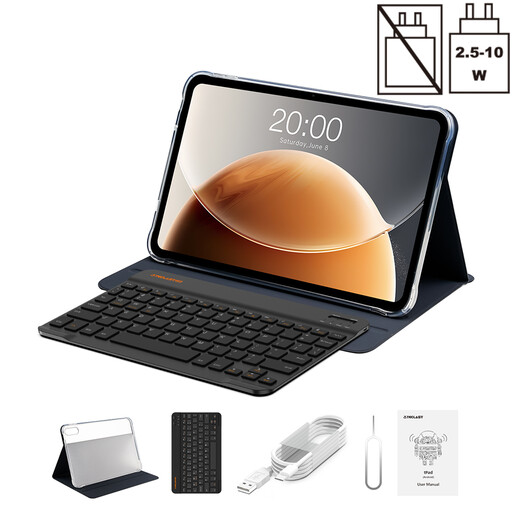
Why this choice suits this profile: Its 13.4-inch screen, Bluetooth keyboard, GPS and advertised dual SIM can be useful for classes, travelling and taking notes.
The listing separates the 8 GB of RAM from the 12 GB of virtual RAM and specifies the 128 GB storage capacity: helping you set realistic expectations before buying.
Advertised 120 Hz refresh rate, Widevine L1, 4G Dual SIM, GPS and a case with Bluetooth keyboard.
We have put together a complete selection, updated in real time, of products that meet these demanding criteria and European safety requirements.
It can easily replace a computer for writing emails, taking notes, browsing the web, joining video calls or working on everyday documents. For specialist professional software, advanced photo editing or complex file management, a laptop is generally more suitable. Also remember to check that Android apps are compatible with the tools you usually use.
A stylus is useful for annotating PDFs, handwriting or creating diagrams. However, not all screens offer the same level of precision. Check whether it is included, whether it needs to be charged separately and whether the tablet supports palm rejection. For occasional use, choosing a model supplied with its own stylus can save you the additional expense.
The cost mainly depends on your data plan and how often you use it. Video streaming and downloads can cause a 4G LTE tablet with a SIM card to use several gigabytes fairly quickly. At home, Wi-Fi generally limits this consumption. Before choosing, compare the cost of the plan, your network provider’s coverage and the battery life you need.