
Livraison le jour même ou le lendemain

Qualité garantie

Débloquez vos offres de bienvenue: Livraison GRATUITE | Jusqu'à -80 % | 30 jours d'essai gratuits à JoyPlus
Téléchargez l'application
Your laptop is a valuable investment. Carrying it daily for work, school, or leisure exposes it to multiple risks: bumps, scratches, and even unexpected downpours. Protecting this tool with a good laptop sleeve isn't a luxury—it's a necessity. The problem? The market is flooded with models that make enticing promises but often disappoint in practice. To help you see clearly and avoid buyer's remorse, let's review the most common mistakes.
The 3 Mistakes to Avoid When Buying a Laptop Sleeve:
To choose wisely and invest in protection that lasts, focus on objective technical criteria that go beyond marketing claims.
Screen size alone is not enough. For a perfect fit, compare the internal dimensions of the sleeve (length x width x thickness) with the exact dimensions of your laptop. Manufacturers (Apple, Dell, ASUS, etc.) provide this information on each model's technical spec sheet. Ideally, leave a few millimetres of clearance to insert and remove the device without force, while ensuring it doesn't move during transport. This advice applies to all sizes, whether you're looking for a 14-inch laptop sleeve or a 15-inch laptop sleeve.
A sleeve's shock protection depends directly on its design and the materials used.
The lifespan of your laptop bag is directly linked to its build quality.
Because every user is unique, here is a selection of models suited to different profiles, all chosen based on our objective criteria.
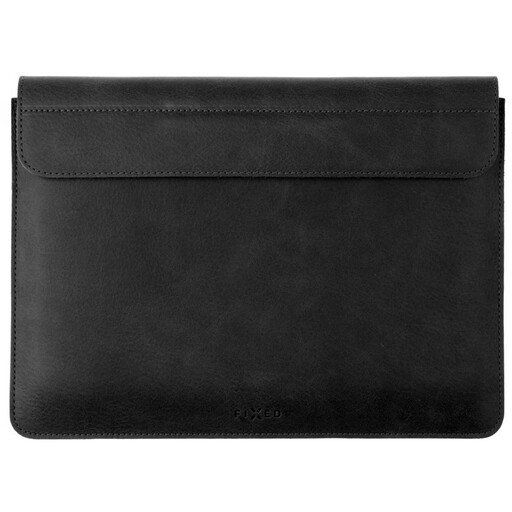
Why we chose it: For those who prioritise a minimalist aesthetic and premium materials. Made from genuine leather, it's perfect for business travel where elegance is key. It will particularly appeal to owners of a MacBook Air sleeve looking for a perfectly tailored design.
Specifically tailored to the dimensions of the 13.6" MacBook Air, it eliminates the risk of a loose "universal" fit.
Its genuine cowhide leather and soft microfibre lining effectively protect the chassis from scratches.
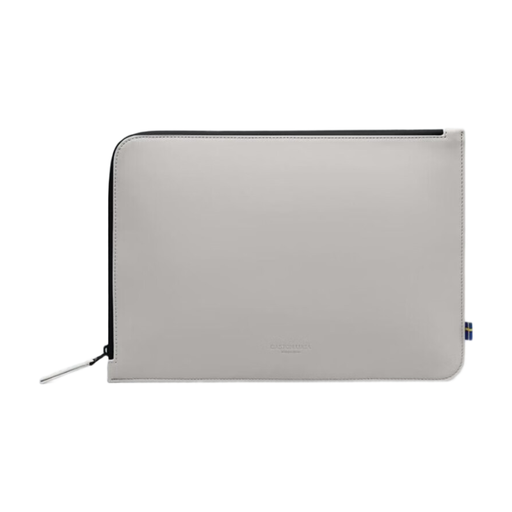
Why we chose it: Perfect for students and mobile creatives who are often on the move, whether on foot or by bike. Its removable shoulder strap transforms it into a compact bag, while its waterproof material makes it ready for any weather.
It counters the "false waterproof" trap with a certified waterproof material (20,000 mm water column) and a waterproofed zip.
Its great versatility, with its adjustable shoulder strap and ultralight design, makes it a daily ally. Bonus: it's made from recycled materials.
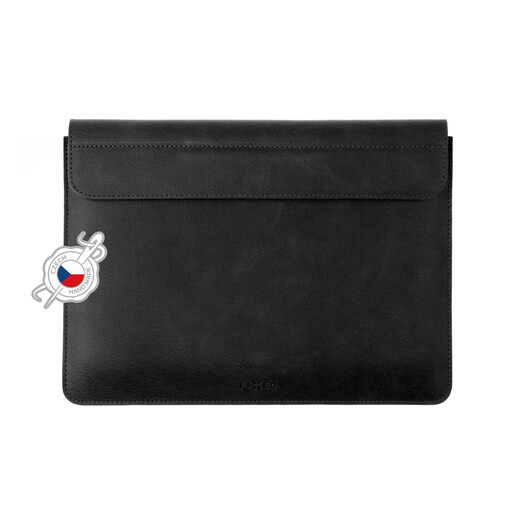
Why we chose it: 16-inch laptops are both heavy and expensive. This sleeve offers them reinforced protection and a precision fit—a godsend for owners of a 16" MacBook Pro, who are often overlooked by generic sleeve manufacturers.
Its custom-fit design for this large format ensures optimal protection, whereas universal models often prove to be too loose.
Its PU memory foam padding effectively absorbs shocks, while its polyester outer shell resists splashes.
We have selected a full range of products that meet our criteria for quality and durability.
A sleeve with water-repellent fabric will protect your device from a light drizzle or splashes. However, it will quickly show its limits in a moderate to heavy downpour. The seams and zipper are also potential entry points for water. If you often travel on foot or by bike, a waterproof sleeve with sealed zippers is a much more prudent choice.
The most reliable method: don't just rely on the screen size (e.g., 14-inch). Find the exact dimensions of your computer (length, width, thickness) on the manufacturer's website. Then, compare them to the internal dimensions of the sleeve, which are usually listed on the product page. A perfectly fitted laptop case is the first step to effective protection.
Yes, a leather laptop sleeve requires a minimum amount of care to maintain its suppleness and appearance. Avoid prolonged exposure to water and direct sunlight. For cleaning, a soft, slightly damp cloth is sufficient. Applying a leather balm or conditioning cream once or twice a year will help preserve its patina and longevity.