
Livraison le jour même ou le lendemain

Qualité garantie

Débloquez vos offres de bienvenue: Livraison GRATUITE | Jusqu'à -80 % | 30 jours d'essai gratuits à JoyPlus
Téléchargez l'application
A laptop can look great on paper, only to show its limitations after a few weeks. A fast screen won't make up for disappointing battery life, and a large amount of memory won't guarantee a smooth experience if the storage or processor can't keep up.
To avoid nasty surprises, it's best to focus on three things: how well the components work together, everyday comfort, and whether it suits your needs. Here are the criteria to examine before choosing a gaming, professional, student or creative laptop.
A 144 Hz, 165 Hz or 240 Hz screen makes motion smoother, especially in games. But this one feature alone doesn't tell you how well a gaming laptop performs. The graphics card, processor, cooling system and screen resolution all matter just as much.
A QHD or 2K screen puts more strain on the graphics card than a WUXGA panel. So make sure the processor and graphics chip are up to the job for the resolution on display.
A laptop with 16 GB of RAM is fine for office work, studies, multitasking and many professional applications. However, plenty of memory doesn't solve the problem of insufficient storage.
With a laptop equipped with a 1 TB SSD, you have more room for games, videos, photos and work files. With 512 GB, you may find yourself turning to an external drive or cloud storage sooner, especially if you use large creative software.
In the UK, it's worth checking the keyboard layout before ordering. Weight also plays a big role: a 17-inch model gives you a comfortable screen area, but it's less easy to carry on public transport or between home and university.
Also check the available ports: USB-C, USB-A, HDMI, headphone jack, Ethernet or Mini DisplayPort, depending on the devices you plan to connect.
For office work, studies and web browsing, a recent processor paired with 16 GB of RAM and an SSD is usually sufficient. However, editing, modelling or development software can benefit from a processor with multiple cores.
For gaming, RTX 5050 laptops and RTX 5060 laptops come with a dedicated graphics card. Rather than focusing on a single component, compare the graphics card, screen resolution and refresh rate together.
A 16-inch laptop offers a good balance between screen comfort and portability. 17-inch models prioritise workspace and are better suited to mainly stationary use.
An OLED laptop can deliver deep blacks, strong contrast and a particularly pleasing picture. However, check the manufacturer's recommendations about displaying static elements for long periods to minimise the risk of screen burn.
A laptop running Windows 11 gives you access to a wide range of office, creative and gaming software. Apple models run macOS: check your applications are compatible before making your choice.
Stated battery life varies depending on usage, screen brightness, wireless connections and the load on the processor. For gaming or graphics rendering, you'll generally need to be plugged into the mains.
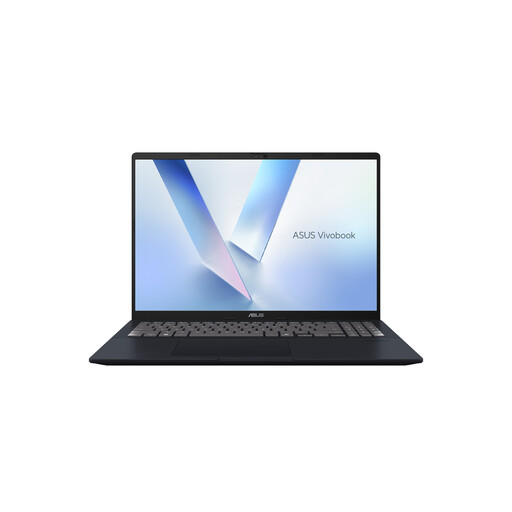
Why this choice suits this profile: This model handles studies, office work and everyday multitasking comfortably thanks to its 16-inch format and its stated weight of 1.88 kg.
Its 16 GB of memory and 512 GB SSD avoid a configuration that's too limited for everyday tasks, without imposing an unnecessary dedicated graphics card for this type of use.
AMD Ryzen AI 7 350, WUXGA 16:10 anti-glare screen and a stated repairability score of 9.3 out of 10.
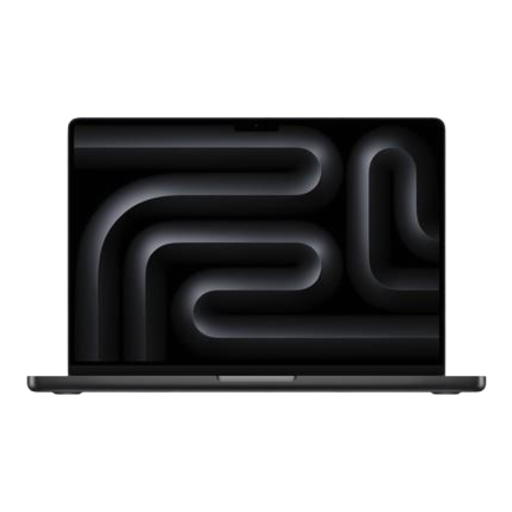
Why this choice suits this profile: Its Liquid Retina XDR display, Apple M5 chip and 1 TB SSD are aimed at professionals and creatives working with demanding files.
The spec sheet details the 16 GB unified memory, 1 TB storage and Thunderbolt ports, rather than relying solely on the design.
Apple M5 chip with 10-core CPU, 10-core GPU and ProMotion display.
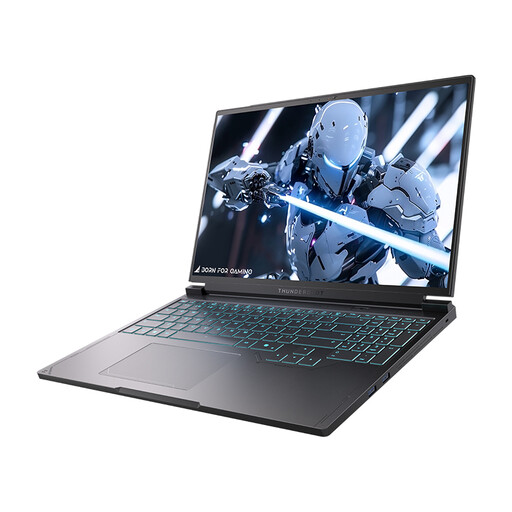
Why this choice suits this profile: This RTX 5060 laptop combines a QHD 240 Hz screen, 1 TB of storage and a full set of ports for gaming or intensive graphics work.
The RTX 5060 is paired with a Core i7-13650HX processor and 16 GB of DDR5, giving a more complete picture of the machine's performance.
16-inch QHD 240 Hz screen, 1 TB PCIe NVMe SSD and USB-C, HDMI, RJ-45 and Mini DisplayPort ports.
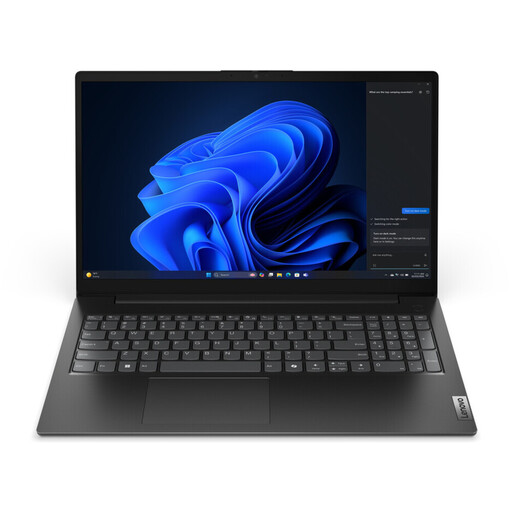
Why this choice suits this profile: With its 15.6-inch format and weight from 1.61 kg, it's well suited to regular journeys between home, the office and campus.
The spec sheet mentions an Ethernet port, an anti-glare screen and a 47 Wh battery – all concrete features for professional use.
Intel Core i5-13420H, 16 GB of DDR5, 512 GB PCIe SSD and a stated two-year warranty.
We've put together a comprehensive, real-time updated list of products that fully meet these strict selection criteria and European safety regulations.
16 GB of RAM is a versatile baseline for studies, remote work, advanced office tasks and multitasking. For 3D creation, video editing or certain professional software, a higher capacity can be useful, provided the machine can support it.
Yes, but bear in mind its weight, fan noise, battery life and the size of the charger. A gaming laptop with a dedicated graphics card is also suitable for graphics applications, but a lighter model will often be more pleasant to carry around day to day.
It all depends on build quality, maintenance, ventilation and how software evolves. Using the correct charger, keeping vents clear, installing updates and avoiding soft surfaces all help to preserve the device. Before buying, also check the warranty length, the stated repairability score and how accessible the components are.