
Livraison le jour même ou le lendemain

Qualité garantie

Débloquez vos offres de bienvenue: Livraison GRATUITE | Jusqu'à -80 % | 30 jours d'essai gratuits à JoyPlus
Téléchargez l'application
Anonymous spice jars, a tangled mess of cables behind your desk, storage boxes with mysterious contents… This little bit of everyday chaos always ends up weighing on you. For artisans and small business owners, clear product or stock labelling is just as crucial. The solution? A Kodak label printer, a modern and accessible tool to bring order to both your professional and personal life.
Our guide is here to break down the range and help you find the model that perfectly meets your needs, without the marketing fluff.
Before diving into our selection, let's review the key points that will make all the difference.
These days, everything runs through your smartphone. A Bluetooth label printer connects wirelessly to your iOS or Android device via a dedicated app. This setup allows you to create, customise, and print your labels in seconds, wherever you are. The app's simplicity and user-friendliness are therefore paramount: it's the true command centre for your device.
Kodak label makers use direct thermal printing. The principle is simple: no ink cartridges or ribbons. The print head heats special paper that reacts to display the text or image. It's a solution that is economical, eco-friendly, and incredibly practical. No more running out of ink at the worst possible moment! An inkless label maker guarantees total peace of mind.
The device's size is obviously a key factor. Do you need a portable thermal label maker to slip into a bag for use between home and the office, or for on-the-go use in a shop? Or would you prefer a desktop model that's a bit sturdier but also more versatile? Also, consider the width of compatible labels. Some models specialise in small labels (perfect for cables), while others accept wider formats, which are essential for small business labelling or large storage boxes.
Here are three standout models, whether for home organisation or for more professional needs.
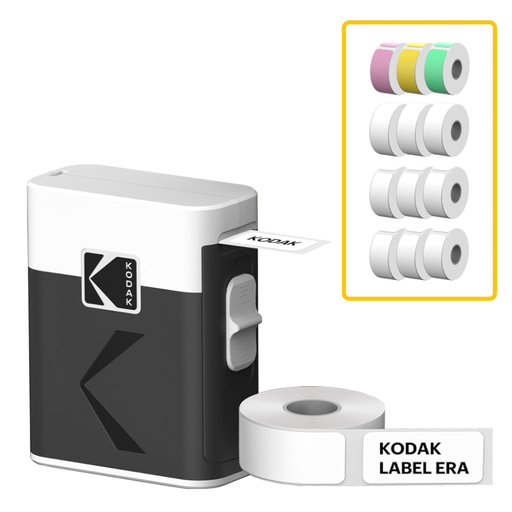
The Simple Choice: The Kodak M50 model gets straight to the point. With its compact design and single sliding button, it couldn't be more intuitive. Once connected via Bluetooth to the Kodak Memo app, it prints your labels in under five seconds flat. Its feather-light weight of 200g makes it the ideal companion for on-the-fly organising.
Advantages:
Who is it for? Ideal for individuals and families who want to organise their kitchen, office, school supplies, or storage boxes quickly and easily.
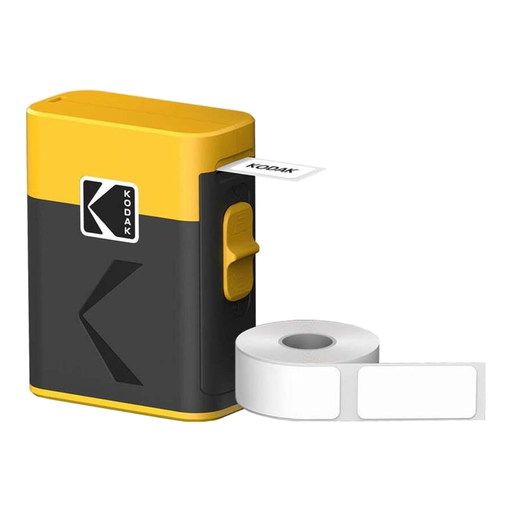
The Ready-to-Go Bundle: The Kodak LB-100B comes in a generous starter pack that includes 12 rolls of thermal paper. It's the perfect solution to get started without a second thought, especially if you anticipate heavy use. Its 203 dpi resolution ensures consistently sharp prints, whether for text, barcodes, or QR codes. The built-in cutter and USB-C charging are the practical details that make a difference every day.
Advantages:
Who is it for? Perfect for small business owners, artisans, or freelancers who need an economical and reliable labelling solution for their products, inventory, or shipments.
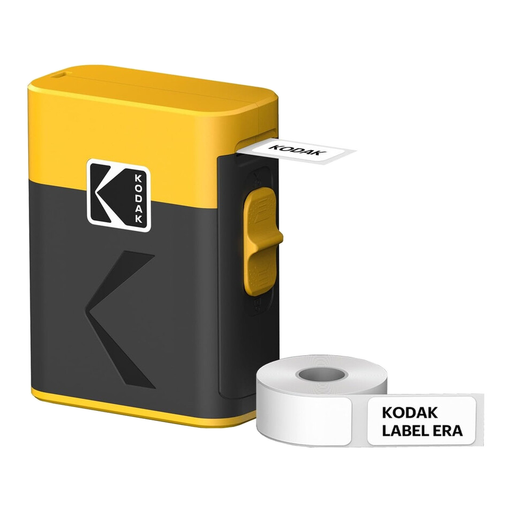
The Most Versatile: This mini label printer is all about versatility. Capable of handling a wide variety of formats (up to 48 mm wide), it adapts to any need. Its printing speed, which reaches up to 50 mm/s, makes it a powerful ally for batch labelling. We also appreciate its manual stainless steel cutter, a guarantee of sturdiness and durability.
Advantages:
Who is it for? Suitable for users with more varied labelling needs, whether for home organisation (large boxes, binders) or for a small business requiring different-sized labels (addresses, product information).
Once you get a taste for a well-ordered daily life, why stop there? Organisation is also the key to a successful trip, where everything has its place in your suitcase so you can travel with peace of mind.
To take it a step further, discover our clever tips and products for stress-free travel. A simple travel-size dry shampoo, for example, can revolutionise your toiletry bag and lighten your luggage.
Discover our travel essentials to stay looking sharp in any situation
An inkless label maker from Kodak uses direct thermal printing technology. In practice, the print head heats special (thermosensitive) paper to make your text or images appear. The result: no ink, toner, or ribbons to replace. That means less maintenance and real long-term savings.
Absolutely?! Customisation is actually one of the key strengths of these devices. From the dedicated mobile app (Kodak Memo or Kodak Label App), you have full control over everything: fonts, text size, icons, emojis, borders... You can even generate and print barcodes or QR codes to create custom labels.
Battery life depends on the model, but most portable Kodak label printers are equipped with a lithium-ion battery. They recharge via a USB-C port in one to two hours, providing several hours of printing or days of standby time. Bluetooth Low Energy (BLE) technology also helps to conserve the battery of both the printer and your smartphone. Note that some ultra-compact models, like the M50, run on a single AAA battery.