
Livraison le jour même ou le lendemain

Qualité garantie

Débloquez vos offres de bienvenue: Livraison GRATUITE | Jusqu'à -80 % | 30 jours d'essai gratuits à JoyPlus
Téléchargez l'application
Making the leap from your smartphone to a dedicated camera is a major step. You're dreaming of more versatility—especially a powerful zoom to capture distant subjects—but without the complexity (and cost) of an interchangeable lens camera. This is where the Kodak bridge camera comes in, offering the ideal compromise between simplicity and performance.
This guide is designed to break down the Kodak Pixpro Astro Zoom range. We will analyse the essential features to help you find the model that perfectly meets your needs, whether you want to capture your travels, get started in wildlife photography, or simply capture everyday moments with superior image quality.
Before comparing models, let's review the key criteria that will make all the difference in the field.
The primary strength of a bridge camera is its super-powerful optical zoom. Expressed as a multiplier (25x, 42x, 52x), it measures the lens's ability to get closer to a subject without any loss of quality.
A powerful zoom means increased sensitivity to the slightest movement. A bridge camera with optical image stabilisation (OIS) is therefore not a luxury, but a necessity. This system compensates for hand shake to ensure sharp images, especially at full zoom or in low light.
Resolution, expressed in megapixels (Mpx), determines the level of detail in the image. A definition of 16 to 20?Mpx is more than enough for most uses today, including for large-format prints or cropping.
Handling, weight, and button access are comfort factors that should not be overlooked. A good-sized LCD screen (3 inches) makes framing and reviewing photos easier. Finally, Wi-Fi connectivity has become almost essential for quickly transferring your shots to a smartphone and sharing them on social media.
Here are three flagship models from the Kodak Pixpro Astro Zoom range, each tailored to a specific user profile.
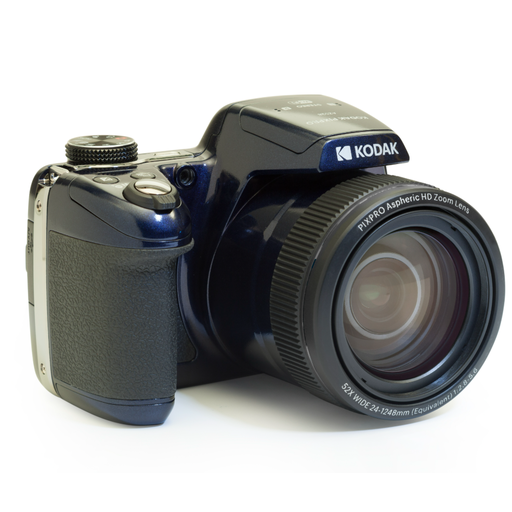
Why it stands out?: The Kodak AZ528 is the ultimate tool for those who want no distance limits. Its staggering optical zoom and connectivity make it an ultra-comprehensive tool for adventurous photographers and nature lovers.
Key features?:
Who is it for?? Travel enthusiasts and amateur wildlife photographers looking for the greatest possible zoom range in a convenient all-in-one package.
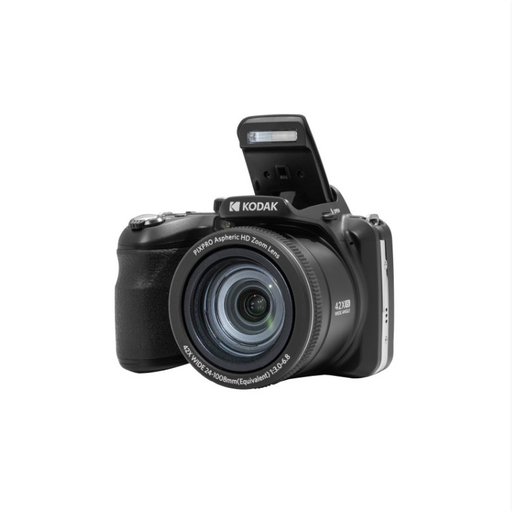
Why it stands out?: The Kodak AZ425 embodies balance. It combines an already powerful zoom with a higher-resolution sensor, making it equally adept at photography and videography.
Key features?:
Who is it for?? The all-rounder user looking for a camera that can adapt to any situation, from sweeping landscapes to very distant subjects, while ensuring superior image quality for both photos and videos.
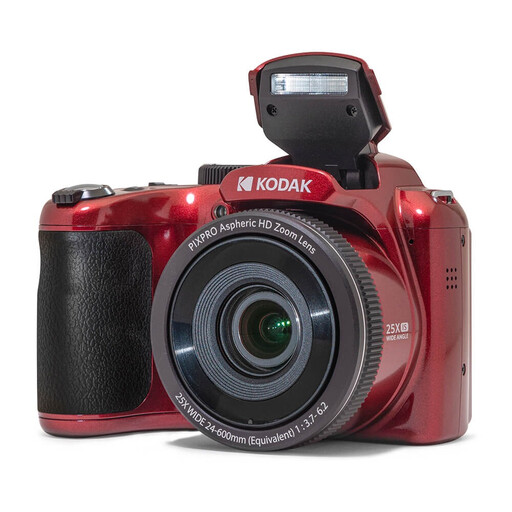
Why it stands out?: The Kodak AZ255 was designed for simplicity. It offers all the advantages of a bridge camera (comfortable zoom, superior quality to a smartphone) in a body that is easy to handle and master.
Key features?:
Who is it for?? The beginner photographer or occasional user looking for a beginner's wildlife camera or a travel companion without worrying about settings. It's the ideal option for those who simply want beautiful photos.
The Kodak range is an excellent starting point, but the camera market is vast. If the models presented don't check all your boxes, or if you want to explore other brands and zoom powers, many alternatives exist.
Explore our full collection of digital zoom cameras to discover other models that might be a better fit for your needs.
To get started with a beginner's wildlife camera, a powerful zoom and good stabilisation are the two pillars. The Kodak AZ425 is an excellent compromise with its 42x zoom and optical stabilisation. For those aiming for maximum reach, the Kodak AZ528 and its 52x zoom allow you to get close to animals without ever disturbing them.
Yes, and it's non-negotiable on a long-zoom camera. When you zoom in on a distant subject, the slightest shake of your hands is amplified and can make the photo blurry. The bridge camera with optical image stabilisation (OIS), found on the AZ425 and AZ255 models, corrects these micro-movements and is crucial for getting sharp shots.
It all depends on the model. For a Wi-Fi-equipped camera like the Kodak AZ528, simply install the manufacturer's dedicated app on your smartphone (iOS or Android). You can then connect the two devices to view, download, and share your images wirelessly. For other models, the transfer is done the traditional way: either via the supplied USB cable or by inserting the camera's memory card into a card reader on your computer.