
Livraison le jour même ou le lendemain

Qualité garantie

Débloquez vos offres de bienvenue: Livraison GRATUITE | Jusqu'à -80 % | 30 jours d'essai gratuits à JoyPlus
Téléchargez l'application
Want to refresh your gaming PC, speed up your creative software or replace RAM that has become too limiting? The Kingston FURY Beast DDR5 32 GB 6000 MT/s CL30 ticks several interesting boxes, but a promising specification sheet alone does not guarantee compatibility with your setup.
Before buying 32 GB DDR5 RAM, check your motherboard type, installed processor and the space available around the DIMM slots. Here are the most common mistakes to avoid and the criteria to consider before placing your order.
Manufacturers generally express memory speed in MT/s. Some retailers still refer to frequency in MHz, which causes confusion. A kit advertised at 6000 MT/s may therefore start at a lower SPD speed after installation. To benefit from the advertised performance, you will often need to enable a profile in the UEFI or BIOS.
The Kingston FURY Beast RGB DDR5 32 GB starts by default at 4800 MT/s, 1.1 V and CL40-40-40. To reach 6000 MT/s, enable the AMD EXPO profile on a compatible AMD platform, or Intel XMP 3.0 on an Intel setup.
DDR5 cannot replace DDR4, and vice versa. The positioning notch is not in the same place: a DDR5 module must be installed on a motherboard designed for this standard. So consult your motherboard manual before buying, particularly to find out which slots are recommended and what maximum capacity is supported.
With a 2 x 16 GB DDR5 kit, slots A2 and B2 are generally the ones to prioritise to benefit from dual-channel operation. However, your motherboard documentation remains the definitive reference.
RGB RAM lets you personalise the inside of your PC, but its lighting effects do not improve performance. If your case is closed or the components are not very visible, a non-RGB kit may offer the same capabilities at a different price.
Also remember to check the heatsink height. The Kingston FURY Beast RGB measures 42.23 mm: a dimension compatible with many setups, but one that could interfere with some larger CPU coolers.
A 32 GB gaming memory kit, split across two 16 GB modules, is suitable for most recent games, multitasking and everyday content creation. It can also support video editing, photo editing and the simultaneous use of several software applications.
However, memory capacity is not everything. It will not make up for an ageing processor or an underpowered graphics card. Adding RAM is not always enough to turn an old PC into a high-performance machine.
A speed of 6000 MT/s accelerates data transfers, while CAS latency CL30 indicates the number of cycles required for certain operations. So when comparing two kits, do not focus solely on speed: full timings, such as CL30-36-36, voltage and profile compatibility are equally important.
Depending on the selected profile, the Kingston kit can operate at a voltage between 1.35 V and 1.4 V. Your motherboard and processor must be able to support these settings.
These profiles let you apply preconfigured settings quickly, without having to enter every parameter manually. They do not make all configurations equivalent, however: stability also depends on the processor’s memory controller, the BIOS and the motherboard.
Before getting your bank card out, check the list of compatible memory published by your motherboard manufacturer. A BIOS update may also be required.
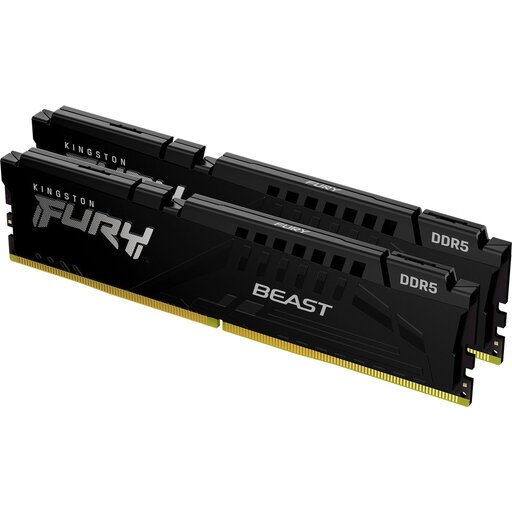
Why this choice suits this profile : this 2 x 16 GB kit offers a straightforward, reassuring first upgrade for a DDR5 platform, without RGB lighting.
The specification clearly states the capacity, DDR5 format, 5600 MT/s speed and CL36 latency. You can therefore compare the kit based on tangible specifications rather than its appearance alone.
32 GB across two modules, AMD EXPO and Intel XMP profiles specified, black heatsink and a minimum two-year statutory warranty in the European Union.
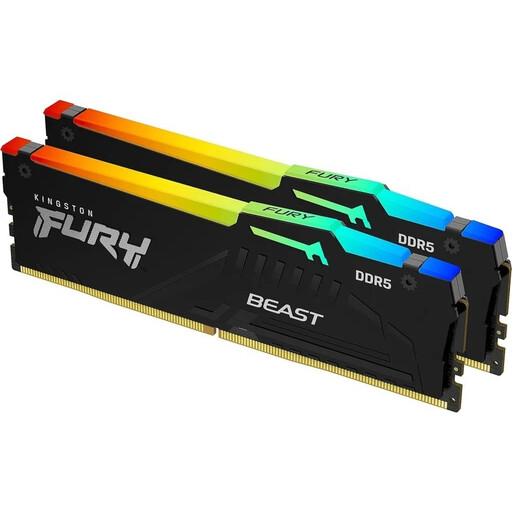
Why this choice suits this profile : with its 6000 MT/s speed, CL30 latency and customisable RGB lighting, this kit is designed for high-end gaming setups and powerful PCs.
The specification explicitly mentions EXPO and XMP 3.0 profiles, as well as the 4800 MT/s SPD speed. The conditions required to achieve the advertised settings are therefore clearly stated.
32 GB, 6000 MT/s, CL30-36-36, RGB compatible with several motherboard control systems and a 42.23 mm heatsink.
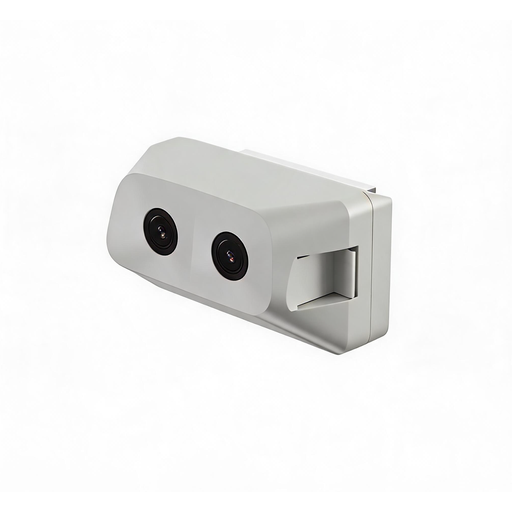
Why this choice suits this profile : this module meets a specific need related to Tenniix, rather than extending a PC’s memory. It is included here to prevent confusion when searching for tech accessories.
Its specification states that it is a vision module for Tenniix. It must therefore not be confused with a DDR5 module or a DIMM component.
The description mentions two 4K cameras, with a white finish that can complement the relevant device.
We have brought together a complete, real-time updated selection of products that meet these choice criteria and European safety requirements.
The heatsink needs sufficient airflow. DDR5 modules are designed to operate within a temperature range specified by their manufacturer, but a properly ventilated case is still preferable for maintaining good operating conditions.
Not necessarily. On the RGB model, the default SPD setting is fixed at 4800 MT/s. To reach 6000 MT/s, you need to enable the EXPO or XMP 3.0 profile and have a compatible motherboard, processor and BIOS.
For most games, multitasking and everyday creative projects, 32 GB provides plenty of headroom. Requirements can increase, however, with virtual machines, demanding video projects or the simultaneous use of numerous software applications.
RGB lighting is powered by the motherboard, and its consumption remains low compared with that of a processor or graphics card. You can nevertheless disable it or reduce its brightness using Kingston FURY CTRL or your motherboard’s RGB software.