
Livraison le jour même ou le lendemain

Qualité garantie

Débloquez vos offres de bienvenue: Livraison GRATUITE | Jusqu'à -80 % | 30 jours d'essai gratuits à JoyPlus
Téléchargez l'application
The Nintendo Switch's Joy-Cons are incredibly versatile, but their compact size has its drawbacks: discomfort can quickly set in during long gaming sessions. Not to mention, managing the battery life of multiple pairs can become a real headache in the middle of a game night with friends. Fortunately, a simple accessory like a Joy-Con grip—whether it's a comfort grip or a charging grip—can be a total game-changer.
In this guide, we'll break down the key criteria and present our selection of the best models to help you find the perfect grip for your needs, whether you're playing on the classic Switch, the OLED model, or the upcoming Switch 2.
Before you dive in, let's review the different types of grips and what sets them apart.
The first question to ask yourself is how you plan to use it.
With multiple console generations on the market, compatibility has become a critical factor. A Nintendo Switch accessory designed for the first model might not be compatible with the Switch 2. Dimensions, connectors, features... the differences can be significant. For example, a Switch 2 Joy-Con grip may be specifically designed for the new controllers and not be backward compatible. Our advice: always read the product specifications carefully to verify compatibility with your console and Joy-Con model.
We've selected a few models that tick all the boxes: relevant, effective, and suited for different budgets.
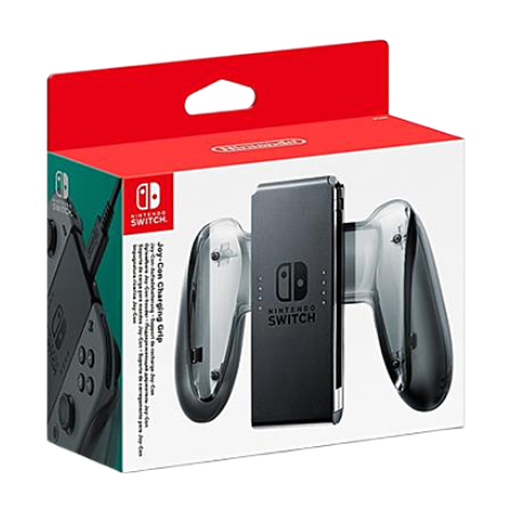
Why It Stands Out
This official Nintendo accessory is simply the upgraded version of the grip originally included with the console. It uses the same design but adds the one feature that was sorely missing: charging. Thanks to its USB Type-C port, there's no need to pause your game. You can play while the Joy-Cons recharge their batteries.
Advantages
Who Is It For?
For Switch and Switch OLED players who want the official, most reliable solution to never run out of battery in TV mode again.
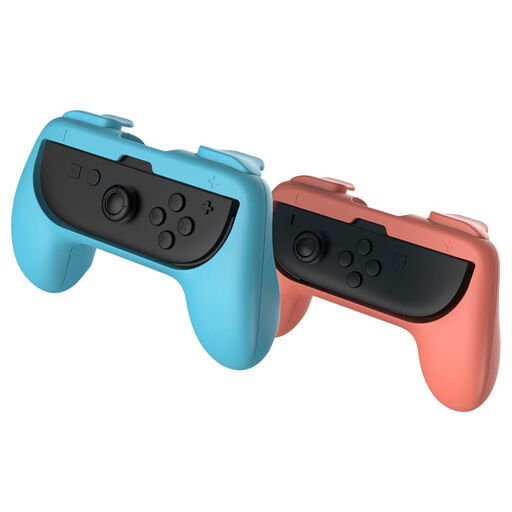
Why It Stands Out
This pack from Subsonic gets straight to the point: comfort and ergonomics, period. Sold as a pair, it transforms each individual Joy-Con into a mini-controller that's much more comfortable to hold. A must-have for multiplayer nights on Mario Kart and other party games. Its universal design ensures compatibility with Joy-Cons from both the original Switch and the Switch 2.
Advantages
Who Is It For?
Ideal for families and groups of friends who love local multiplayer and are looking for a simple, inexpensive solution to keep everyone comfortable. It's also a great option for those who own both Switch generations.
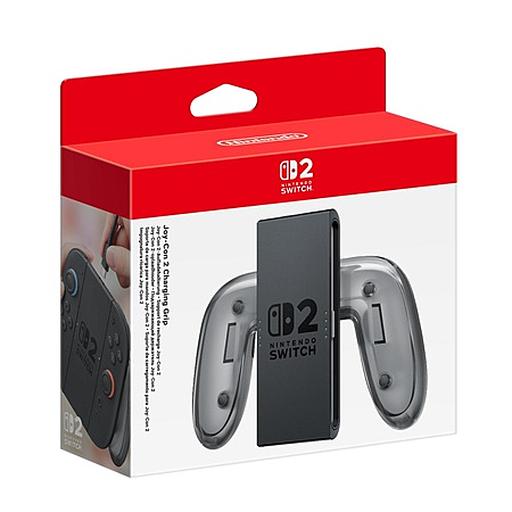
Why It Stands Out
Tailor-made for the new generation, this official Switch 2 Joy-Con grip is the go-to accessory for proud owners of Nintendo's latest console. Beyond enabling play-and-charge, it innovates by integrating configurable GL/GR buttons on the back. This offers new customization options for the most demanding gamers.
Advantages
Who Is It For?
Exclusively for Nintendo Switch 2 owners who want the comfort of a classic controller while taking advantage of new customization options and integrated charging. Warning: This accessory is not compatible with original Switch Joy-Cons.
Weren't convinced by the models in our selection? Are you looking for a more specific accessory, like a charging station for four controllers or a grip with a unique design? Other solutions are available.
? Discover our full range of grips and accessories for Switch
The Joy-Con grip included in the Switch box is a simple, passive plastic accessory. Its only role is to join the two Joy-Cons to form a single controller. In contrast, a Joy-Con charging grip contains electronics and a USB-C port to recharge the controllers' batteries while you play.
Not always. While simpler accessories (like small grips for a single Joy-Con) have a good chance of being compatible, it's rarely the case for more complex ones like charging grips. The official Switch 2 Joy-Con grip, for example, is exclusive to the new console. The golden rule: always, always check the compatibility on the product page before buying.
The Joy-Con charging grip is one of the most direct solutions: you slide the controllers in and plug it in via USB. The other option is a dedicated charging station, a dock that can hold and charge two or four Joy-Cons simultaneously. This is ideal if you have multiple pairs at home.