
Livraison le jour même ou le lendemain

Qualité garantie

Débloquez vos offres de bienvenue: Livraison GRATUITE | Jusqu'à -80 % | 30 jours d'essai gratuits à JoyPlus
Téléchargez l'application
With its M5 chip, the 11-inch iPad Pro is a true powerhouse, capable of rivaling many ultrabooks. To unlock its full potential, adding a keyboard is a no-brainer. However, the jungle of accessories is full of traps that can quickly turn a good investment into a costly disappointment. Before you settle on an Apple iPad Pro M5 keyboard case, here are the most common pitfalls to avoid.
To turn your iPad Pro into a true mobile workstation, some criteria are simply non-negotiable. Here are the points to scrutinise closely.
The keyboard's connection method is a foundational choice. The iPad Pro is equipped with the Smart Connector, a three-pin magnetic port on its back. Compatible keyboards, like Apple's Magic Keyboard, snap on and are instantly operational, without any pairing needed. Power and data are transferred through this port, meaning the keyboard has no battery to charge and no lag to worry about. In contrast, Bluetooth keyboards require you to manage their own battery and a manual connection process.
The goal is to replicate the typing comfort of a good laptop. To achieve this, two elements are crucial:
A good keyboard case should protect your precious iPad without turning it into a brick. The "floating" cantilever design of some models offers great flexibility for adjusting the viewing angle. The presence of an additional USB-C port on the keyboard's hinge (for pass-through charging) is a major advantage: it allows you to charge the tablet while freeing up the iPad Pro's port for an external drive or another accessory.
Instead of an endless catalogue, we've selected the best keyboard for every type of user. It's up to you to find the one that fits your needs.
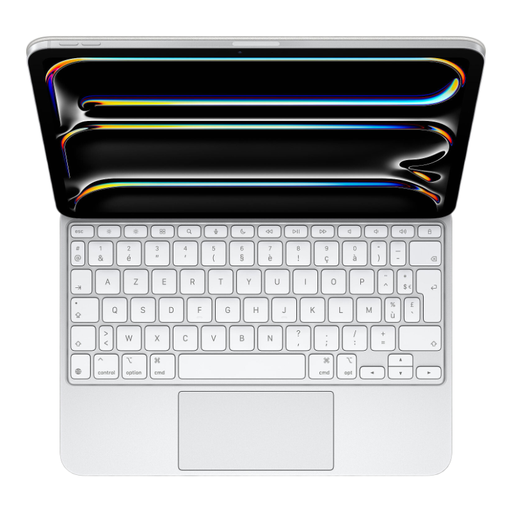
Why we chose it: For pros and creatives who see their keyboard as a natural extension of their iPad Pro. Its integration into the Apple ecosystem is absolute, delivering a completely frictionless user experience. It's THE benchmark for turning the iPad into a productivity machine.
It uses the Smart Connector, so goodbye to battery woes and Bluetooth latency. The glass haptic trackpad is surgically precise, and the QWERTY layout (model MWR03LL/A) is guaranteed.
Comfortable, backlit typing, an iconic floating design, a USB-C port for *pass-through* charging, and a new 14-key function row.
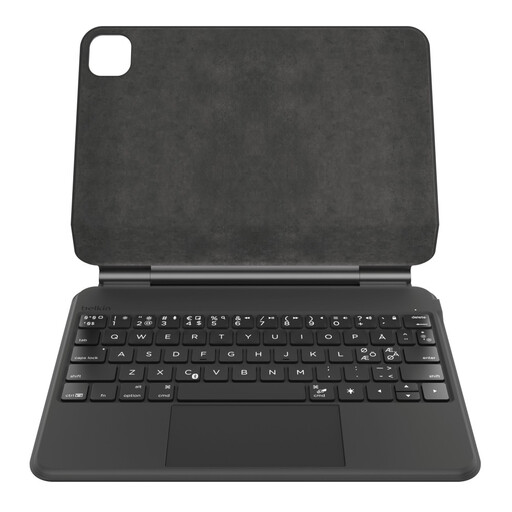
Why we chose it: An excellent alternative for those seeking the perfect balance between premium features and enhanced protection. As a long-time Apple accessory partner, Belkin delivers a quality product that stands out for its robust design.
This model is clearly sold in a QWERTY version. While it uses Bluetooth, its extra-large battery (600 mAh) provides several weeks of autonomy, making recharging an afterthought.
Magnetic cantilever design, backlit keys, and clever storage for the Apple Pencil. Its leatherette finish effectively protects the tablet from bumps and scratches.
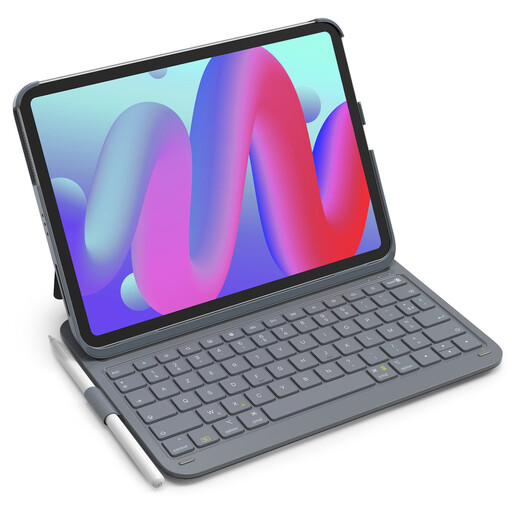
Why we chose it: For students or mobile users who want a functional solution without breaking the bank. It checks all the essential boxes (keyboard, protection, stand) at an unbeatable price.
This model is clearly identified as QWERTY to avoid any unpleasant surprises upon delivery. It includes shortcut keys and a long-lasting battery to minimise recharging.
Lightweight (427 g) and slim, it's an ideal travel companion. It includes a stylus holder and promises a near-instant connection. The value for money is unbeatable here.
Discover our full selection of compatible keyboards, all tested and approved by our editors according to these strict criteria.
The price of the white Magic Keyboard is enough to make you wince. However, it's justified by its unparalleled hardware and software integration. The Smart Connector connection, the quality of the haptic trackpad, and the comfortable typing experience make it an accessory that transforms the iPad Pro into a true ultrabook. For those whose productivity depends on the iPad, the investment quickly pays for itself.
This is its killer advantage: the Magic Keyboard has no battery. It's powered directly by the iPad Pro via the Smart Connector. You'll never have to think about charging it. Its power consumption is perfectly optimised and has only a minimal impact on the tablet's battery life.
Absolutely. Any Bluetooth keyboard can be paired with the iPad Pro. Brands like Belkin and Inateck offer keyboard cases specifically designed for this model that represent excellent compromises. The key is to always check for the QWERTY layout, trackpad quality, and battery life to ensure it will be an ally to your productivity, not a hindrance.