
Livraison le jour même ou le lendemain

Qualité garantie

Débloquez vos offres de bienvenue: Livraison GRATUITE | Jusqu'à -80 % | 30 jours d'essai gratuits à JoyPlus
Téléchargez l'application
The 11-inch iPad Pro is a true chameleon, blurring the line between a tablet and a laptop. For many professionals, creatives, and students, adding a physical keyboard is the finishing touch that turns it into a true mobile workstation. But with the sheer number of available models, making the right choice can quickly become a headache.
This guide is here to help you navigate the options by breaking down the key criteria and presenting our selection of the best keyboards for the 11-inch iPad Pro. Our goal: to help you find the perfect companion for your needs and budget.
Before diving into our top picks, let's review the essential points that set a great keyboard apart from the rest.
The way the keyboard connects to your iPad Pro is crucial for your day-to-day user experience.
For long work sessions, typing comfort is non-negotiable. A QWERTY keyboard for iPad Pro is the standard in most English-speaking regions. Key travel (the distance keys move with each press) and responsiveness are what guarantee your speed and accuracy.
Adding a keyboard with a trackpad for the iPad Pro is a game-changer for productivity. It lets you navigate iPadOS with Multi-Touch gestures, control the cursor with high precision, and replicate the laptop experience without having to lift your hands to touch the screen.
A good keyboard case for the iPad Pro 11 does more than just make typing easier: it must also protect your precious device. Be sure to evaluate the level of protection offered (corners, back, screen) and the versatility of the design. Some models offer multiple viewing angles or allow you to easily detach the keyboard when you just want to use the tablet.
Here is our selection of models that meet different needs and budgets, all perfectly integrated with the iPad Pro ecosystem.
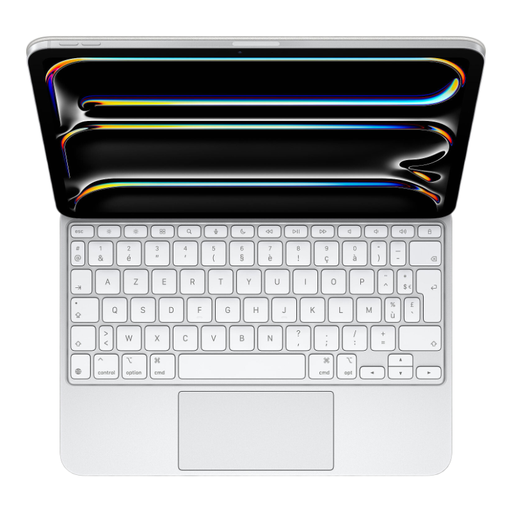
The Magic Keyboard for iPad Pro 11 is simply the gold standard for turning the tablet into a productivity machine.
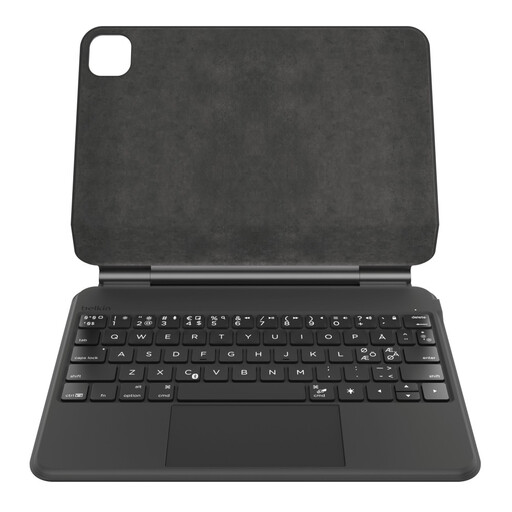
This alternative from Belkin stands out as a robust solution focused on versatility and battery life.
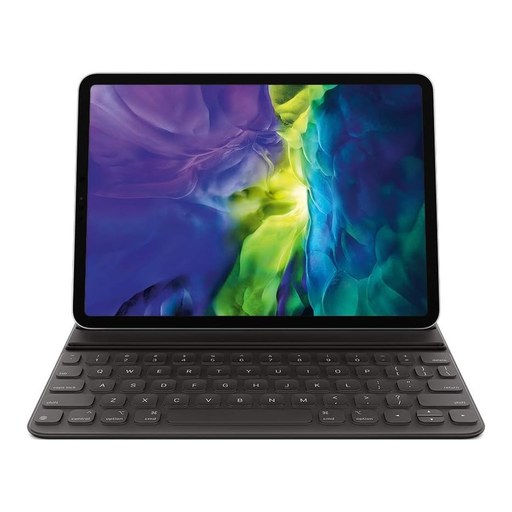
The Smart Keyboard Folio is the solution for those whose top priorities are simplicity, lightness, and portability.
Our selection highlights popular choices for different user profiles. If you haven't found what you're looking for or simply want to explore other models, brands, and price points, our full catalogue is here for you.
Discover Our Full Range of Tablet Keyboards
1. What's the difference between the Magic Keyboard and the Smart Keyboard Folio? The main difference lies in the features. The Magic Keyboard offers a complete "pro" experience with its trackpad, backlit keys, additional USB-C port, and floating design. The Smart Keyboard Folio, on the other hand, focuses on simplicity: it's lighter and prioritises portability and protection, doing without the trackpad and backlighting.
2. Is a keyboard with a trackpad for the iPad Pro really useful? Absolutely, especially for productivity tasks. A trackpad transforms navigation on iPadOS, making it faster and more precise, whether you're editing text, managing a spreadsheet, or juggling apps. The experience becomes much closer to that of a laptop.
3. Should I choose a keyboard with a Smart Connector or a Bluetooth connection? It all depends on your priorities. The Smart Connector is the choice for simplicity: no need to worry about charging or pairing, the connection is instant. Bluetooth offers more flexibility (you can use it at a distance) and the models are often more affordable, but you have to remember to manage their battery life.