
Livraison le jour même ou le lendemain

Qualité garantie

Débloquez vos offres de bienvenue: Livraison GRATUITE | Jusqu'à -80 % | 30 jours d'essai gratuits à JoyPlus
Téléchargez l'application
An iPad keyboard with trackpad can transform a tablet into a fully-fledged workstation for writing, studying, browsing the web or replying to emails. But not all models are created equal: the right choice depends on your iPad, the way you work and your travelling habits.
Before placing your order, three common pitfalls are worth watching out for: compatibility information that is too vague, a keyboard supplied in a layout other than French AZERTY, and battery life that is difficult to assess. An iPad keyboard case may also prove heavier than expected, while an unsuitable magnetic system may lack stability on a desk or in a bag.
Here are the key criteria to consider when comparing your options and making an informed choice.
Screen size alone is not always enough. An 11-inch iPad Air, an 11-inch iPad Pro, a 10th-generation iPad and an iPad A16 may have similar dimensions while using different fittings or connectors.
Find the model number in your iPad’s settings, then compare it with the list provided by the manufacturer. This check is particularly important for a magnetic iPad keyboard case or a model that uses the Smart Connector.
An iPad Bluetooth keyboard works without a physical connection. You will generally need to pair it once and recharge its battery separately. This option is well suited to anyone who wants to detach the keyboard or use the case with several compatible devices.
The Smart Connector establishes a connection through magnetic contact, without Bluetooth pairing or a dedicated keyboard battery when designed for this purpose. On the other hand, compatibility is limited to the iPad models it supports.
For everyday use, also remember to check:
Battery-life figures are measured under specific conditions. The brightness of a backlit keyboard, typing frequency and how the sleep function operates all have a direct impact on real-world use.
For regular typing, an AZERTY iPad layout is an essential consideration. A QWERTY or English keyboard can lead to more typing errors and make it harder to access accented characters.
An iPad backlit keyboard makes typing easier on a train, in a dimly lit room or while travelling. However, backlighting generally increases power consumption. The trackpad should also handle clicking, scrolling and the gestures supported by iPadOS correctly.
When it comes to protection, compare:
An iPad case with trackpad does not necessarily replace a reinforced case designed to protect against major impacts. Follow the safety instructions and avoid exposing the set-up to water, heat or humidity.
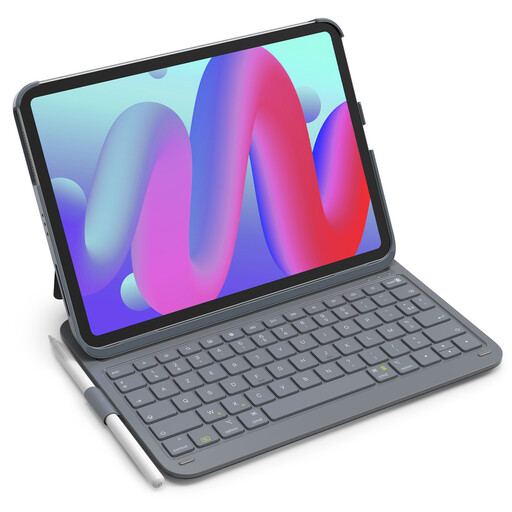
Why this choice suits this profile : this Bluetooth AZERTY model combines a keyboard, trackpad, protection and stand. It is an all-in-one solution for getting started with working on your tablet without accumulating extra accessories.
The detailed compatibility list reduces the risk of choosing a case with the wrong dimensions. The stylus holder and automatic sleep mode also help minimise the number of accessories you need to carry.
AZERTY layout, function keys, multi-touch trackpad and stated battery life of up to 150 days on standby.
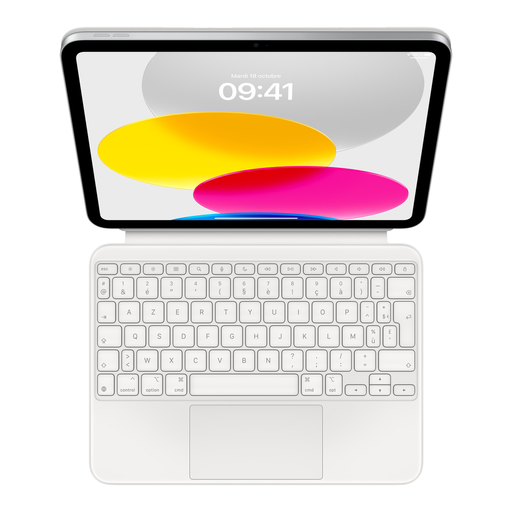
Why this choice suits this profile : its Smart Connector system, detachable keyboard and clickable trackpad are designed for anyone looking for seamless, direct integration with iPadOS.
The magnetic connection means there is no need to pair the keyboard or recharge a dedicated battery. The French layout also reduces the risk of accidentally ordering a QWERTY model.
Scissor mechanism with 1 mm key travel, a row of 14 function keys and foldable front and back protection.
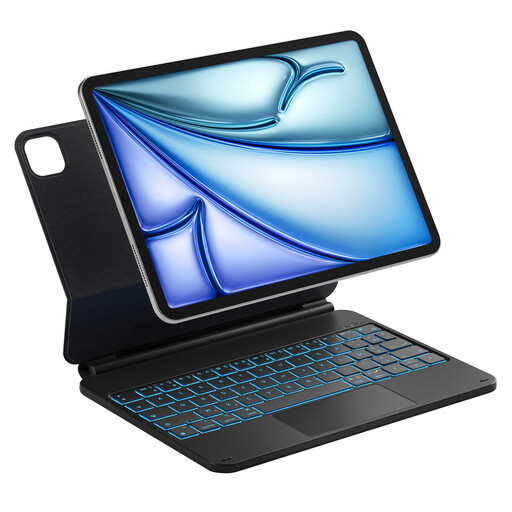
Why this choice suits this profile : its floating magnetic stand, adjustable viewing angle and backlit AZERTY keyboard make it a great companion for working from home, studying and frequent travel.
Compatibility is clearly detailed by generation and model number. The angle can be adjusted up to 130 degrees, allowing you to position the screen comfortably at a desk or while travelling.
Seven-colour backlighting, multi-touch trackpad and stated battery life of up to one week with the lighting switched on.
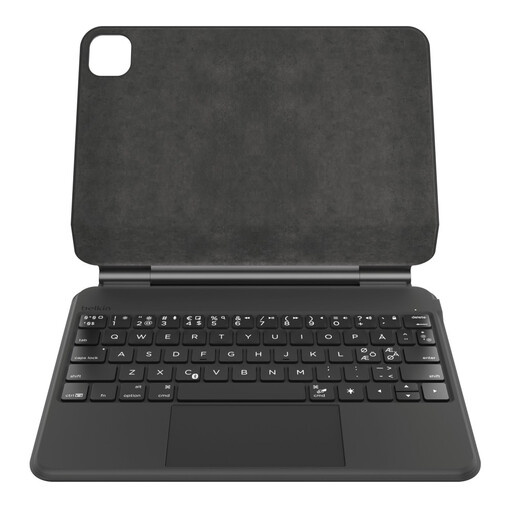
Why this choice suits this profile : this Bluetooth AZERTY keyboard is designed for anyone who switches between writing, video calls, viewing content and daily travel.
The product details clearly distinguish the Bluetooth connection, battery and compatibility with the 10th-generation iPad and iPad A16. The magnetic Apple Pencil holder also reduces the risk of losing it during your journeys.
Backlighting, multi-touch trackpad, automatic sleep-wake function and a 600 mAh battery with stated standby time of up to 365 days.
We have put together a complete, real-time updated selection of products that meet these demanding criteria, as well as European safety standards.
Switch on the keyboard, open Settings > Bluetooth on your iPad, then select its name from the list. Once pairing is complete, check the keyboard language in the hardware settings. With a Smart Connector model, simply place the iPad on the designated contact points.
Look for the wording AZERTY, ‘French’ or ‘French layout’. A reference marked ‘EN’ or ‘International English’ may use a QWERTY layout, even if it is compatible with iPadOS. It is therefore worth checking the physical key layout before buying.
Charging time varies depending on the model, battery capacity and use of the backlighting. Some Bluetooth keyboards claim several dozen hours of use, while the Smart Connector generally avoids the need for separate charging. To protect the battery, use a suitable cable and charger, then unplug them once charging is complete.