
Livraison le jour même ou le lendemain

Qualité garantie

Débloquez vos offres de bienvenue: Livraison GRATUITE | Jusqu'à -80 % | 30 jours d'essai gratuits à JoyPlus
Téléchargez l'application
Whether for work, study, or entertainment, the iPad is an invaluable daily companion. Protecting it with a suitable case is a no-brainer. Yet, with an overwhelming number of options, making the right choice can feel like an uphill battle. A poor-quality case isn't just a waste of money—it can turn using your tablet into a nightmare and even put it at risk.
As a product expert at Joybuy, I'm here to help you avoid the pitfalls and identify the criteria that truly matter. Follow this guide to find the iPad case that ticks all the boxes: protection, practicality, and durability.
Before you even start comparing spec sheets, it's crucial to know the deal-breakers that can turn a good deal into a bitter regret.
To avoid these traps, here are the technical points to scrutinise. These are the details that separate a simple accessory from a true companion for your iPad.
This is THE number-one criterion: perfect compatibility with your iPad model. The dimensions, button placements, camera sensors, and connectors change drastically from one generation to the next, even within the same family (Air, Pro, etc.).
Settings > General > About. There you will find the "Model Name" (e.g., iPad Air 5th generation) and the "Model Number" (starting with A).Your use case will dictate the type of case you need.
The way the case attaches to the iPad directly impacts its ergonomics and level of protection.
To illustrate these criteria in action, here is a selection of models that meet different needs while avoiding the common pitfalls.
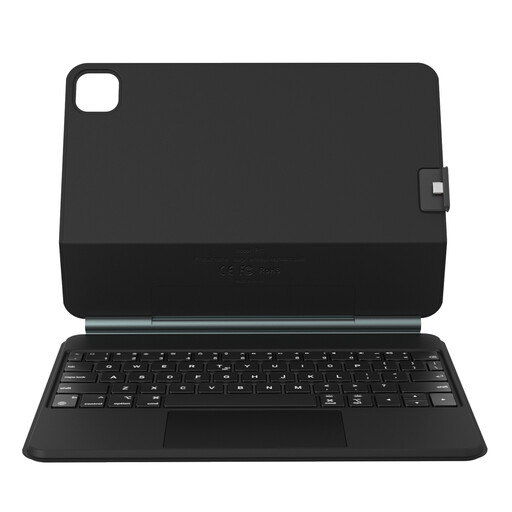
Why we chose it: Ideal for professionals and students who want to turn their iPad Pro or Air into a mobile workstation, without the weight and bulk of a laptop.
Its magnetic "floating" design ensures a perfectly stable and adjustable stand—no more collapsing cases! The detachable back shell continues to protect the iPad even without the keyboard.
It combines a comfortable keyboard, a precise trackpad, and a modular design for maximum versatility, switching from desktop mode to tablet mode in a snap.
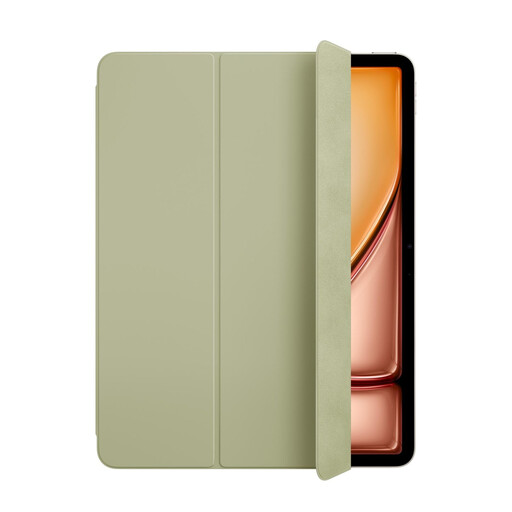
Why we chose it: For Apple ecosystem purists who want slim, lightweight, and perfectly integrated protection, without a single gram of excess weight.
As an official Apple product, there's zero risk of incompatibility. The sleep/wake function and magnetic attachment are rock-solid, a far cry from the frustrations of low-end models.
A minimalist design that protects both front and back, an instant magnetic attachment, and a simple yet effective stand for reading or watching videos.
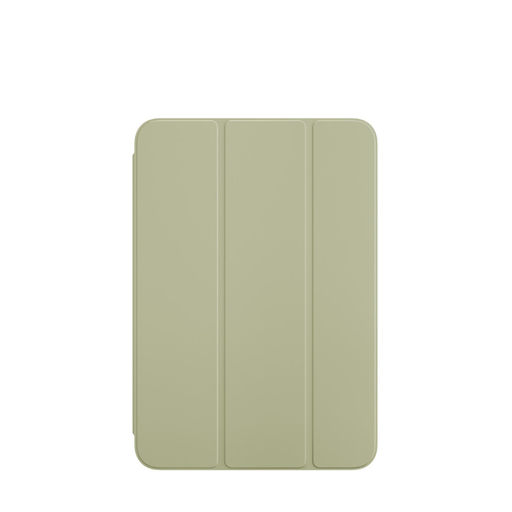
Why we chose it: The iPad mini's pocket-sized format demands a case that protects it without compromising its portability. This model is tailor-made for the job.
It avoids the trap of "universal" cases for small tablets, which are often too loose or poorly fitted. Here, the compatibility is perfect, down to the millimetre.
It offers front-and-back protection while preserving the slimness and lightness that are the hallmarks of the iPad mini.
We have selected a full range of products that meet these quality criteria and market standards.
The foolproof method is to find your iPad's model number. It's engraved in small print on the back of the device, or you can find it in Settings > General > About. Once you have this number (e.g., A2588), simply check it against the case manufacturer's compatibility list. Never rely solely on the commercial name (like "for iPad Air"), as multiple generations can share it.
Yes, magnetic cases from reputable brands are perfectly safe. Their magnets are precisely calibrated to ensure a firm hold without ever interfering with the iPad's internal components. They allow for one-step attachment and removal. The only point of caution is the strength of the magnets in the foldable stand: quality models guarantee a stable base that won't collapse at the first touch.
A Smart Folio is a complete case that protects the front and back of the iPad, usually attaching magnetically. Its signature feature is the smart cover that manages the automatic sleep/wake function. A shell case (or just case) focuses on protecting the back and edges, using more robust materials (like silicone or TPU) to absorb impacts. The screen is left exposed, which often means you'll want to add a screen protector. The choice comes down to a trade-off: slimness and features with the Folio, or maximum drop protection with the shell case.