The iPad lineup has never been more comprehensive than in 2026. Between the Pro, Air, and mini models, Apple offers tablets tailored for vastly different needs. Faced with this vast array of options, it can be difficult to navigate the choices and find the device that truly fits your expectations and budget.
This guide is here to break down Apple's lineup and help you make sense of it all. We'll examine the essential criteria for making an informed choice, whether you're a student, a creative professional, a frequent traveller, or simply looking for an excellent everyday tablet.
How to Choose the Right iPad?
Before diving into the comparison, the first step is to define your needs. Here are three key criteria to guide you.
1. Performance: The Power of the Chip
The processor, or "chip," is the heart of the iPad. It dictates the tablet's speed, fluidity, and ability to handle the most demanding tasks.
- M-series chips (M3, M5): Reserved for the iPad Pro and iPad Air, these chips transform the tablet into a true laptop alternative. They are built for intensive multitasking, 4K video editing, 3D modelling, and graphically demanding games. The iPad Pro vs. Air debate will often come down to your quest for raw power (M5) or a better balance of performance and price (M3).
- A-series chips (A17 Pro): Integrated into the iPad mini, this chip delivers stunning performance for such a compact form factor. It ensures perfectly smooth navigation and flawless responsiveness for productivity, note-taking, and mobile gaming.
2. Screen: Size and Technology
The size and quality of the screen are central to your daily experience.
- Size: A large 13-inch screen (iPad Pro, iPad Air) offers unparalleled viewing comfort for work, watching films, or turning the iPad into a professional Apple tablet. A more compact form factor like the iPad mini's (8.3-inch) is all about portability and ease of handling.
- Technology: The iPad Pro stands out with its Ultra Retina XDR (Tandem OLED) display, which delivers true blacks, infinite contrast, and spectacular peak brightness. It's the dream tool for an iPad for drawing or for image professionals. The Air and mini models feature Liquid Retina (LCD) technology, which displays accurate colours and excellent brightness, more than sufficient for most uses.
3. Use Case and Portability
Finally, your user profile is the deciding factor.
- For Pros and Creatives: The iPad Pro, with its M5 chip, OLED screen, and Thunderbolt/USB 4 port for blazing-fast data transfers, is the ultimate tool for the most demanding tasks.
- For Students and Versatility: The iPad Air is an excellent compromise. Its power is more than enough for note-taking, research, and entertainment, while remaining much more affordable than the Pro model. It's the go-to choice for an iPad for students.
- For Ultimate Portability: The iPad mini is in a class of its own. Its feather-light weight and pocket-sized form factor make it the ideal travel companion for reading, jotting down notes on the fly, or viewing documents on the go.
Our Top iPad Recommendations
Here are three flagship models from the new 2026 iPad lineup, each tailored to a specific user profile.
iPad Pro 13-inch (M5): Uncompromising Power
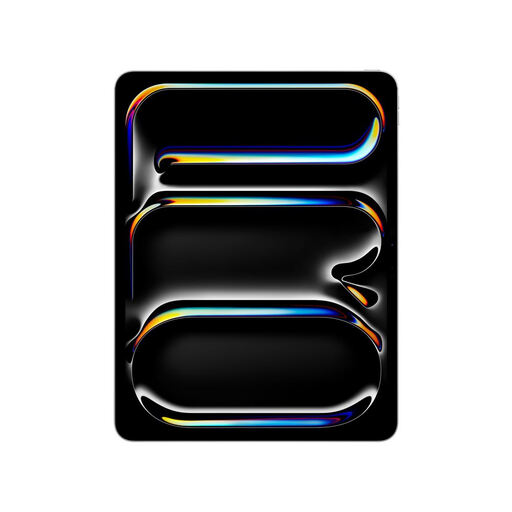
Why it stands out: The iPad Pro is Apple's technological showcase. Armed with the Apple M5 chip, it unleashes phenomenal processing power. Its Ultra Retina XDR display with Tandem OLED technology and ProMotion (120Hz) ensures breathtaking fluidity and image quality for creatives. The Thunderbolt/USB 4 port allows you to connect external displays and storage devices at lightning-fast speeds.
Pros:
- M5 chip (9-core CPU, 10-core GPU) for stratospheric performance.
- 13-inch Tandem OLED display with unmatched contrast and brightness.
- Wi-Fi?7 connectivity for cutting-edge wireless speeds.
- Simple and secure authentication with Face ID.
- Remarkably thin design (5.1?mm thick).
Who is it for? Creative professionals (videographers, photographers, illustrators), developers, and anyone who wants the pinnacle of tablet performance, with no compromises.
View the iPad Pro 13-inch on Joybuy.fr
iPad Air 13-inch (M3): The Perfect Balance
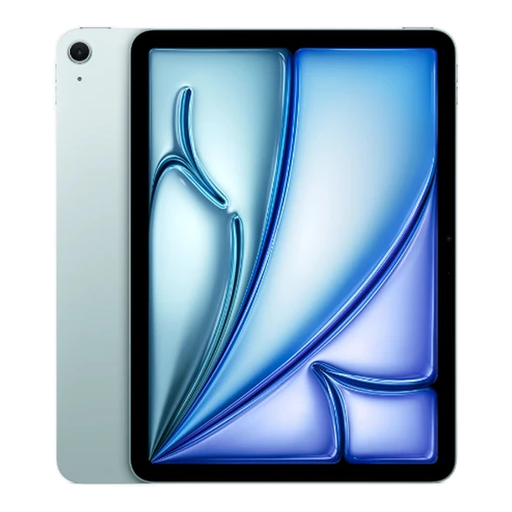
Why it stands out: The iPad Air represents the sweet spot in the lineup. It integrates the high-performance M3 chip, which effortlessly juggles multitasking, creative apps, and entertainment. Its large 13-inch Liquid Retina display provides a large and comfortable workspace, making it an excellent choice for students and professionals looking for versatility.
Pros:
- Powerful M3 chip and its 16-core Neural Engine.
- Large 13-inch Liquid Retina display, ideal for productivity.
- Compatible with Apple Pencil Pro and Magic Keyboard.
- Fast and reliable Wi-Fi 6E connectivity.
- 100% recycled aluminium enclosure, available in several finishes.
Who is it for? Students, professionals, and users who want a large screen and excellent performance without the extra power (and price tag) of the iPad Pro.
View the iPad Air 13-inch on Joybuy.fr
iPad mini (A17 Pro): Pocket-Sized Performance
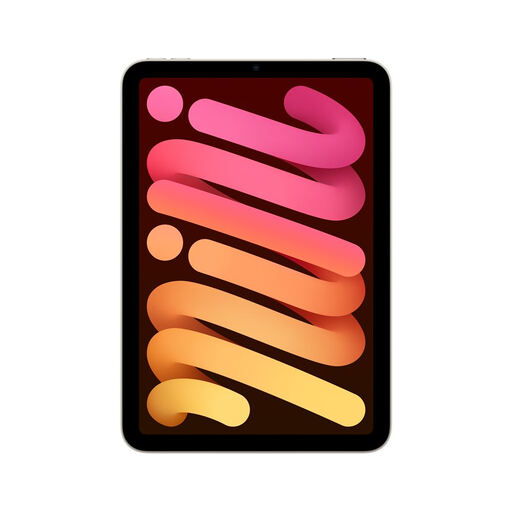
Why it stands out: The iPad mini's strength is its portability. With a feather-light weight of 293?grams and an 8.3-inch screen, it slips in anywhere. But don't let its size fool you: the A17 Pro chip packs a formidable punch, capable of running the most demanding apps. Its compatibility with Apple Pencil Pro makes it an incredibly effective digital notebook and sketchbook.
Pros:
- Ultra-compact and lightweight design, easy to hold in one hand.
- A17 Pro chip for top-tier performance.
- 8.3-inch Liquid Retina display with P3 wide colour gamut.
- 12MP Ultra Wide front camera with Centre Stage.
- Wi-Fi 6E and optional 5G to stay connected everywhere.
Who is it for? Frequent travellers, readers, heavy note-takers, professionals in the field (logistics, inspection), and anyone for whom compactness is the number one priority.
View the iPad mini on Joybuy.fr
Looking for Other Options?
Don't see a model that fits your needs? Eyeing other brands or form factors? Plenty of alternatives are available.
Discover our full range of tablet computers
FAQ: Choosing the Right iPad
1. iPad Pro vs. Air: What are the real differences in 2026?
In 2026, the difference comes down to four key points:
- The Display: The iPad Pro features a Tandem OLED (Ultra Retina XDR) panel with ProMotion (120Hz), offering significantly superior image quality compared to the iPad Air's LCD screen (Liquid Retina, 60Hz).
- The Chip: The iPad Pro is equipped with the M5 chip, which is more powerful than the M3 in the iPad Air, especially for the heaviest graphics tasks.
- Connectivity: The iPad Pro's Thunderbolt/USB 4 port offers speeds that are in a different league compared to the iPad Air's USB-C port.
- Authentication: The iPad Pro uses Face ID (facial recognition), while the iPad Air integrates Touch ID (fingerprint sensor) into its power button.
2. What storage capacity should I choose for an iPad?
It all depends on your usage:
- 128GB: The baseline for light use (browsing, email, streaming) with a few apps.
- 256GB / 512GB: The sweet spot for most users, including students. This allows you to store plenty of apps, photos, and large files without worry.
- 1TB and up: Essential for creatives who handle huge 4K video files, 3D projects, or vast photo libraries.
3. Can an iPad replace a laptop?
For a large number of users, the answer is a resounding yes. With accessories like the Magic Keyboard and the power of M-series chips, an iPad can perfectly handle office work, web browsing, communication, and even complex creative tasks. However, for professionals who rely on specific macOS or Windows software, or who need extensive connectivity without adapters, a laptop often remains essential.
By the Joybuy Product Team


