
Livraison le jour même ou le lendemain

Qualité garantie

Débloquez vos offres de bienvenue: Livraison GRATUITE | Jusqu'à -80 % | 30 jours d'essai gratuits à JoyPlus
Téléchargez l'application
The 10th-generation iPad is a do-it-all tablet, equally skilled at entertainment and creation. But when it comes to typing long documents, navigating with precision, or juggling multiple apps, the touchscreen quickly shows its limitations. Turning it into a true mobile workstation then becomes a priority for many students and professionals.
Our mission: to help you navigate the jungle of accessories. This guide breaks down a selection of keyboards for the iPad 10, focusing on the features that truly matter for your productivity—all without the unnecessary marketing jargon.
Before diving into our selection, let's review the essential criteria for making the right choice.
This is the number-one criterion for optimal typing comfort. In France, the standard is the AZERTY keyboard. The vast majority of users are accustomed to it, which ensures fast and error-free typing. Be aware that many models, especially those intended for the international market, are QWERTY. While it's possible to get used to it, this requires a significant adjustment period. This is a detail you must check before confirming your purchase.
A good keyboard case for the iPad 10.9 goes far beyond just physical keys. It should transform the user experience.
We have selected models that meet different needs and budgets, from the perfect integration of Apple's own design to versatile third-party alternatives.
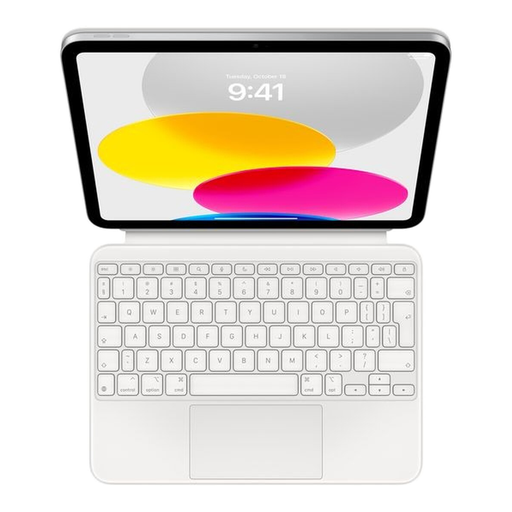
Why we love it: Designed by Apple for Apple, the Magic Keyboard Folio guarantees flawless software and hardware integration with the iPad 10. Its clever two-piece design (a magnetic back panel and a detachable keyboard) makes it highly versatile. Most importantly, its connection via the Smart Connector frees you from the hassles of Bluetooth pairing and charging.
The Pros:
Who is it for? For Apple ecosystem purists who demand a perfectly seamless and integrated experience. It's ideal for those who swear by the brand's modularity and build quality. Be aware, however, that this model is only available in a QWERTY (International English) layout.
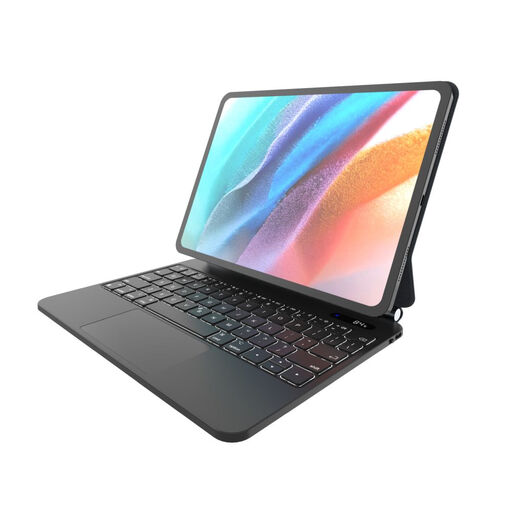
Why we love it: The FIXED Typee is an all-in-one solution, combining a keyboard, trackpad, and a sturdy protective case. Its Bluetooth connection and very long battery life make it an excellent travel companion, turning the iPad into a true small laptop.
The Pros:
Who is it for? For adventurers and nomads looking for a robust and self-sufficient solution. It's an excellent alternative to the Magic Keyboard Folio, especially for those who prioritize protection and battery life. Note that this model also comes in an English (EN) layout.
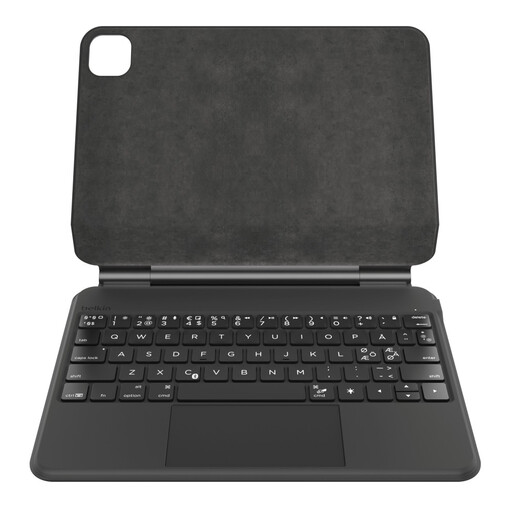
Why we love it: Finally, a keyboard designed with specific user needs in mind! This Belkin model checks all the boxes for the French market, starting with its AZERTY layout. It doesn't stop there, integrating the most requested features: a backlit keyboard, a large Multi-Touch trackpad, and even a magnetic slot for the Apple Pencil.
The Pros:
Who is it for? For professionals, students, and creatives in France who want to turn their iPad into a true laptop replacement, without making any compromises on the AZERTY layout or productivity features.
Our selection highlights models with distinct profiles, but the market is full of other solutions. If your needs are different or if you simply want to broaden your comparison, feel free to explore other avenues.
Discover our complete collection of keyboards with trackpads to find the perfect model for you.
Yes, the 10th-generation iPad is compatible with the vast majority of Bluetooth keyboards on the market. However, a dedicated keyboard case offers significant advantages: a custom fit for protection, an integrated stand for an ideal viewing angle, and features optimized for iPadOS (shortcut keys, etc.).
Absolutely. For anyone who uses their iPad for work (writing, spreadsheets, project management), a trackpad is a game-changer. It provides a level of precision and navigation speed that the touchscreen simply can't match, bringing the experience closer to that of a real laptop.
The main difference lies in the connection and integration. The Magic Keyboard Folio uses Apple's Smart Connector: the connection and power are instantaneous, with no pairing or charging required. The alternatives, on the other hand, operate via Bluetooth and have their own built-in batteries. This gives them great battery life but requires managing an additional device to charge. Other notable differences, of course, include the keyboard layout (AZERTY/QWERTY) and the quality of materials.