
Livraison le jour même ou le lendemain

Qualité garantie

Débloquez vos offres de bienvenue: Livraison GRATUITE | Jusqu'à -80 % | 30 jours d'essai gratuits à JoyPlus
Téléchargez l'application
Does juggling a laptop bag, a handbag, and a lunch cooler sound familiar? The insulated laptop backpack promises an all-in-one solution. The problem: the market is flooded with models that have tempting spec sheets, but their quality often leaves much to be desired. Our editorial team has sorted through the options to help you see clearly and avoid bad deals.
Before you make a purchase, here are the three most common pitfalls that can turn a smart buy into a costly disappointment:
To make the right choice, here are the technical points to inspect closely.
This is the main event. Make sure the meal section is more than just a gimmick.
Your laptop is an investment; it deserves proper protection.
Because every user is unique, here are three models that meet specific needs while avoiding the pitfalls we've just discussed.
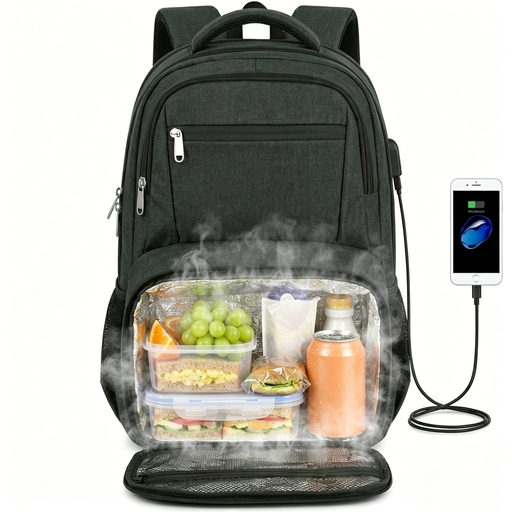
Why we chose it: Perfect for those who carry a large laptop (up to 17.3 inches) and need generous space for lunch, or even for a few groceries on the way home from the office. Its travel-friendly features make it extremely versatile.
Its insulated compartment, lined with leakproof aluminium foil, is completely separate from the rest of the bag. The laptop pocket is well-padded and opens 180 degrees, a very practical detail for getting through airport security checks.
Large capacity, able to hold a 17.3-inch laptop and a hearty meal (up to 10 cans). Its travel perks: luggage strap, USB port, and anti-theft pocket.
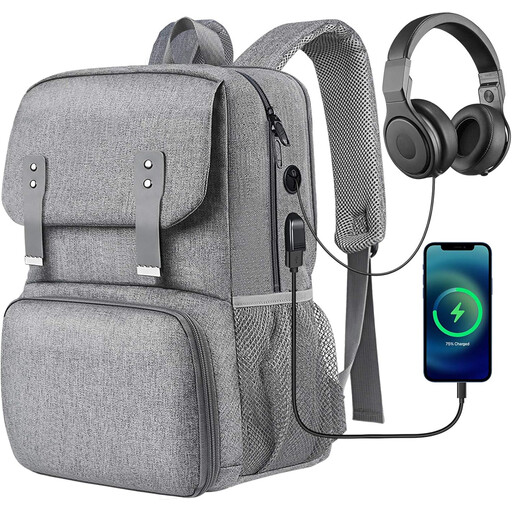
Why we chose it: With its clean design and compact size, it's perfect for daily use at the office, at university, or on public transport. It successfully combines functionality with an understated aesthetic.
The insulated compartment is fully leakproof and promises to keep your meal cool for 2 to 4 hours. The bag includes a hidden anti-theft pocket on the back, a reassuring detail for commuting.
Highly organised with multiple pockets, a USB port, and a headphone jack. The compartment for a 15.6-inch laptop is well-separated and padded.
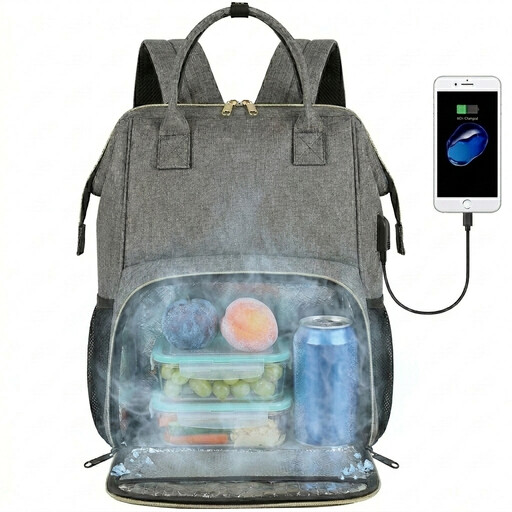
Why we chose it: The ultimate balanced and functional solution for daily use. It gets straight to the essentials with no frills, featuring a compact size and a feather-light weight (around 770g) that make it very comfortable for everyday travel.
Its insulated compartment is lined with a thick, easy-to-clean aluminium foil and has a leakproof design to prevent any spills. The outer Oxford fabric is water-repellent, enough to protect your belongings from a passing shower.
An excellent balance of size, weight, and features. Its insulated compartment is large enough for a full meal (up to 9 cans) without making the bag overly bulky.
If these models don't quite match your needs, especially for students, take a look at our other selections that meet the same quality criteria.
Performance varies greatly depending on the quality of the insulation. Generally, a good insulated bag can keep your meal cool for 2 to 5 hours. Of course, this depends on the outside temperature, the initial temperature of your food, and whether or not you add an ice pack. Rely on the manufacturer's estimate as a good starting point.
It's important to distinguish between two things: the water resistance of the outer fabric and the leakproofing of the meal compartment. A water-repellent fabric (the most common type) will protect your belongings from light rain. A leakproof lining, on the other hand, is designed to contain spills inside the insulated compartment. For maximum security, check for this feature and always carry liquids in perfectly sealed containers.
The built-in USB port does not contain a battery. It's simply a pass-through: inside, a cable is waiting to be connected to your own power bank (not included). On the outside, the port allows you to directly connect your smartphone's charging cable. It's just a handy feature for charging your device on the go without having to hold the power bank in your hand.