
Livraison le jour même ou le lendemain

Qualité garantie

Débloquez vos offres de bienvenue: Livraison GRATUITE | Jusqu'à -80 % | 30 jours d'essai gratuits à JoyPlus
Téléchargez l'application
By the Joybuy Product Expert Team, July 10, 2026
The ink light is flashing, right when you need to print that crucial document. It's a classic office frustration! We've all been there: facing a printer that's run dry. And when it's time to choose a new ink cartridge pack, it's easy to feel lost in a maze of model numbers.
Don't panic. This guide is here to cut through the noise and help you choose the perfect cartridge pack for your needs, focusing on compatibility and quality—with no marketing fluff.
Before we get to our top picks, here are a few key points to ensure you make the right choice.
Choosing original ink cartridges—those made by your printer's brand (Canon, Epson, HP, etc.)—is the best way to ensure peace of mind. Designed to work in perfect harmony with your hardware, they guarantee consistent print quality, true-to-life colours, and rock-solid reliability. It's also worth noting: using them preserves your printer's manufacturer warranty.
Buying a cartridge pack is often the smartest move. These bundles, which include black and the three primary colours (cyan, magenta, yellow), offer a dual advantage:
To avoid any mistakes, there's one golden rule: know the exact model number of your cartridges. You're sure to find it:
Model numbers like Canon CLI-581 ink or the Epson 502 cartridge are specific to certain printer series. A quick, few-second check will save you from a useless purchase and a whole lot of frustration.
Here are a few options we recommend for their reliability and excellent value, whether for home or office use.
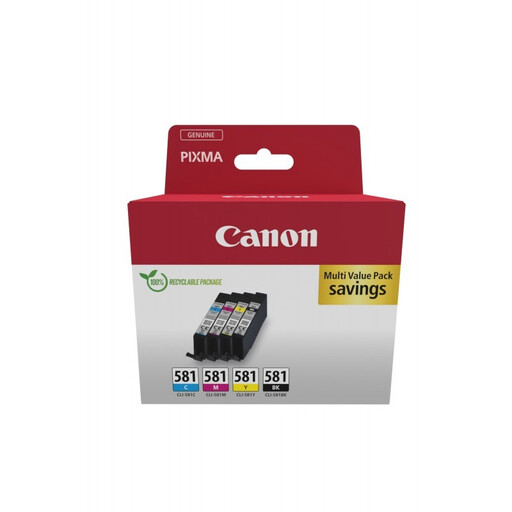
Why we love it
This colour multipack from Canon is the ultimate ready-to-use solution. It contains the black cartridge and the three colour cartridges (cyan, magenta, yellow) to give your printing a fresh start. Specially designed for printers in the Canon PIXMA range (TS, TR series, etc.), it ensures seamless integration and flawless results, whether you're printing text or photos.
The highlights
Who is it for? For all owners of compatible Canon PIXMA printers who want a hassle-free solution for home or small office use, capable of printing both high-quality documents and photos.
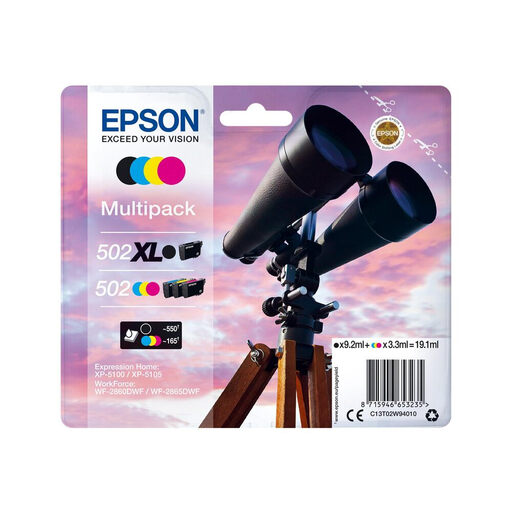
Its key advantage
The Epson 502 pack, recognisable by its starfish icon, takes a smart approach with its four separate ink cartridges. Its ink technology is a hybrid: a pigment-based black ink for ultra-sharp text that won't smudge when highlighted, and dye-based colour inks for vibrant photos. The real bonus: thanks to the individual cartridges, you only replace the colour that has actually run out. No more waste!
The highlights
Who is it for? For users of Epson Expression Home and WorkForce printers who juggle professional reports with family photos and appreciate the idea of replacing colours one by one as needed.
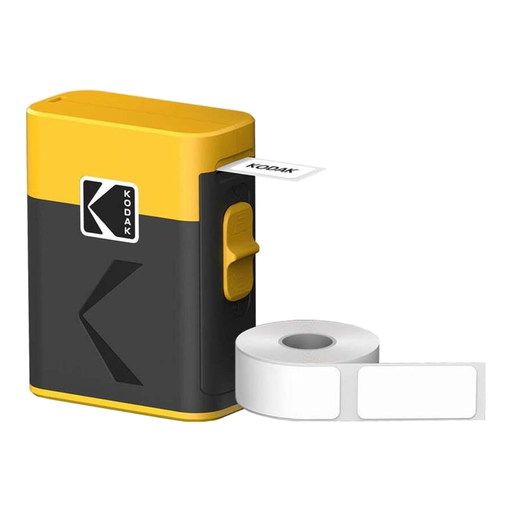
The concept
What if you could say goodbye to cartridges altogether? That's the promise of this portable Kodak label printer, a radical and clever alternative. It works using direct thermal printing: in simple terms, it needs no ink, no toner, and no ribbons. Ever. Connected to your smartphone via Bluetooth through its dedicated app, it lets you create and print labels, memos, barcodes, or QR codes on the fly.
The highlights
Who is it for? For anyone who needs to print labels for organisation, storage, DIY projects, or even managing a small inventory. It's the perfect choice for those who want to move on from traditional consumables for good.
Our selection highlights complete packs, but perhaps your needs are more specific. If you're just missing a yellow ink cartridge or if your printer isn't on this list, don't worry: a wide range of consumables awaits.
Discover all our ink cartridges, sold individually or in packs, to find the one you need.
The simplest, most foolproof method: check the model number printed on your current cartridge. If you've already thrown it away, don't panic: your printer's model (often written on the front) will allow you to find the list of compatible cartridges in the manual or on the manufacturer's website.
The answer is yes, in almost every case. An ink cartridge pack has a much lower cost per unit. It also saves time and gives you peace of mind: you always have a spare set and don't have to place another urgent order as soon as one colour runs out.
An ink cartridge that is still sealed in its original packaging can be stored without issue for 18 to 24 months. To maximise its shelf life, store it upright in a cool, dry place, away from direct sunlight and extreme temperature changes.