
Livraison le jour même ou le lendemain

Qualité garantie

Débloquez vos offres de bienvenue: Livraison GRATUITE | Jusqu'à -80 % | 30 jours d'essai gratuits à JoyPlus
Téléchargez l'application
The printer light is flashing, your documents are half-printed, and, of course, a deadline is looming. Finding the right ink cartridge should be a simple task. Yet, the market is a minefield, saturated with obscure model numbers and compatibility promises. In short, it's the perfect recipe for buyer's remorse.
As a product expert at Joybuy, my mission is to demystify this topic for you. This guide breaks down the most common pitfalls and essential criteria to help you find the perfect cartridge for your needs—without throwing money down the drain.
Before you jump on the first deal you see, beware of these common mistakes that can be costly (sometimes very costly) for users.
To make the right choice every time, focus on these three key points. They are your guarantee of perfect compatibility and print quality that meets your expectations.
This is the most critical piece of information, the one that overrides everything else. Every printer cartridge has a unique model number (e.g., Canon PG-545, Brother LC422). You can find it:
A single-digit error in the model number, and your cartridge is headed for the bin. So, always double-check its compatibility with your exact printer model (e.g., Canon PIXMA TS3350i).
Here, it all comes down to your print volume.
Understanding your printer's architecture is crucial for managing your consumables effectively.
To illustrate how to apply these criteria in practice, here are a few products we recommend for different user profiles.
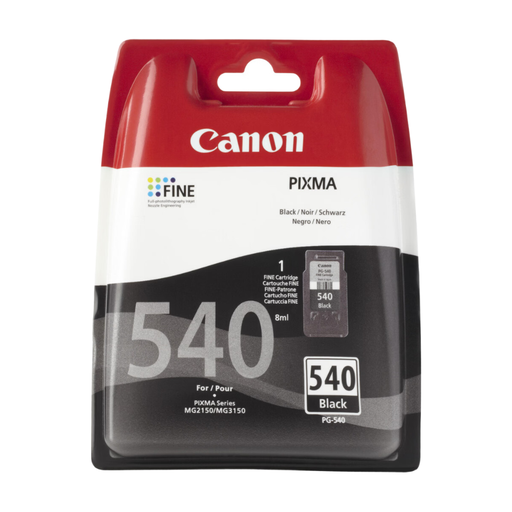
Why we chose it: For those who rarely print documents and only a few photos on occasion, this pack is the ultimate all-in-one solution. It combines original cartridges (black and colour) for flawless compatibility and adds photo paper for ad-hoc needs.
By relying on original cartridges, it eliminates any risk related to compatibility or the poor quality of a questionable third-party consumable. This is a particularly common problem with infrequently used printers.
A complete and reliable solution, backed by the manufacturer. The pack, including photo paper, offers excellent value for money and convenience for sporadic use.
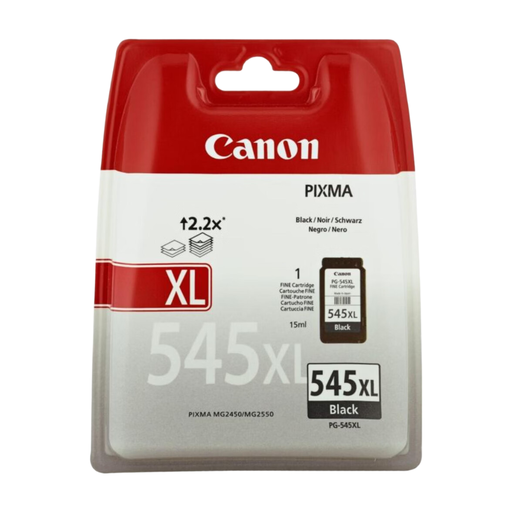
Why we chose it: Perfect for students, small businesses, or remote workers who primarily print text documents. The XL format is designed for high volumes, ensuring sharp, professional black text over the long term.
This XL model directly tackles the standard-size trap. It offers a much more attractive cost per page, an essential factor for managing your printing budget over time.
High yield, fewer replacements, and an optimised cost per page. All with the reliability of original Canon quality.
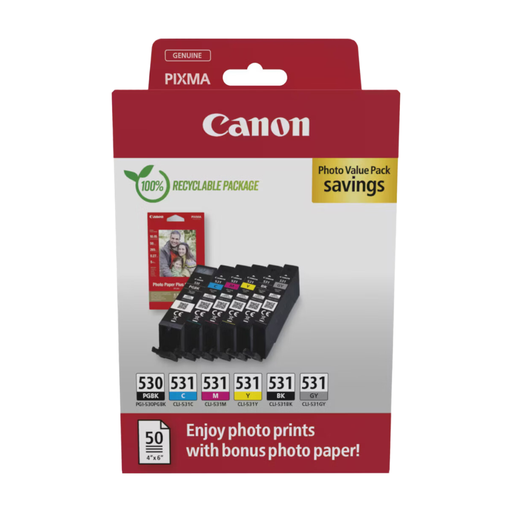
Why we chose it: Designed for Canon PIXMA PRO photo printers, this pack uses a system of 6 individual inks, including a grey (GY) cartridge. This configuration is engineered to deliver a richer colour palette, exceptionally smooth gradients, and professional-quality black and white prints.
It directly addresses the "wrong ink type" pitfall. This specialised system ensures a level of colour fidelity that standard or all-in-one cartridges simply cannot achieve—a non-negotiable point for photo printing.
Top-tier colour accuracy thanks to the 6-ink system. The individual cartridge format allows you to replace only the empty colour, optimising costs over time.
We have curated a complete selection of products that meet our selection criteria and current regulations.
Several factors come into play. A new ink cartridge, in its sealed packaging, has an expiry date (usually 18 to 24 months). Once installed, it is recommended to use it within 6 months to prevent the ink from drying out and clogging the printheads. The page yield, on the other hand, is a standardised figure (ISO/IEC standard) that depends on your actual usage.
The risk is real, especially with low-quality, entry-level products. A poorly designed compatible cartridge can leak, use an ink formulation that clogs the nozzles, or contain an unrecognised chip. That said, reputable compatible manufacturers do offer reliable products. The real issue is quality control, which is far less consistent than with original manufacturers.
There are several things to check: