
Livraison le jour même ou le lendemain

Qualité garantie

Débloquez vos offres de bienvenue: Livraison GRATUITE | Jusqu'à -80 % | 30 jours d'essai gratuits à JoyPlus
Téléchargez l'application
The printer light starts flashing at the worst possible moment? A classic scenario. Thus begins the quest for a replacement ink cartridge. It seems like a simple task, but it can quickly become a headache amidst a jungle of part numbers and marketing promises. At Joybuy, our mission is to help you navigate the confusion and make the right choice.
Buying the wrong cartridge means wasting time and money. Here are the two classic mistakes that can be a major drain on your budget:
This guide gives you everything you need to make an informed choice and ensure your investment results in reliable, high-quality prints.
To avoid making a mistake, there are three points to check scrupulously. This is your guarantee of a successful purchase and a printer that runs like clockwork.
This is the non-negotiable starting point. Every printer uses a specific series of cartridges. Using the wrong part number, even if it looks physically similar, will result in an error message.
How to find the right part number?
This is the key that guarantees the cartridge you buy will be recognised by your hardware.
Manufacturers typically offer two sizes for the same part number: standard and high capacity (often labelled XL or high-yield cartridge).
To compare, rely on the page yield (ISO/IEC standard), a standardised measurement provided by manufacturers. A black HP 302XL cartridge prints approximately 480 pages, compared to 190 for the standard version. The math is simple: for a price that is often less than double, you get to print nearly three times as much.
Not all printer inks are created equal. The type of ink has a direct impact on the final look and longevity of your prints.
Ensuring you use the right type of ink, especially with original brand cartridges, is the best way to guarantee the expected quality for every type of document.
To guide you, here is a selection of reliable part numbers suited for different needs. Each product has been chosen for its reliability and compatibility with the indicated printers.
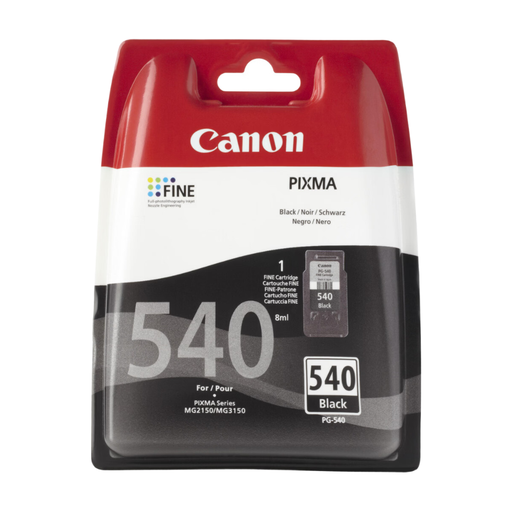
Why we recommend it: Perfect for occasional printing of text documents (emails, letters, homework). As an original cartridge, it guarantees flawless compatibility with Canon PIXMA printers.
By choosing the original, you eliminate all compatibility risks. It's the certainty that it will work perfectly without ever damaging your printhead.
Canon quality and reliability. It produces exceptionally sharp, smudge-free black text for professional-looking documents.
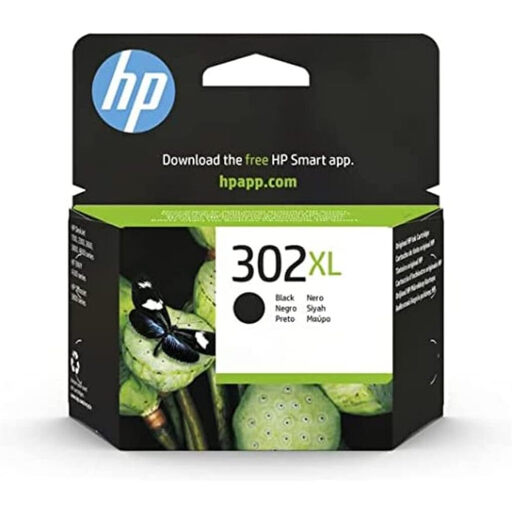
Why we recommend it: Essential for those who print a lot of text documents: reports, invoices, handouts... The ideal solution for controlling your printing budget without sacrificing quality.
It avoids the false economy trap. With a yield of approximately 480 pages, its cost per page is unbeatable compared to the standard version.
High yield (approx. 2.5 times more than the standard version). Its high-density pigment ink is water- and highlighter-resistant.
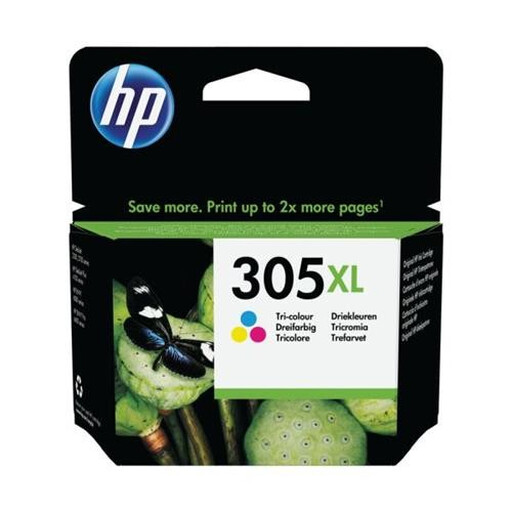
Why we recommend it: For families and creatives who regularly print photos, graphics, or presentations, and want vibrant colours without having to change cartridges every five minutes.
The XL size is much more cost-effective for colour printing. With a yield of around 200 pages—double the standard version—replacements are far less frequent.
Its dye-based ink ensures photos and documents have vivid, nuanced colours. Perfectly compatible with recent HP DeskJet and ENVY series printers.
Discover our full selection of original cartridges, all chosen for their reliability and value for money.
While some compatible cartridges from reputable brands may work, those from unknown sources are a gamble: poor-quality ink can clog printheads, chips may not be recognised, and leaks can occur. Using an original cartridge (like a genuine HP ink cartridge or Canon ink cartridge) is the only way to eliminate this risk and preserve your printer's manufacturer warranty.
When stored properly in its sealed packaging, away from light and heat, a new cartridge can be kept for about two years. Once opened, it's best to install and use it within six months to prevent the ink from drying out.
Don't panic; a few simple checks are often all that's needed. Make sure you have removed all the plastic protective tabs. Check that the cartridge is correctly clicked into its slot (you should hear a "click"). You can also gently clean the copper contacts on the cartridge and in the printer with a dry, lint-free cloth. If the problem persists with an original cartridge, your best bet is to contact the manufacturer's support directly.