
Livraison le jour même ou le lendemain

Qualité garantie

Débloquez vos offres de bienvenue: Livraison GRATUITE | Jusqu'à -80 % | 30 jours d'essai gratuits à JoyPlus
Téléchargez l'application
The printer light is flashing, the ink cartridge is empty at the worst possible moment... It's a classic scenario. This situation, familiar to many, often leads to a rushed purchase. Yet, choosing a new cartridge can sometimes be a real headache. Between similar-looking model numbers, promises of compatibility, and staggering price differences, a mistake can be costly.
As a Product Expert at Joybuy, my mission is to help you make sense of it all. Let's cut through the marketing jargon and get straight to the point to help you make an informed choice. Here are the most common mistakes and, more importantly, how to avoid them.
The 3 pitfalls to avoid when buying your cartridges:
To ensure you never make a mistake again, simply adopt a simple, three-point verification routine.
This is the non-negotiable criterion. Each cartridge is designed for a very specific list of printer models. To find the right model number, here are several foolproof methods:
This simple check will save you from 99% of store returns.
The choice between an original cartridge (made by your printer's brand, also known as OEM) and a compatible cartridge (made by a third party) is primarily a matter of priorities.
For the same model number, manufacturers almost always offer two sizes: standard and high capacity (usually marked as XL).
The maths is simple: for regular use, an XL cartridge lowers your cost per page and proves much more economical in the long run.
Rather than just a list of products, let's look at which options meet specific needs.
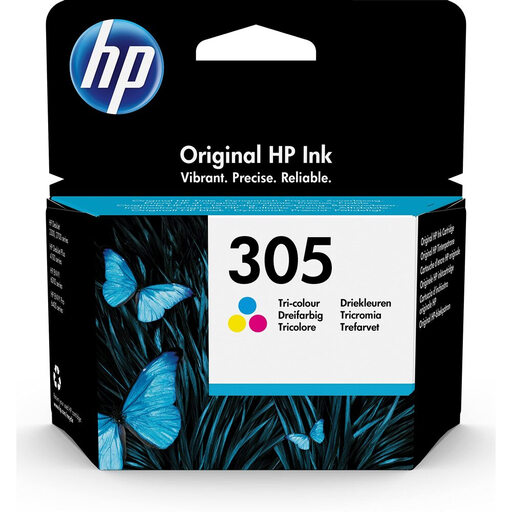
Who is it for? For those who occasionally print train tickets, children's homework, or a few holiday photos. This original cartridge ensures consistent quality and flawless reliability, even if the printer remains idle for several weeks.
It eliminates the risk of low-end compatibles that can dry out or not be recognised by recent HP DeskJet and ENVY printers.
The quality and peace of mind of the original brand. Its dye-based ink guarantees photos with vibrant colours.
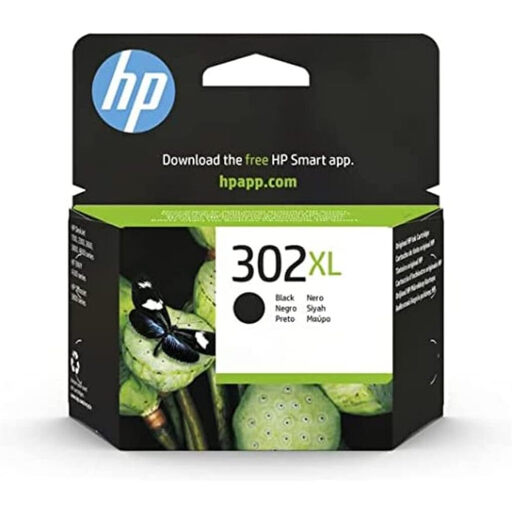
Who is it for? Ideal for high-volume printing of text documents (reports, invoices, letters). The XL capacity is designed to optimise costs over time, a crucial point for professional or intensive use.
It sidesteps the false economy of the standard cartridge. The cost per page is about 2.5 times lower, representing substantial savings from the second purchase onwards.
Its high yield of approximately 480 pages (ISO standard). The pigmented black ink ensures razor-sharp text that is resistant to water and highlighters.
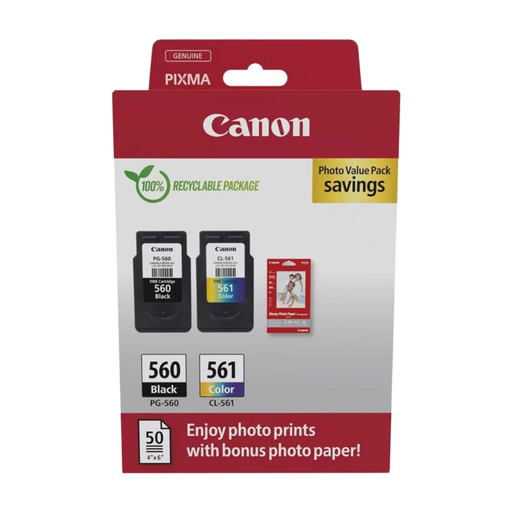
Who is it for? For owners of Canon PIXMA printers who print both text and colour graphics. Buying a cartridge pack is a convenient and often more economical solution than buying them separately.
It prevents you from running out of ink and making a last-minute dash to the shop when one of the two cartridges is empty. Simple and effective stock management.
An all-in-one solution with a pigment black cartridge for text and a dye-based colour cartridge for images. Canon's integrated FINE technology guarantees consistent quality.
We have selected a complete range of ink cartridges that meet these quality criteria and European compliance standards.
The most reliable method is to note the model number printed on your old cartridge. You can also find the exact model of your printer (e.g., HP DeskJet 2700, Canon PIXMA TS5350) and use the search function on an e-commerce site to find compatible consumables.
Yes, most cartridges display a warranty end date or a recommended use-by date on their packaging. Over time, the ink can thicken or degrade, which can affect print quality or even clog the printheads. It is therefore advisable to use a cartridge within 6 to 24 months of purchase and to install it immediately after opening its sealed packaging.
If you print more than a few pages per week, the XL cartridge is almost always the most economical choice. To be sure, calculate the cost per page: divide the price of the cartridge by its page yield (indicated on the packaging). You will find that the cost per page of an XL cartridge is significantly lower.