
Livraison le jour même ou le lendemain

Qualité garantie

Débloquez vos offres de bienvenue: Livraison GRATUITE | Jusqu'à -80 % | 30 jours d'essai gratuits à JoyPlus
Téléchargez l'application
By the Joybuy Editorial Team, July 28, 2026
The 'Low Ink' message always seems to pop up at the worst possible moment: just before printing an important report, train tickets, or the kids' homework. With a multitude of models available, finding the right ink cartridge can quickly become a headache. Should you opt for a multipack or a single cartridge, and most importantly, how can you be sure it's compatible?
To help you make the right choice, we're breaking down the essential criteria for selecting your printer ink. Follow our guide to find the ideal consumable, ensure high-quality prints, and preserve the lifespan of your hardware.
Choosing a cartridge isn't just about finding the lowest price. To avoid any nasty surprises, here are the three essential points to check.
The first and most important step is to verify the cartridge's compatibility with your printer model. An incompatible model simply won't be recognised by your device.
To find the correct model number, you have several options:
The market offers two types of consumables: original (OEM) cartridges, made by your printer's brand, and compatible cartridges, produced by third-party manufacturers.
Opting for an original cartridge offers several guarantees:
If you regularly print documents in colour, the ink cartridge pack (multipack) is often the most economical option. It usually includes the three colours (cyan, magenta, yellow) and black. Buying in a bundle reduces the cost per page and ensures you always have a spare set on hand. For more occasional use or if only one colour is depleted, buying a single cartridge is still a sensible choice.
To guide you, here is our selection of original cartridge packs, compatible with the most common printer models.
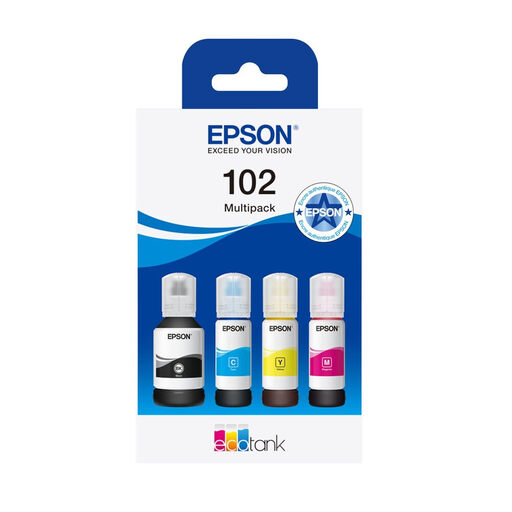
These aren't traditional cartridges, but a pack of ink bottles designed for Epson's EcoTank printer range. This ingenious system replaces cartridges with user-refillable tanks, offering an unbeatable cost per page. The pigment-based black ink ensures text is resistant to water and highlighters, while the dye-based colour inks produce vibrant photos.
Advantages:
Who is it for? Families, students, and small businesses with an Epson EcoTank printer (ET-2700, ET-3700, ET-4750 series, etc.) looking to minimise long-term printing costs without sacrificing quality.
See the price of the Epson 102 EcoTank pack
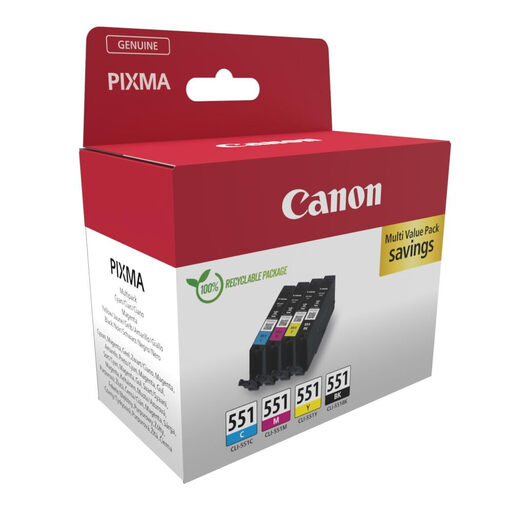
This pack is the perfect all-rounder. It combines an original cartridge with pigment black ink (PGBK) for impeccably sharp text with three dye-based colour cartridges (C, M, Y) for vibrant photos. Canon's FINE technology ensures ultra-precise ink droplet placement for exceptional detail.
Advantages:
Who is it for? Individuals and amateur photographers who own a compatible Canon PIXMA printer and need a reliable solution for high-quality mixed printing.
See the price of the Canon 6509B016 pack
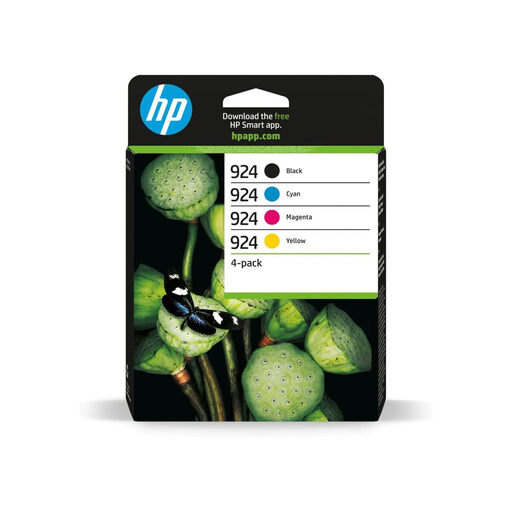
Specially designed for the HP OfficeJet Pro series, this pack is tailored for the demands of the professional world. It guarantees durable documents, with pigment black ink that resists water, highlighters, and fading. For a small or medium-sized business, the reliability of original HP cartridges is a guarantee of peace of mind: no unexpected interruptions or printing defects.
Advantages:
Who is it for? Professionals, freelancers, and small businesses using an HP OfficeJet Pro printer who demand maximum reliability and consistent print quality for their daily documents.
See the price of the HP 924/933 pack
Our selection focuses on the most popular models, but the catalogue of cartridges is immense. Don't worry if your model isn't on this list: there's a solution for every printer.
Explore our complete catalogue of printer ink to find the perfect cartridge for your device.
The most reliable way is to check the exact model of your printer (written on the device) or the model number of the old cartridge. This information will allow you to search for and find the correct consumable without making a mistake.
To ensure optimal performance and protect your hardware, it is essential to use cartridges from the same brand as your printer (known as "original" or OEM). Compatible or refilled cartridges, while often cheaper, pose risks: recognition problems with the printer, unpredictable print quality, and even printhead failures that can void the manufacturer's warranty.
A new ink cartridge, kept in its sealed packaging and stored away from heat and direct sunlight, can typically be stored for 18 to 24 months. Once opened and installed, it is advisable to use it within 6 months to prevent the ink from drying out.