
Livraison le jour même ou le lendemain

Qualité garantie

Débloquez vos offres de bienvenue: Livraison GRATUITE | Jusqu'à -80 % | 30 jours d'essai gratuits à JoyPlus
Téléchargez l'application
Is your printer's indicator light flashing?? That's the sign it's time to change the cartridge. And so begins a real headache?: which model number should you choose?? Should you opt for a standard or XL capacity?? Faced with a jungle of options, it's easy to make the wrong choice. Our mission?: to help you make sense of it all.
Buying an ink cartridge may seem trivial, but the pitfalls are numerous and can quickly drive up costs or ruin your prints. Here are the most common mistakes and, more importantly, how to avoid them.
To make an informed choice, you just need to focus on a few key factors.
To navigate the jungle of printer ink, you just need to know where to look. Here are the three points to check to ensure a successful purchase every time.
This is the non-negotiable criterion. Every printer is designed to work with specific cartridge model numbers. Using a different model, even if it looks physically similar, will almost always result in an error message.
How to find the right model number??
Verifying cartridge-printer compatibility is the first step to avoiding a product return and a major waste of time.
Manufacturers generally offer two sizes for the same model number: standard and high capacity (often labelled XL cartridge).
The yield is standardised by the ISO/IEC 24711 standard, which indicates the approximate number of pages that can be printed. An XL cartridge can often print twice as many pages (or more) for a price that is not doubled.
Not all inks are created equal, nor do they serve the same purpose.
Some ink cartridge packs cleverly combine both, with a pigment-based black cartridge for text and dye-based colour cartridges for images.
To put theory into practice, here's how these criteria apply to a selection of products tailored to different needs.
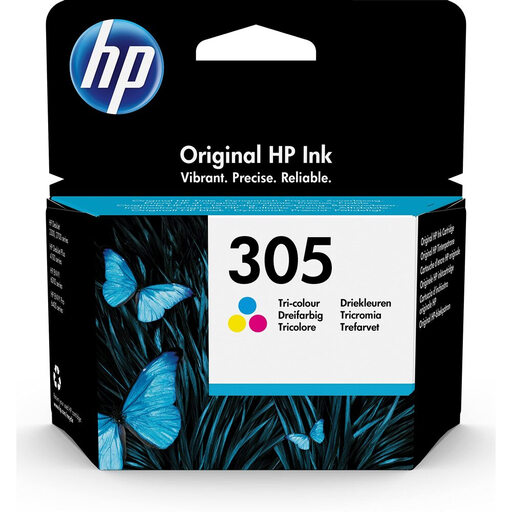
Why we chose it : Perfect for those who print infrequently (plane tickets, administrative documents). Its standard capacity is sufficient and avoids the extra cost of an XL cartridge that might dry out before it's empty.
By focusing on the exact model for the most popular HP DeskJet and ENVY printers, you eliminate any risk of incompatibility. The standard capacity is the most economically sound choice for low-volume printing.
HP reliability and print quality for everyday documents. Yields approximately 100 pages (ISO/IEC 24711 standard).
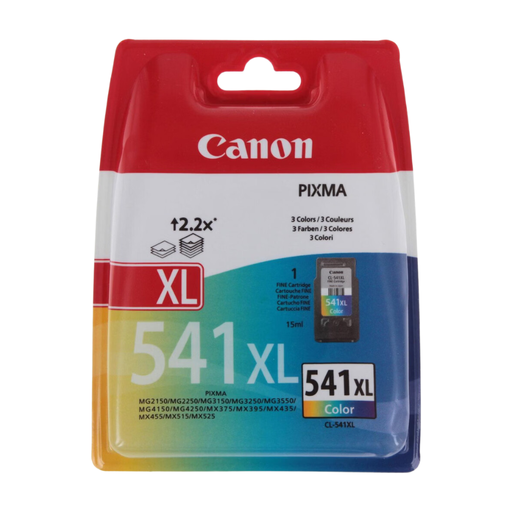
Why we chose it : Ideal for regularly printing reports, lecture notes, or invoices. The XL cartridge format drastically reduces the cost per page, making it a smart investment for high-volume printing.
This high-capacity cartridge directly tackles the false economy trap. Its long life means fewer replacements and real long-term savings.
Canon quality and reliability, with vibrant colours for graphics and documents. The XL format is the secret weapon for keeping your printing budget under control.
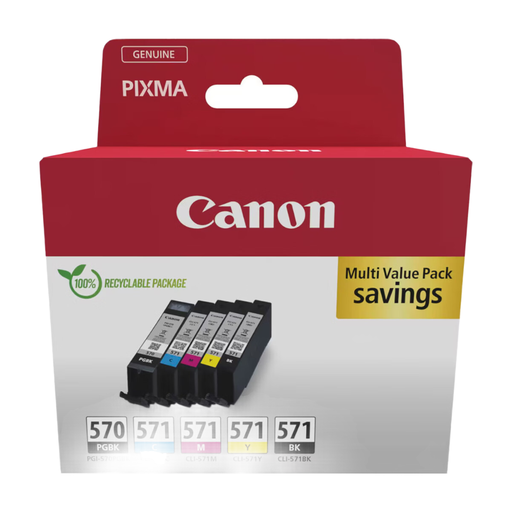
Why we chose it : Designed for PIXMA photo printers, this ink cartridge pack includes separate dye-based inks that ensure faithful and vibrant photo reproduction. The dedicated pigment-based black cartridge guarantees impeccably sharp text.
This pack protects you from faded or inaccurate colours. Using specific inks (dye-based for photos, pigment-based for text) is a guarantee of quality that generic cartridges can rarely match.
The separate cartridge system allows you to replace only the colour that has run out. It's more economical, more eco-friendly, and ensures maximum versatility for professional-quality results.
Discover our full selection of cartridges that meet our criteria for quality and performance.
The surest method is to note the model number on your old cartridge. If you no longer have it, find your printer's model name (usually on the front) and search online for "ink cartridge for [your printer model]". The official websites of manufacturers like HP, Canon, or Epson have highly effective search tools.
Yes, cartridges have a warranty or "use by" date printed on the packaging. Although a sealed cartridge may still work after this date, print quality can suffer. Once opened, it's best to use it within 6 months to prevent the ink from drying out. For optimal storage, keep cartridges in their original, sealed packaging, stored upright in a cool, dark place.
An XL cartridge is a very cost-effective choice if you print regularly. The initial cost is higher, but the cost per page is significantly better than a standard cartridge. If you print fewer than ten pages a month, the standard size remains a sensible option to limit the initial investment.