
Livraison le jour même ou le lendemain

Qualité garantie

Débloquez vos offres de bienvenue: Livraison GRATUITE | Jusqu'à -80 % | 30 jours d'essai gratuits à JoyPlus
Téléchargez l'application
The printer light starts blinking at the worst possible moment... a classic scenario. You set off on a quest for a new ink cartridge, a mission that seems simple but quickly turns into an obstacle course. Between dozens of reference numbers and promises of compatibility, a costly purchasing mistake is never far away.
As a product expert at Joybuy, I'm here to help you make sense of it all. This guide is designed to give you all the keys to choosing the right printer ink and avoiding the pitfalls that waste your time and money.
The consumables market is filled with tempting offers that can hide some nasty surprises. Here are the two most common mistakes to avoid at all costs.
To make the right choice with confidence, keep these three essential points in mind. They are your guarantee of compatibility, true cost, and print quality.
This is the most critical piece of information. Each printer uses a specific series of cartridges. Using the wrong reference number, even if it looks physically identical, simply will not work.
Where to find the right reference number?
Jot down this reference number carefully: it's the number one guarantee of a successful purchase.
Manufacturers typically offer two formats for the same reference number:
Even if it's more expensive upfront, a high-capacity cartridge almost always offers a lower cost per page. It is therefore much more economical in the long run for regular or professional use. The yield (the number of pages you can print) is a standardized metric (ISO/IEC 24711) provided by manufacturers, allowing you to compare cartridges objectively.
The type of ink directly affects the final look of your prints.
Good to know: many ink cartridge multipacks combine a pigment-based black cartridge (for text) with dye-based color cartridges (for images).
To illustrate these criteria in practice, here are a few examples for different user profiles.
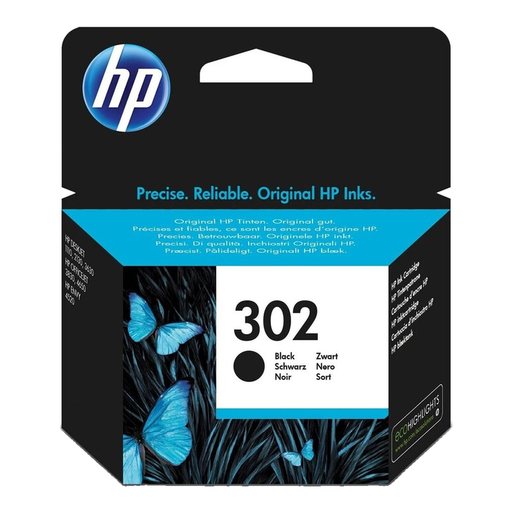
Why we chose it: For those who print occasionally: a train ticket here, a school assignment there. By choosing an original cartridge, you are guaranteed immediate recognition by the printer and consistent print quality.
As an official HP cartridge, compatibility is 100% guaranteed with compatible DeskJet, OfficeJet, and ENVY printers. Zero risk of a nasty surprise during installation.
Its pigment-based black ink produces perfectly sharp and durable text, ideal for documents you want to keep.
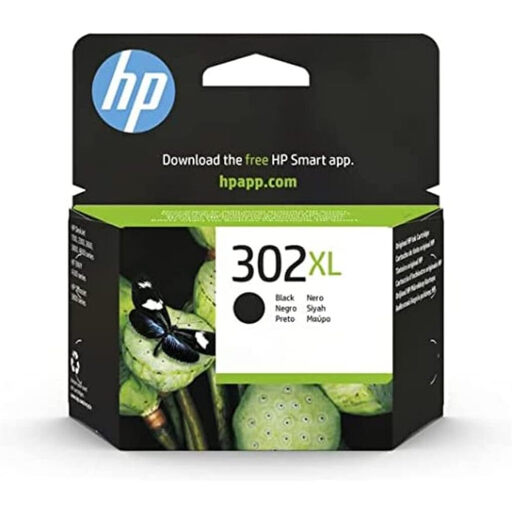
Why we chose it: Perfect for freelancers, small businesses, or large families who use their printer heavily. This cartridge lets you go longer between replacements and optimizes costs over time.
It puts an end to the false economy of budget cartridges. According to the manufacturer's data (ISO/IEC 24711 standard), it can print approximately 480 pages, which is 2.5 times more than the standard model, for a significantly better cost per page.
Its high-density pigment ink is resistant to water and highlighters, a real plus for professional documents.
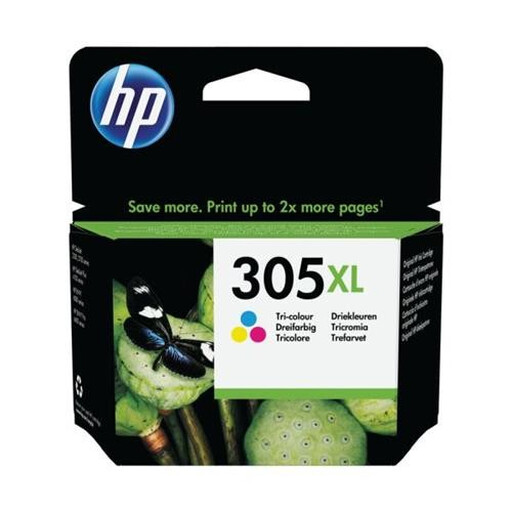
Why we chose it: For anyone who regularly prints family photos, color presentations, or creative projects. The XL version offers plenty of mileage before the next replacement.
By relying on a dye-based ink developed by the manufacturer itself, it ensures vibrant and true-to-life colors. Say goodbye to the dull results or inaccurate colors of cheap compatible inks.
The XL format offers a yield of approximately 200 pages (double that of the standard HP 305 cartridge), for a much more controlled cost per photo or color page.
If your model isn't in this selection, feel free to browse our full catalog. We've gathered hundreds of reference numbers that meet our quality criteria.
An original ink cartridge, kept in its sealed packaging away from light and extreme temperatures, generally has a shelf life of 18 to 24 months. Beyond that, the ink may dry out or degrade, which can harm print quality.
It's a very common practice, but quality varies enormously from one manufacturer to another. A low-end model can indeed cause problems: leaks, clogged printheads... To ensure optimal performance and preserve the lifespan of your hardware, printer manufacturers logically recommend using their own consumables.
The printer doesn't have an actual sensor. It relies on the cartridge's chip, which counts the pages printed to estimate the remaining level. This estimate is intentionally conservative for a good reason: to prevent you from printing with a completely empty cartridge, which could damage the printhead from overheating. As a result, there is almost always a small amount of ink left when the alert is triggered.