
Livraison le jour même ou le lendemain

Qualité garantie

Débloquez vos offres de bienvenue: Livraison GRATUITE | Jusqu'à -80 % | 30 jours d'essai gratuits à JoyPlus
Téléchargez l'application
Is your printer's ink light flashing? That’s the start of a familiar, daunting task: finding the right ink cartridge without breaking the bank or picking the wrong model number. Between look-alike models, varying capacities, and marketing jargon, it's easy to make a costly mistake. Our mission? To guide you through this jungle with clear, practical advice so you never make the wrong choice again.
Before you pull out your credit card, here are the three main pitfalls to avoid so a simple purchase doesn't turn into a costly headache:
Fortunately, a few simple checks are all it takes to avoid these setbacks.
For a successful purchase, focus on the essentials. Here are the three points to systematically check before confirming your order.
This is the number one criterion, the one that offers no second chances. Incorrect printer cartridge compatibility makes your purchase useless. To get it right every time, the exact cartridge model number is your golden ticket.
When in doubt, here's the foolproof method: write down the exact model of your printer (e.g., "Epson Expression Home XP-2100") and use it to find the corresponding printer ink. Opting for a genuine cartridge from the manufacturer is the best way to guarantee immediate recognition by your device.
For the same model number, manufacturers offer their cartridges in two sizes: standard and high-yield (usually labelled XL).
To make the right call, estimate your monthly print volume. If you print regularly, a multi-pack or an XL version will almost always be the most cost-effective choice.
The type of ink has a direct impact on the final quality of your prints.
The most advanced photo printers even include two types of black ink: a pigment-based black for text and a dye-based photo black for images with deep contrast.
To help you see more clearly, here are a few concrete examples tailored to typical needs.
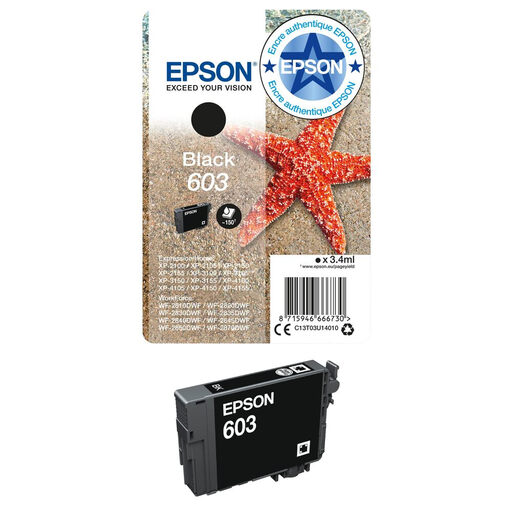
Why this choice? Perfect for occasionally printing train tickets, administrative forms, or an urgent document. There's no need to invest in a high-capacity cartridge if the ink is likely to dry out before it's empty.
This product helps you avoid the trap of overspending. By choosing a standard capacity suited for low-volume printing, you align your spending with your actual needs, preventing waste.
As a genuine Epson ink cartridge, it guarantees perfect compatibility and consistent print quality with the highly popular Expression Home and WorkForce series.
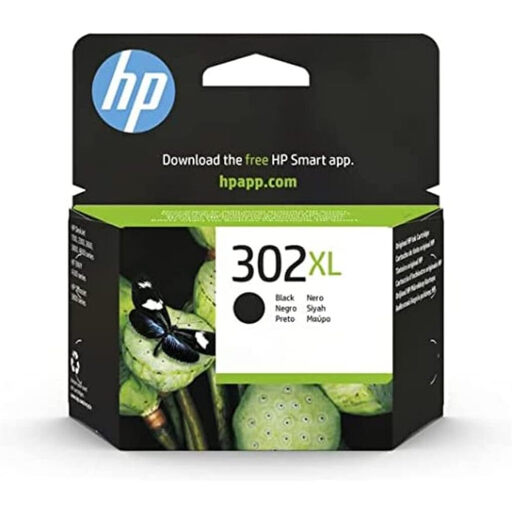
Why this choice? Ideal for printing reports, invoices, or kids' homework in high volume. Its high capacity means fewer replacements and optimises your budget in the long run.
This XL cartridge counters the "false economy" trap. According to HP, it prints about 2.5 times more pages than the standard version, drastically lowering the cost per page.
Its pigment-based ink ensures sharp, black text that is resistant to both water and highlighters. Its high yield of approximately 480 pages (ISO/IEC 24711 standard) makes it a very cost-effective choice.
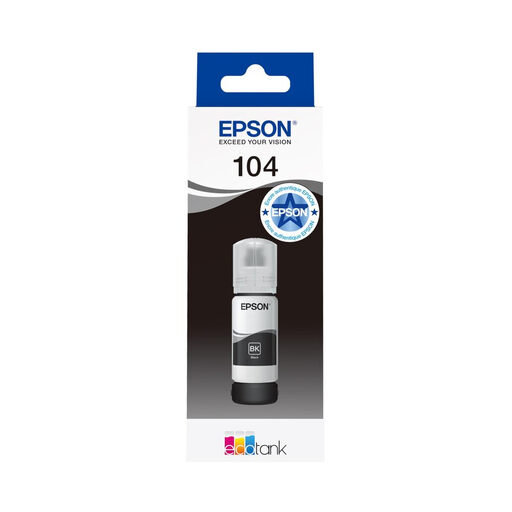
Why this choice? For owners of an Epson EcoTank printer, this isn't an option—it's the only solution! This integrated tank system offers an unbeatable cost per page, designed for very high volumes.
The EcoTank ink bottle system is cleverly designed: its physical key-lock mechanism prevents any colour mix-ups during refilling. It's impossible to put cyan ink in the yellow tank, a mistake that could damage the printer.
A massive yield of approximately 4,500 pages per bottle. The cost per page is unbeatable, and the refill system is designed to be simple and mess-free.
Explore our complete selection of cartridges that meet our standards for quality and compatibility.
A genuine ink cartridge, kept in its sealed packaging away from heat and light, generally has a shelf life of 18 to 24 months. An expiration date is often printed on the box; it's advisable to adhere to it to ensure perfect print quality.
It's tempting, but risky. The most common problems include non-recognition by the printer, poor print quality, faded colours, or a page yield far below what was promised. Even worse, a leak can permanently damage the printhead. Using a genuine cartridge (HP, Canon, Epson) remains the safest solution to guarantee compatibility and the longevity of your hardware.
This is typical for photo-oriented printers. One is a black cartridge with pigment-based ink (often labelled PGBK or BK), dedicated to producing ultra-sharp text on standard paper. The other is a "photo" black (PB or sometimes also BK) with dye-based ink, used to achieve deep blacks and rich gradients on photo paper. It is crucial not to mix them up to maintain optimal print quality.