
Livraison le jour même ou le lendemain

Qualité garantie

Débloquez vos offres de bienvenue: Livraison GRATUITE | Jusqu'à -80 % | 30 jours d'essai gratuits à JoyPlus
Téléchargez l'application
Is your ink light blinking? Are your prints coming out faded or streaky? There's no doubt about it: it's time to replace your ink cartridge. But with so many different models available, finding the right one for your printer can quickly become a headache. This guide is here to help you make sense of it all and choose the perfect printing supplies for your needs, whether for professional documents or family photos.
By Joybuy, Head of Product RecommendationsPublished July 17, 2026
Before you buy, a few simple checks are necessary to avoid compatibility errors and optimise your printing costs.
This is the most critical step. Identify the precise model of your printer, which is usually written on the front (for example, HP ENVY 5540 or Canon PIXMA MG2150). The compatible cartridge model number is often listed in the manual, on the old cartridge, or directly inside the printer near the carriage. A simple online search for your printer model followed by the word "cartridge" will lead you directly to the correct products.
Manufacturers often offer two sizes for the same model: standard and high-capacity, identified by the XL label.
The quality of your prints, especially for photos, doesn't just depend on the colour ink cartridge. The paper plays an equally crucial role. Using a quality inkjet photo paper with the right weight and finish (matte, glossy) ensures vibrant colours and greater longevity for your prints.
To guide you, here is a selection of popular products praised for their reliability and excellent compatibility with the most common printers on the market.
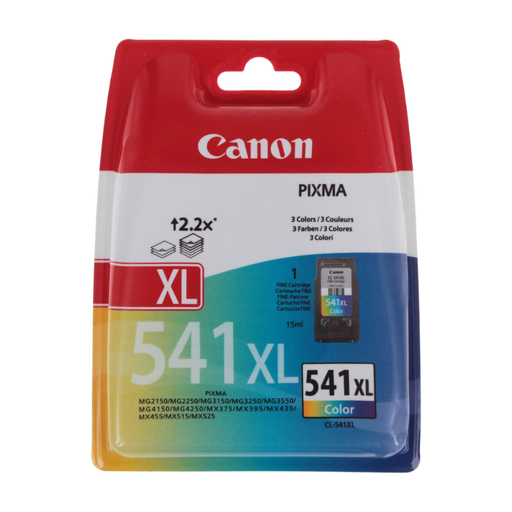
Canon PIXMA MG2150 SB Ink Cartridge (CL-541XL)
Why we love it This official Canon ink cartridge guarantees high-quality colour prints. Its XL format is a particularly smart choice for extending the time between replacements and managing your budget in the long run.
Highlights
Who is it for? For owners of Canon PIXMA printers (check for compatibility) who print regularly in colour and are looking for a cost-effective solution without sacrificing quality.
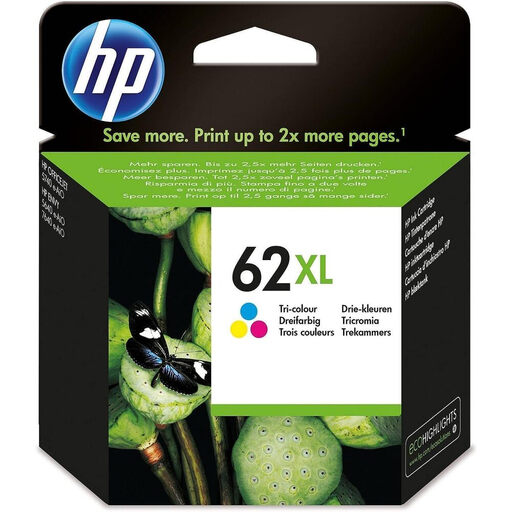
HP 62XL Original Tri-color Ink Cartridge C2P07AE#UUS
Why we love it The HP 62XL cartridge is a staple for many models in the HP ENVY and OfficeJet series. Its thermal inkjet technology and dye-based inks are optimised for vibrant photos and sharp graphics.
Highlights
Who is it for? For individuals and remote-working professionals with a compatible HP printer (ENVY 5540/5640/7640 series, OfficeJet 200/250/5740 series, etc.) who need a reliable and high-performance HP ink refill.
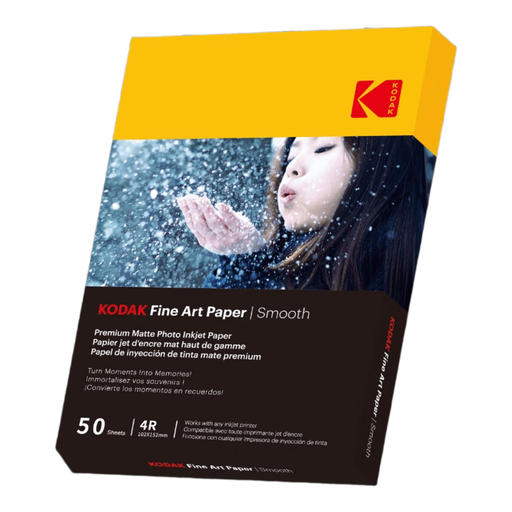
KODAK Fine Art Photo Paper, Smooth Matte Finish, 50 Sheets, 10 x 15 cm (A6)
Why we love it To truly get the most out of your colour ink cartridge, the choice of paper is essential. This Kodak paper offers a matte finish that gives an artistic and elegant touch to your photos by eliminating unwanted glare.
Highlights
Who is it for? For anyone who wants to immortalise their memories (holiday photos, portraits, creative projects) with a professional and long-lasting finish, right from home.
Compatibility is key. If the products featured here don't match your printer, don't worry. Explore our full range of supplies to find the exact model you need.
? Discover our complete selection of cartridges and printing accessories
The easiest way is to note the exact model of your printer (e.g., Canon PIXMA TS5150) and search for "cartridge for [model]". You can also simply open the printer cover to read the model number on the cartridges already installed.
A high-capacity (XL) cartridge simply contains more ink. It can therefore print a much higher volume of pages before needing to be replaced. Even though its purchase price is higher, its cost per page is much lower, making it the most economical choice for regular use.
Absolutely not. It is imperative to use cartridges specifically designed for the brand and model of your printer. A universal "HP for Canon" ink refill does not exist. Each cartridge has its own unique shape, electronic chip, and ink composition. Attempting to use an incompatible model will not work and, more importantly, risks seriously damaging your printer.