
Livraison le jour même ou le lendemain

Qualité garantie

Débloquez vos offres de bienvenue: Livraison GRATUITE | Jusqu'à -80 % | 30 jours d'essai gratuits à JoyPlus
Téléchargez l'application
Keeping an eye on your home, checking on a sleeping baby, or monitoring a pet while you're away are common concerns for many of us. The indoor Wi-Fi security camera has emerged as the simplest solution for regaining peace of mind. The problem: faced with an overwhelming number of options and sometimes opaque technical jargon, making the right choice can be difficult.
This guide is here to help you see things more clearly. We break down the essential criteria to consider before you buy and present our selection of the best models available today, whether you're looking to monitor your children, pets, or simply secure your home.
Before you check out, consider a few technical aspects that will make all the difference in your daily use.
Image quality is, unsurprisingly, the name of the game. A high resolution (QHD or 2.5K, for example) is essential for distinguishing crucial details, like a person's facial features or suspicious activity. Night vision is just as critical. While most cameras offer infrared vision (in black and white), some recent models go further with colour night vision, capable of rendering a much clearer scene even in near-total darkness.
Modern cameras do more than just simple motion detection. They now feature algorithms capable of identifying very specific events:
Two-way audio has also become a standard feature. It allows you not only to listen to what's happening but also to speak through the camera's built-in speaker.
All these cameras connect to your Wi-Fi network. Models compatible with both frequency bands (2.4?GHz and 5?GHz) offer more flexibility and a potentially more stable connection. A crucial point not to be overlooked is the cost structure. Opting for a subscription-free IP camera frees you from any monthly fees. These models record videos locally on a microSD card, giving you full control over your data at no extra cost.
Here are a few models that caught our attention, each standing out for its features and market position.
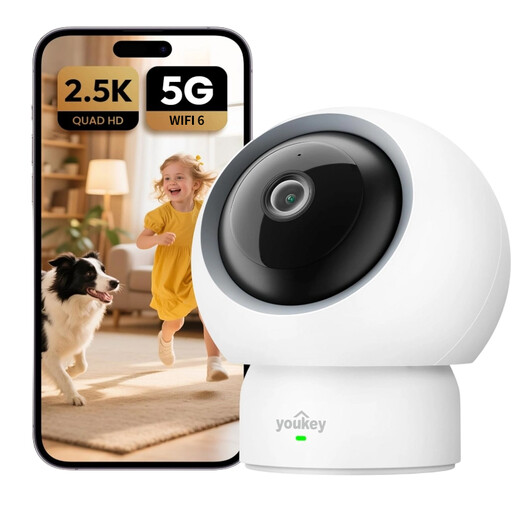
Why it stands out
This model is distinguished by its very high image definition and 360° coverage. It's an all-in-one solution that combines excellent video quality with smart detection functions, all without requiring any subscription to enjoy its full capabilities.
Key Features
Who is it for? Ideal for those seeking a single, high-performance camera for all purposes (baby, pet, security) without the hassle of a subscription.
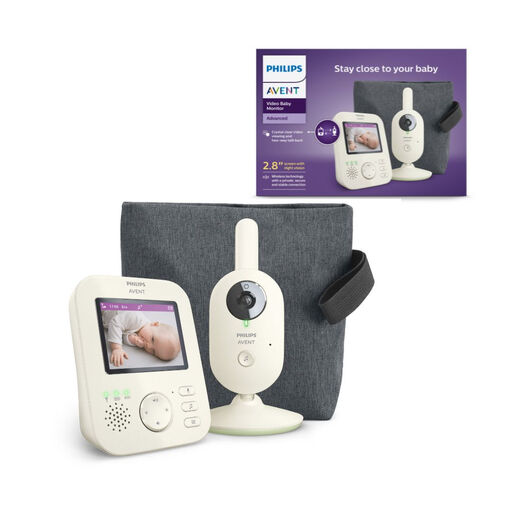
Why it stands out
Unlike Wi-Fi cameras, this Philips Avent model is a complete and standalone video baby monitor system. It relies on a private and secure wireless connection between the camera and its dedicated monitor (the parent unit), making it completely independent of the internet and a smartphone. Reliability and simplicity are its hallmarks.
Key Features
Who is it for? Perfect for new parents who want a closed, reliable, and simple system that depends on neither the home Wi-Fi network nor their smartphone.
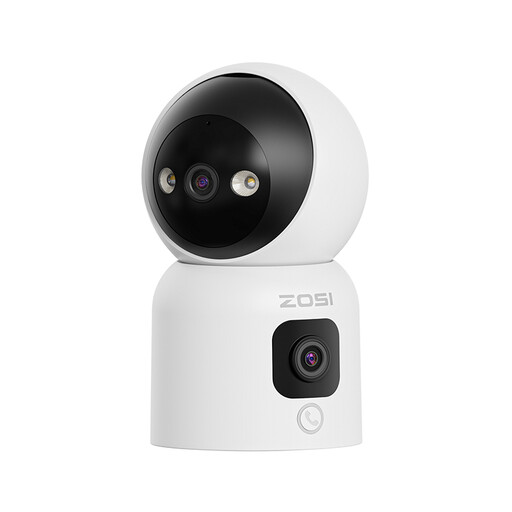
Why it stands out
This ZOSI camera innovates with its dual-lens architecture: a first, motorised lens for a 360° view, and a second, fixed lens for a panoramic wide shot. This unique configuration allows you to monitor two areas at the same time. Its one-touch or hand-gesture calling features also make it an excellent communication tool.
Key Features
Who is it for? A very compelling option for families who not only want to monitor but also communicate easily with children or older relatives, while enjoying unparalleled visual coverage thanks to the dual lens.
If these models don't quite meet your needs, or if you're looking for different form factors (more discreet cameras, models for specific installations, etc.), feel free to explore our full selection.
Discover our selection of box-style (CCTV) cameras
A Wi-Fi security camera connects to your internet network. It allows you to view the video stream from your smartphone, wherever you are in the world. In contrast, a traditional video baby monitor, like the Philips Avent model, uses a direct, private connection between the camera and its dedicated monitor. This second solution is often considered simpler and more secure for local use, as it is completely independent of an internet connection.
No, and this is a key point. Many models, like the UNIVIEW P310 camera, are subscription-free IP cameras. They record videos to a local memory card (microSD, often not included), giving you full control over your data without any recurring fees. Paid subscriptions are usually offered as an option to access online storage (cloud) or more advanced video analysis features.
Security is paramount. Here are a few best practices to adopt: