
Livraison le jour même ou le lendemain

Qualité garantie

Débloquez vos offres de bienvenue: Livraison GRATUITE | Jusqu'à -80 % | 30 jours d'essai gratuits à JoyPlus
Téléchargez l'application
Whether it's to watch over a sleeping baby, ensure your pet isn't redecorating the living room in your absence, or simply to keep an eye on your home, an indoor WiFi security camera has become an accessible tool for restoring your peace of mind. But with a market saturated with options and sometimes confusing marketing promises, it can be hard to navigate.
As the Head of Product Recommendations at Joybuy, my role is to help you see things more clearly. Together, let's break down the common pitfalls and essential criteria to make an informed choice, without falling for overrated features.
Before we dive into specific models, it's crucial to sidestep the classic mistakes that can cost you dearly:
To choose the indoor security camera that fits your needs, focus on these fundamental points.
Image clarity is paramount. As we've seen, a resolution of 1080p (Full HD) or 2K (Super HD) offers an excellent balance between detail and data consumption. Also, ensure the camera has high-quality infrared night vision. This is essential for monitoring a baby's room or a living room in complete darkness. Some models even offer colour night vision, a real bonus for precise identification.
Instead of an endless list, here are a few models that cater to specific user profiles, perfectly aligned with the criteria we've just discussed.
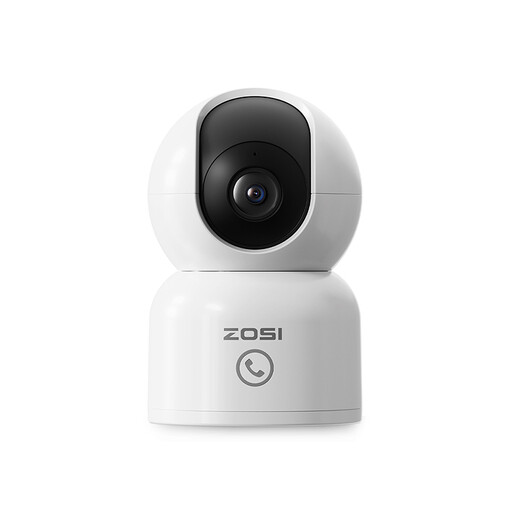
Why it stands out: Ideal as a video baby monitor or for keeping an eye on a pet, its 360° motorised function allows it to track movement throughout the entire room. The two-way audio and direct call button are valuable assets for interacting with family remotely.
It bypasses the subscription trap by accepting a microSD card up to 256 Go for 100% local storage, giving you full control over your recordings without monthly fees.
The automatic motion tracking and "One-Touch" call button make it a highly interactive communication and monitoring tool for the whole family.
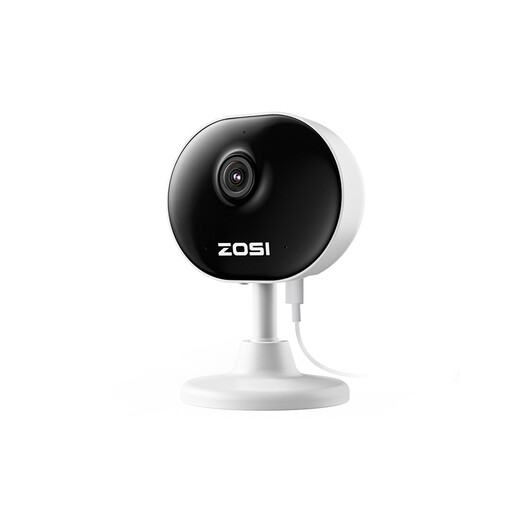
Why it stands out: Its ultra-compact size (85g) and magnetic or 3M adhesive base allow for installation in seconds, without drilling a single hole. It's the perfect solution for renters or for discreet monitoring on a shelf or desk.
It tackles the plague of false alerts by allowing you to set custom detection zones. This lets you ignore movement near a window and only receive notifications that truly matter.
Its ease of installation is its best selling point. Its "mini" design allows it to blend into any decor while providing reliable 24/7 surveillance.
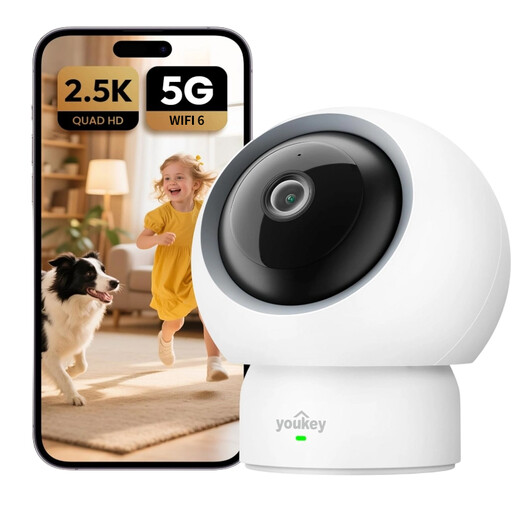
Why it stands out: For the most demanding users, this model takes things to the next level with 2.5K resolution, faster and more stable WiFi 6 connectivity, and targeted AI detections like baby crying. Its 360° panoramic view ensures coverage with no blind spots.
It directly addresses the hidden subscription trap. The manufacturer states it clearly: "No subscription fees required," which means all features, including smart detections, are accessible at no extra cost.
The baby crying detection is a particularly useful feature for new parents. WiFi 6 compatibility ensures a more robust connection, reducing the risk of dropouts.
We have selected a full range of products that meet our strict specifications and current security standards.
Usage depends on the resolution and how often you watch the live stream. When idle, it's minimal. However, when live streaming or uploading clips to the cloud, a 1080p camera can use between 1 and 2?GB of data per hour. This is why a stable WiFi connection is recommended, and why local storage on an SD card is an excellent option to manage your data usage.
Yes, you generally have the right to film the interior of your own home for security purposes. However, respect for privacy remains paramount. You should not continuously film household employees (cleaners, nannies, etc.) without their knowledge and consent, and you must comply with local labour and privacy laws. Likewise, the camera must never film public spaces or your neighbours' property.
SD cards have a limited number of write cycles. For continuous recording, it is highly recommended to use "high-endurance" cards specifically designed for this purpose. A standard card might last from a few months to a year or two, whereas a high-endurance model will work reliably for several years. Most cameras automatically overwrite the oldest recordings when the card is full (loop recording), which optimises their lifespan.