
Livraison le jour même ou le lendemain

Qualité garantie

Débloquez vos offres de bienvenue: Livraison GRATUITE | Jusqu'à -80 % | 30 jours d'essai gratuits à JoyPlus
Téléchargez l'application
Whether you want to keep an eye on your little one, check on your cat while you're away, or simply secure your home, the indoor WiFi security camera has become an essential, user-friendly, and affordable tool. But with an overwhelming number of options on the market, it's easy to get lost. This guide is here to help you see things more clearly and choose the model that truly meets your needs by breaking down the key criteria without drowning you in unnecessary technical jargon.
Our goal: to give you all the information you need to make an informed choice, based on concrete criteria like image quality, storage options, and smart features.
Before diving into our top picks, let's review the key points that will guide your decision.
Image clarity is the most critical factor. A 2K resolution (approximately 2304 x 1296 pixels) offers a much higher level of detail than the Full HD (1080p) standard, making it ideal for zooming in on the image without losing quality. This is a game-changer for identifying a face or an important detail.
Don't overlook the field of view, either. A 360° motorised camera, with its ability to pan (rotate) and tilt, can cover an entire room, leaving no blind spots. This is an indispensable feature for large spaces or for tracking a restless pet.
How you save your video recordings is a crucial point that affects both your wallet and your data privacy.
Fortunately, most recent models offer both options, leaving the choice up to you.
Modern cameras do more than just record. Thanks to AI-powered motion detection, they can distinguish between a person, an animal, or a simple object, which drastically reduces the false alerts that clutter your smartphone. Other features that have become almost essential include:
We've selected three models that stand out from the crowd, each catering to a specific need.
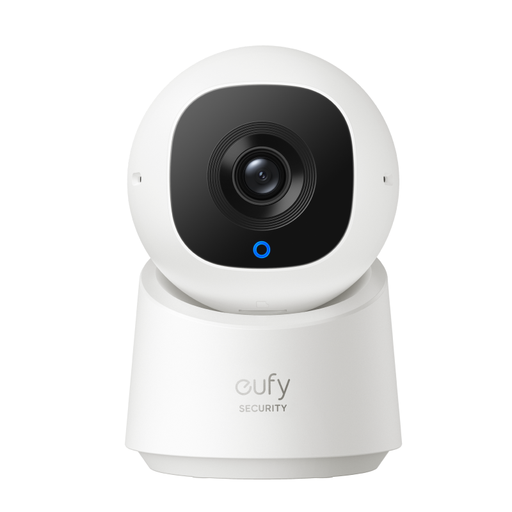
Why it stands out?: This model combines high-resolution imaging with powerful AI for person tracking. Its key selling point is its cost structure: essential features, including local storage, are available without any subscription.
Pros?:
Who is it for?? Ideal for families looking for a comprehensive security solution or a high-performance video baby monitor, without wanting to pay a monthly subscription.

Why it stands out?: The JOOAN camera includes a unique feature: a 2.8-inch screen that enables two-way video calls. Simply press a button to initiate a video call to the paired smartphone. It's an excellent idea that turns it into a genuine communication tool.
Pros?:
Who is it for?? It's particularly well-suited for staying in touch with elderly relatives or for allowing parents to easily communicate with their children, in addition to standard monitoring.
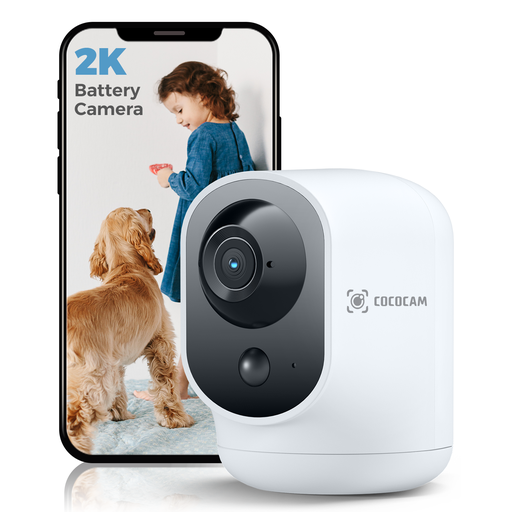
Why it stands out?: Its 5200 mAh rechargeable battery makes it completely self-sufficient. Say goodbye to the hassle of power cables! You can place it absolutely anywhere and move it as your needs change.
Pros?:
Who is it for?? Perfect for renters, for temporary surveillance, or for covering an area without a power outlet. Its flexibility also makes it an excellent pet camera, easy to reposition to follow their adventures.
Explore the COCOCAM wireless camera
If you prefer an ultra-stable wired connection and simplified power, PoE IP Camera (Power over Ethernet) models are an excellent alternative. They use a single Ethernet cable for both data and power, offering rock-solid reliability for a fixed installation.
Most WiFi cameras require an internet connection for remote viewing, notifications, and cloud storage. However, the majority of models with a microSD card slot can continue to record locally even if the WiFi connection drops. You just won't be able to access the footage remotely until the connection is restored.
The security of your footage is paramount. Here are a few best practices to adopt:
Yes, you have the right to film the inside of your private property for your security. However, a few rules apply: the camera must not film public streets or your neighbours' property. If you employ domestic staff (nanny, home help), you must inform them of the camera's presence. It is illegal to continuously film employees in their workplace. For complete information, the website of your local data protection authority remains the definitive resource on the subject.