
Livraison le jour même ou le lendemain

Qualité garantie

Débloquez vos offres de bienvenue: Livraison GRATUITE | Jusqu'à -80 % | 30 jours d'essai gratuits à JoyPlus
Téléchargez l'application
Keeping an eye on your home, children, pets, or a loved one has become easier than ever. An indoor WiFi security camera promises this peace of mind, accessible directly from your smartphone. But be warned: the market is flooded with models making enticing promises that often hide nasty surprises. To prevent your purchase from turning into a headache, it's crucial to know how to avoid the most common pitfalls.
To avoid buyer's remorse, here are the key red flags to keep in mind:
To make the right choice, focus on the features that will truly make a difference in your daily life.
Image quality is the most critical factor. A Full HD 1080p resolution is the bare minimum today for distinguishing a face or important details. Models with 2K (QHD) or higher offer superior sharpness, which is very useful for zooming in on the image without it becoming a pixelated mess.
But night-time performance is just as crucial. While most entry-level cameras settle for infrared vision (in black and white), you should aim higher for real security. Opt for a wireless IP camera with colour night vision. This technology uses more sensitive sensors, sometimes assisted by a small spotlight, to render colours even in low-light conditions.
A smart camera should alert you when it matters, not harass you with notifications. This is where AI (Artificial Intelligence) motion detection comes in and makes all the difference. It analyses what it sees in real time to:
Paired with two-way audio, this feature allows you to not only see but also hear and speak through the camera, whether it's to comfort a pet or deter an intruder.
Where should you store your video recordings? This is a central question. There are two main options:
The best compromise is often a camera that offers both, leaving the choice up to you.
To help you see more clearly, here is our selection of models that tick all the right boxes for performance, budget, and transparency.
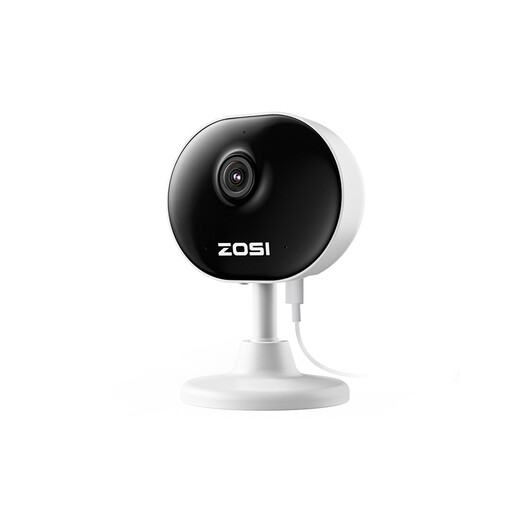
The ideal user: Perfect for a first-time setup or for monitoring a room without any hassle. Its mini form factor and simple installation make it a discreet and effective solution for keeping an eye on an entryway or a child's room.
This model supports microSD card storage, freeing you from any paid subscription to record your videos.
Its simple setup and compact design allow it to be placed anywhere without drawing attention, while still offering essential features (1080p, night vision, two-way audio).
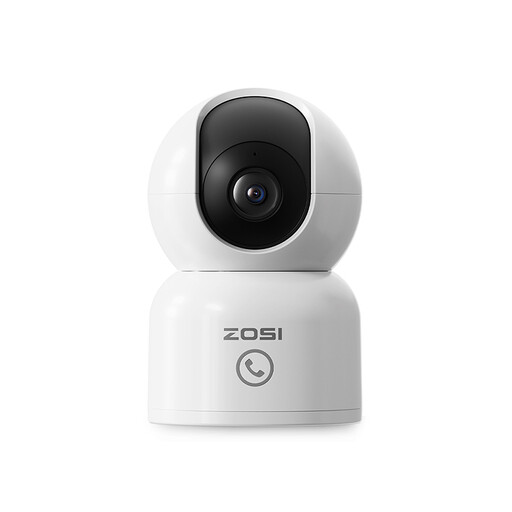
The ideal user: Designed for more interactive monitoring. It's perfect as a pet camera or video baby monitor thanks to its ability to track movement and its direct call function, which is practical for children or the elderly.
Its AI detection is designed to differentiate between humans and pets, which puts an end to the flood of false alerts triggered by a passing cat.
The 360° auto-tracking and one-touch call feature make it a true interactive communication hub, much more than just a simple security camera.
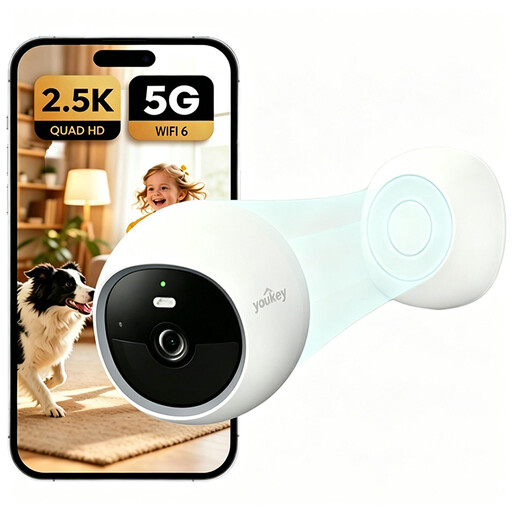
The ideal user: For those who demand superior image quality and full control over their budget, with no hidden fees. The 2.5K resolution and colour night vision provide remarkable image clarity, day or night.
It includes 8GB of eMMC storage: you don't even need to buy an SD card! All its features are accessible without spending an extra penny on subscriptions.
The combination of 2.5K resolution, colour night vision, and built-in, fee-free storage makes it one of the most complete solutions for anyone wanting to control their security and budget from A to Z.
We have compiled a complete selection of products that meet our strict criteria and current regulations.
It all depends on your usage. Live streaming and uploading videos to the cloud are the two most bandwidth-intensive activities. In simple standby mode, consumption is almost zero. If you have a limited internet connection (4G router, connection sharing), opt for a model that records to an SD card and limit live viewing to alerts only to stay in control.
This depends on its quality and how intensively it's used. For 24/7 recording, it's essential to choose a "high endurance" type SD card, specifically designed to withstand constant write and rewrite cycles. Such a card can last between 2 and 5 years. To preserve it, a good tip is to enable recording only upon motion detection.
Yes, most consumer models today are plug-and-play. The installation boils down to a few simple steps: plug in the camera, download the dedicated app on your smartphone, create an account, and then scan a QR code to connect it to your WiFi network. Anyone can do it; no technical skills are required.