
Livraison le jour même ou le lendemain

Qualité garantie

Débloquez vos offres de bienvenue: Livraison GRATUITE | Jusqu'à -80 % | 30 jours d'essai gratuits à JoyPlus
Téléchargez l'application
Keeping an eye on your home, watching over a young child, or making sure your pet isn't turning the apartment upside down: there are many reasons to get an indoor WiFi security camera. However, faced with a crowded market, it's easy to fall into common traps that turn a reassuring purchase into a source of frustration. To avoid any unpleasant surprises, here are the pitfalls to watch out for before you buy.
The 3 Pitfalls to Avoid When Buying a Smart Camera:
To make the right choice, focus on the technical features that truly matter in day-to-day use.
Resolution (1080p, 2K, 4K) defines the level of detail in the image. A high resolution is useful for zooming in on an area without losing quality. However, low-light performance is just as essential. A good smart camera must offer clear infrared night vision. Some models go further with colour night vision, using more sensitive sensors or a spotlight to display colour images even in near darkness—a major asset for identification.
A fixed-lens camera covers a set angle, which may be sufficient for a small room or hallway. For complete surveillance of a large living area, a 360-degree camera (also known as PTZ for Pan-Tilt-Zoom) is a must. Controllable remotely from your smartphone, it can pan horizontally and tilt vertically to eliminate blind spots. This is a particularly useful feature for tracking a pet or a child on the move.
Basic motion detection can generate a flood of unwanted notifications (shadows, insects, moving curtains). More advanced models integrate smart detection (AI) capable of distinguishing between humans, animals, or even a baby's cry. When it comes to storage, there are two main options:
Here is our selection of models that tick all the right boxes for specific needs.
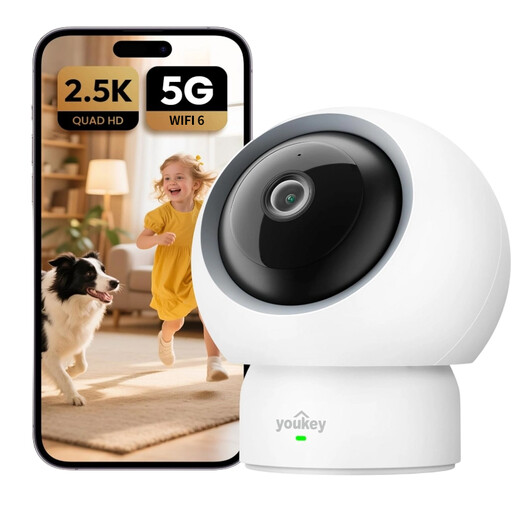
Why it stands out: Perfect as a next-generation baby monitor camera, it excels with its baby cry detection that alerts you instantly. Its privacy mode, activated with a single touch, protects the family's privacy, and its 2.5K resolution ensures a perfectly sharp image to watch over your child.
No nasty surprises: all smart features are included, with no mandatory monthly subscription.
Baby cry detection, physical privacy shield, and a 360° panoramic view.
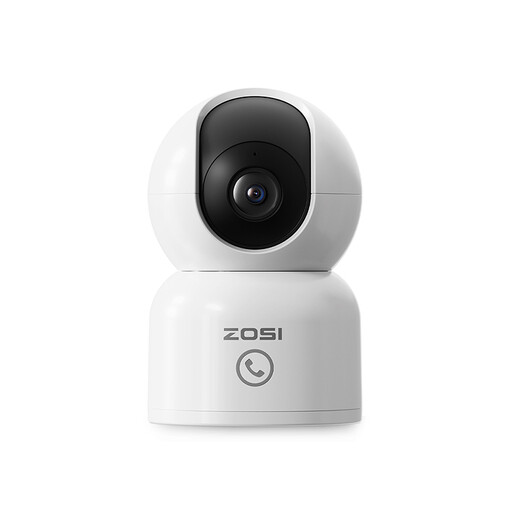
Why it stands out: This pet camera is designed to never lose sight of your companion. Its smart motion tracking allows it to automatically pivot to follow your dog or cat around the room. The two-way audio lets you talk to them to offer reassurance or get their attention from afar.
It tackles the compatibility headache with a simple app and dual-band Wi-Fi (2.4/5 GHz) for a stable connection, even on a crowded network.
360° automatic motion tracking and a one-touch call feature for easy contact.
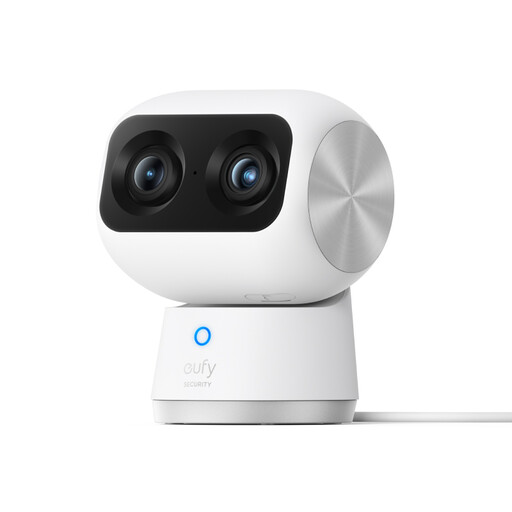
Why it stands out: For those who demand excellence, this model offers state-of-the-art home surveillance. Its dual-lens system combines a 4K wide-angle camera and a 2K telephoto lens for an 8x hybrid zoom, allowing you to make out the finest details, even from across the room.
Here, the 4K promise isn't just a marketing gimmick. The dual lens and 8x hybrid zoom deliver truly stunning image clarity and versatility.
Dual lens with 4K UHD resolution, 8x hybrid zoom, and smart subject tracking.
Explore our complete selection of products that meet our quality charter and current safety standards.
Consumption depends on the resolution and how often you view the live feed. When idle, it's minimal. When streaming a 1080p feed, expect to use about 1-2 Mbps. For a 4K stream, this can increase to 4-8 Mbps. Most home internet routers can handle this without issue, but it's wise to check your Wi-Fi signal strength where you plan to place the camera.
MicroSD cards have a limited number of write cycles. For 24/7 recording, a standard card can fail in 1 to 2 years. It is highly recommended to use "high-endurance" cards specifically designed for video surveillance, as they are much more durable. To extend their lifespan, opt for recording on motion detection instead.
No, most modern Wi-Fi cameras are designed for a "plug-and-play" installation. Typically, you just need to plug in the camera, download the manufacturer's app on your smartphone, create an account, and then follow the instructions to connect the camera to your Wi-Fi network by scanning a QR code. The whole process takes less than 10 minutes.