
Livraison le jour même ou le lendemain

Qualité garantie

Débloquez vos offres de bienvenue: Livraison GRATUITE | Jusqu'à -80 % | 30 jours d'essai gratuits à JoyPlus
Téléchargez l'application
Keeping an eye on a baby during their nap, checking that a pet is safe or monitoring an elderly relative can all be good reasons to buy an indoor Wi-Fi security camera. However, product specifications often focus on resolution or artificial intelligence without always explaining the device’s practical limitations.
Before placing your order, it is worth checking Wi-Fi compatibility, where recordings are stored, the effectiveness of night vision and the available privacy options. Here are the key criteria to consider so you can avoid choosing an indoor IP camera that is poorly suited to your home.
A 360° PTZ camera can rotate horizontally, but its vertical tilt is sometimes fairly limited. A tall piece of furniture, an area close to the floor or an angle directly above the device may therefore fall outside its field of view.
Motorised rotation does not remove the need to think carefully about installation. In a child’s bedroom or living room, check the pan and tilt angles, then place the camera on a stable surface or mount it on the wall in line with the manufacturer’s recommendations.
Standard motion detection can be triggered by a shadow, a moving curtain or a passing pet. AI person detection can sometimes reduce these unnecessary alerts, but its effectiveness varies depending on the model, the scene being recorded and the settings available in the app.
Choose models that allow you to define detection zones, adjust sensitivity and select alert categories. If you want to monitor a pet, dog or cat motion detection may be more useful than a system designed solely to identify human silhouettes.
Some cameras supplied with a mobile app include a cloud trial period or reserve certain features for subscribers. If you want to avoid recurring charges, check whether the camera has a slot for SD card storage, the maximum supported capacity and the available recording modes.
A microSD card is not always included. With continuous recording, you should also take its wear and tear into account and remember to back up important files regularly.
For everyday use, a resolution of 2 or 3 megapixels is generally enough to monitor a room with a good level of detail. 4K or 5-megapixel models display more detail, but they also use more bandwidth and storage space.
A camera with night vision should also be assessed in terms of its actual range. Infrared usually produces a black-and-white image. Some models add a spotlight for colour recording in the dark, but this light may disturb a sleeping child or attract a pet’s attention.
2.4 GHz Wi-Fi generally passes through walls more effectively and is suitable for homes where the camera is located far from the router. 5 GHz offers higher speeds over short distances, but its range is often more limited. A dual-band camera compatible with both 2.4 and 5 GHz networks therefore offers greater flexibility.
Before buying, check the name of the app, its compatibility with Android and iOS, notification management, remote viewing and the option to share access with other members of your household. A well-designed, properly documented app also makes it easier to configure privacy zones and permissions.
Two-way audio allows you to speak through your phone and hear what is happening in the room. To monitor a baby or reassure a pet, check that the camera has a microphone and speaker, as well as the option to mute the sound.
In France, a camera must not film neighbours’ private spaces or areas where people can reasonably expect privacy. In your own home, avoid sensitive rooms and activate privacy zones or privacy mode whenever monitoring is not necessary. A strong Wi-Fi password and regular app updates also help to limit unauthorised access.
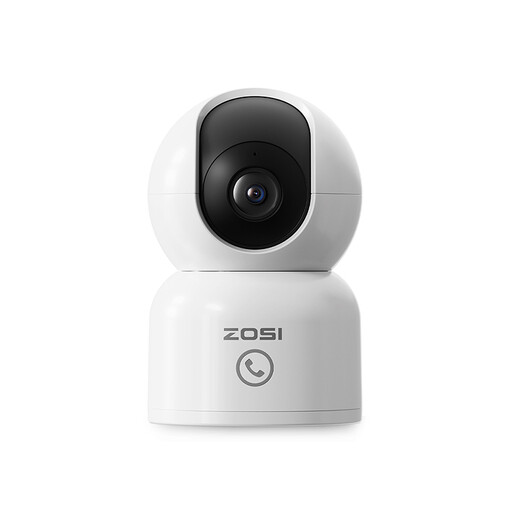
Why this choice suits this profile : This indoor Wi-Fi security camera records in 1080p, rotates through 360° and provides remote access via the Zosi Smart app. Its two-way audio makes it suitable for a bedroom, living room or dedicated pet area.
Person detection and privacy zones help limit alerts and mask certain parts of the image. The memory card, with a capacity of up to 256 GB, is sold separately. The manufacturer also offers a cloud option.
2-megapixel resolution, automatic motion tracking, infrared night vision advertised up to 10 m, and compatibility with 2.4 and 5 GHz networks.
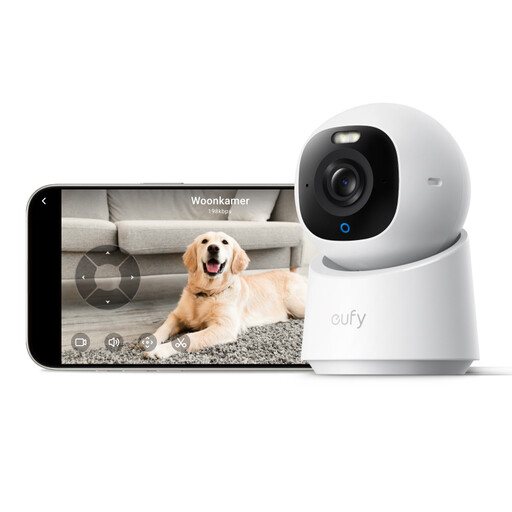
Why this choice suits this profile : With its 4K image, 360° rotation and local detection of people, pets, sounds and crying, this camera is aimed at households looking for more detail and connected features.
The product information mentions local storage on an SD card, with no monthly subscription required for this feature. However, the card must be purchased separately. Please also note that HomeKit compatibility reduces the resolution to 1080p.
4K recording, automatic tracking, colour night vision with spotlight, and advertised compatibility with HomeKit, Alexa and Google Assistant.
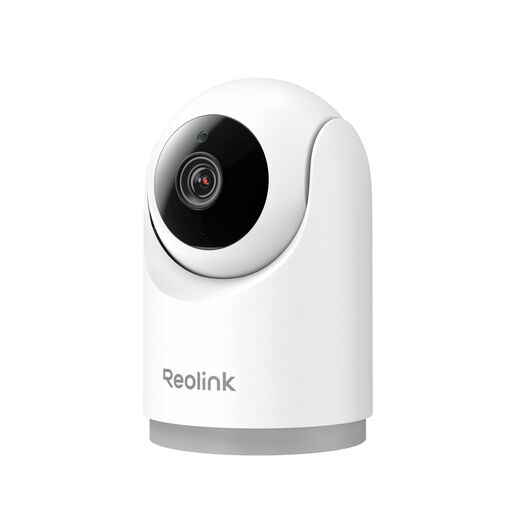
Why this choice suits this profile : This indoor IP camera is designed for people who want to monitor a room regularly, with detection for people, pets and a baby crying.
The product information specifies that the camera works only with 2.4 GHz Wi-Fi. This restriction should be checked before buying, but it also prevents you from attempting to configure the camera on an incompatible network.
3-megapixel resolution, 355° horizontal rotation, 4-second pre-recording, two-way audio, and storage on a microSD card, NVR or cloud, depending on the configuration.
We have compiled a complete, real-time updated list of products that meet these strict selection criteria and European safety regulations.
A connected indoor camera remains a home monitoring tool. It does not replace professional equipment and should not be used to film areas where privacy must be protected.
Yes, some models record directly to a microSD card. However, check the maximum supported capacity, whether the card is included in the box and which features are available without a cloud service. Notifications and remote backup may depend on the app or the manufacturer’s offering.
The 2.4 GHz network is generally suitable for rooms far from the router, thanks to its greater range. 5 GHz may be useful when the camera is close to the router and speed is the priority. A dual-band model offers greater flexibility. Conversely, a camera limited to 2.4 GHz will need to be configured on that network.
Mains-powered indoor models can operate continuously, provided they have a stable power supply and connection. How long videos are retained depends mainly on the capacity of the SD card, the resolution and the recording mode. To protect your privacy and avoid unnecessarily filling the storage, schedule recording periods and alert zones according to your needs.