
Livraison le jour même ou le lendemain

Qualité garantie

Débloquez vos offres de bienvenue: Livraison GRATUITE | Jusqu'à -80 % | 30 jours d'essai gratuits à JoyPlus
Téléchargez l'application
What happens at home when you're away? It's a question that parents of young children, pet owners, and anyone who wants to keep an eye on their property asks themselves. The indoor WiFi security camera is the simplest and most accessible solution for regaining peace of mind.
But with an overwhelming number of models and features, it can be difficult to navigate the options. This guide breaks down the essential criteria and presents our selection of the best models to help you make the right choice, without unnecessary technical jargon.
Before you buy, here are the key points to check to find the model that will truly meet your needs.
Image quality is the most critical factor. A 2K resolution (or higher) offers a much finer level of detail than traditional 1080p, which is a crucial advantage for identifying a face or zooming in on a specific element. Don't overlook night vision, either. Some models go a step further with color night vision, which can provide much more usable images in low light than a simple black-and-white infrared mode.
A fixed camera covers a defined angle, which may be sufficient for a small room or an entryway. In contrast, a 360° motorized camera (Pan & Tilt) offers unmatched flexibility. Controllable from your smartphone, it allows you to scan the entire room, point the lens toward a suspicious noise, or follow your pet's movements. It's a major advantage for monitoring large living spaces.
Modern cameras have become technological powerhouses. AI motion detection (Artificial Intelligence) can distinguish between a human, an animal, or a simple object, which drastically reduces false alarms. Two-way audio is another feature that has become a must-have: it not only lets you hear what's happening but also allows you to speak through the camera's speaker. This is useful for comforting a baby, calming a dog, or even deterring an intruder. Finally, compatibility with voice assistants like Alexa (Alexa compatible) simplifies control of your wireless home surveillance system.
Our editorial team has analyzed the market to select models that stand out for their features and value for money.
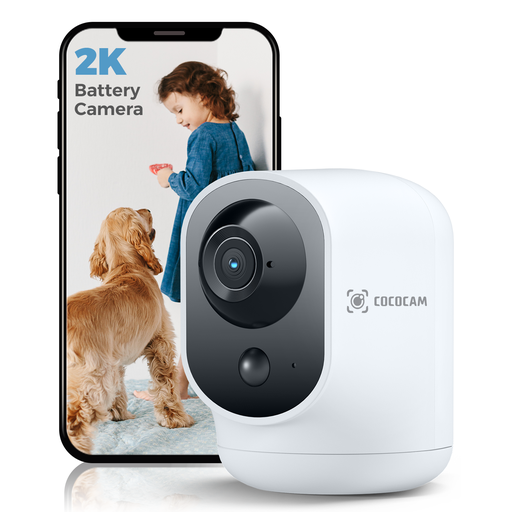
Why it stands out: Its main advantage? A rechargeable 5200 mAh battery. This feature makes it 100% wire-free, allowing you to place it absolutely anywhere without worrying about a nearby power outlet. It's an ideal solution for temporary monitoring or for hard-to-reach places.
Advantages:
Who is it for? Ideal for renters or anyone who wants to easily move their camera from one room to another (baby's room, living room, etc.) without the constraint of cables.
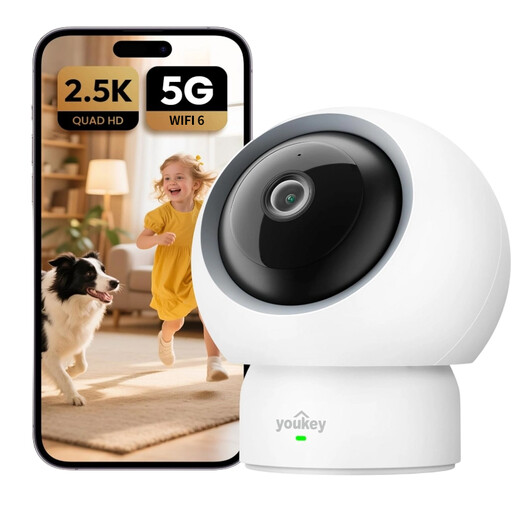
Why it stands out: This model goes all-in on its advanced smart features, which are accessible with no monthly subscription. Baby cry detection and voice commands for pets make it a particularly smart choice for families and pet owners.
Advantages:
Who is it for? Perfect for parents looking for a next-generation video baby monitor or for pet owners who want to interact with their animals. It's also the sensible choice for those who demand advanced features without wanting to commit to a subscription.

Why it stands out: The JOOAN camera stands out with a unique feature: a 2.8-inch screen and a call button. Anyone near the camera (a child, an elderly person) can initiate a video call to the owner's smartphone with a single click.
Advantages:
Who is it for? A very smart choice for families wanting to stay in touch with children or elderly relatives at home, giving them an ultra-simple way to start a video call.
If these models don't exactly match what you're looking for, or if you need an outdoor solution, many other configurations are available. For a complete overview, feel free to browse our selection.
? Discover our full range of battery-powered wireless security camera systems
Not necessarily. Most cameras, including those in our selection, work perfectly without a subscription. They record alerts to a local memory card (microSD, not included). A subscription, when offered, is a paid option for storing videos online (in the cloud) and, sometimes, for unlocking more advanced AI features. Models like the UNIVIEW P310 have an edge by offering all their smart features without recurring fees.
No, installation is now incredibly simple and requires no technical skills. The process usually boils down to a few steps:
Absolutely. Many security cameras are excellent, and often more versatile, alternatives to traditional baby monitors. For this purpose, choose a model with two-way audio to talk to your baby, good infrared night vision (which doesn't emit distracting visible light), and ideally, AI motion detection or specific cry detection, like the feature offered on the UNIVIEW model.