
Livraison le jour même ou le lendemain

Qualité garantie

Débloquez vos offres de bienvenue: Livraison GRATUITE | Jusqu'à -80 % | 30 jours d'essai gratuits à JoyPlus
Téléchargez l'application
Keeping an eye on your home, checking in on a loved one, making sure your pet isn't wrecking the living room… There are many reasons to install a camera in your home. An indoor WiFi security camera is a simple and affordable solution for peace of mind, all controllable from your smartphone. But with an overwhelming number of options, how do you make the right choice?
This guide is here to help you see things more clearly by breaking down the essential criteria and presenting a selection of models that meet specific needs, all without unnecessary technical jargon.
Before you take the plunge, let's review the features that will truly make a difference in your daily life.
This is the most critical aspect: image quality. A 1080p (Full HD) resolution is the standard baseline today, offering sharp images for most uses. For more detail, especially when zooming in on an area without turning the image into a pixelated mess, a 2K resolution is an increasingly relevant option.
Inseparable from image quality, night vision is just as crucial. Most models use infrared LEDs to film in complete darkness, allowing you to monitor a baby's room or your living room in the middle of the night.
A fixed-lens camera covers a defined angle, which is often sufficient for an entryway or a hallway. However, for a large living room, a child's room, or to track a moving pet, a motorised PTZ (Pan-Tilt-Zoom) camera is much more suitable. It provides 360° surveillance by panning horizontally and tilting vertically to leave no blind spots. You can, of course, control its movements remotely from the app.
Where will your videos be stored? You have two main options:
The good news? Most recent models offer both, giving you the freedom to choose based on your budget and security requirements.
Here are a few models that caught our eye, each tailored for a specific purpose, whether it's for pure security, monitoring a baby, or keeping an eye on your pet.
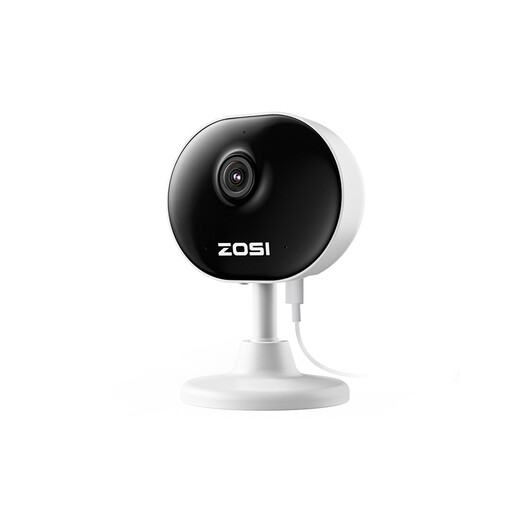
What sets it apart
Its ultra-compact design and feather-light weight of 85 grams make it incredibly discreet. Thanks to its magnetic base and the included 3M adhesive, it can be installed in seconds on a shelf, wall, or metal surface—no drilling required.
Pros
Who is it for?
It's the ideal choice for those looking for a discreet pet camera or a simple and effective monitoring device for a specific area like an entryway or office. Its ease of installation makes it accessible to absolutely everyone.

What sets it apart
This model stands out with its built-in 2.8-inch screen and one-click video call feature. More than just a camera, it facilitates communication and transforms into a true family video phone.
Pros
Who is it for?
It naturally finds its place as a next-generation video baby monitor or for maintaining simple visual contact with loved ones. Its call function is a major asset for those who are less tech-savvy.
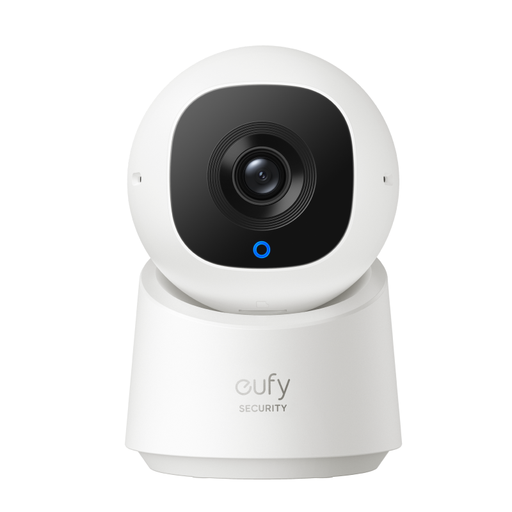
What sets it apart
Its on-board artificial intelligence allows it to differentiate between humans, pets, and insignificant movements. It can even track a detected person to keep them in the frame, making motion detection alerts much more relevant.
Pros
Who is it for?
This is an excellent choice for a comprehensive home security solution. Its smart features and privacy mode make it a very well-balanced product, combining effective surveillance with respect for privacy.
These models don't check all your boxes? Don't worry, the selection is vast, and you're sure to find the perfect fit. Every home has its needs, and for every need, there's a camera.
Discover our full range of remote HD cameras
No, the vast majority of current models are designed to be installed in a flash. In practice, you just need to plug in the camera, download the manufacturer's app on your smartphone, and follow the steps to connect it to your WiFi network. The process takes only a few minutes, even for those who aren't tech-savvy.
Absolutely not. Many cameras, including those in our selection, allow you to record videos locally on a microSD card. This option gives you access to your recordings at no extra cost. Cloud storage remains a paid option for those who want additional security.
The camera constantly analyses changes in its field of view using its image sensor. When motion is detected, it can trigger several actions depending on your settings: start a recording, send a notification to your phone, or even track the moving subject on motorised models. More advanced cameras use AI to differentiate between people, animals, or vehicles for more precise and relevant alerts.