
Livraison le jour même ou le lendemain

Qualité garantie

Débloquez vos offres de bienvenue: Livraison GRATUITE | Jusqu'à -80 % | 30 jours d'essai gratuits à JoyPlus
Téléchargez l'application
Keeping an eye on your home while you're away has become second nature for many of us. Whether it's to watch over your children, check in on your pets, assist an elderly relative, or simply enhance your home's security, an indoor Wi-Fi security camera is both an accessible and effective solution.
But with an overwhelming number of options on the market, it can be difficult to know where to start. This guide is here to bring you clarity, breaking down the features that truly matter and showcasing the most relevant models for 2026. All without the unnecessary marketing jargon.
Before we dive into our top picks, let's review the essential criteria for making an informed decision that's perfectly tailored to your actual needs.
A camera's ability to cover an entire room is a fundamental criterion.
A sharp image is essential to clearly identify what's happening. Full HD (1080p) resolution is the minimum standard today, but 2K or 4K models offer a far superior level of detail.
Colour night vision represents a true leap forward from traditional black-and-white infrared. Thanks to more sensitive sensors or a discreet spotlight, it delivers full-colour images even in low-light conditions. A crucial advantage for identifying important details at night.
Today's smart cameras go far beyond simple image capture.
Here are three models that stand out from the crowd with their features, catering to various needs and budgets.
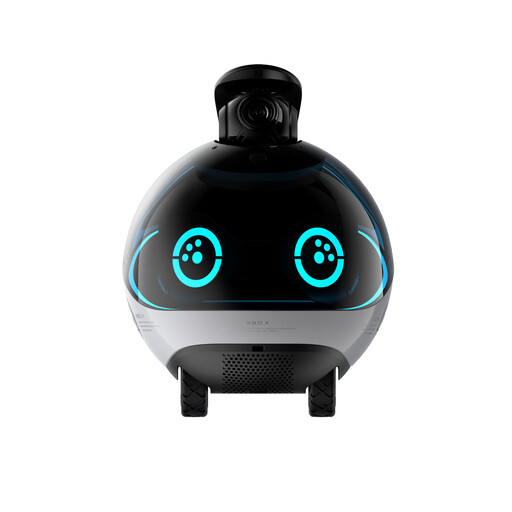
Why it stands out: The Enabot EBO X isn't a static camera: it's a true mobile surveillance robot. It moves autonomously around the house to perform patrols or can be controlled remotely. A decidedly innovative approach to surveillance, focused on interaction.
Key Features:
Who is it for? For tech enthusiasts and families who want more than just a camera. Its mobility makes it an ideal companion for interacting with pets or monitoring multiple rooms without installing multiple devices.
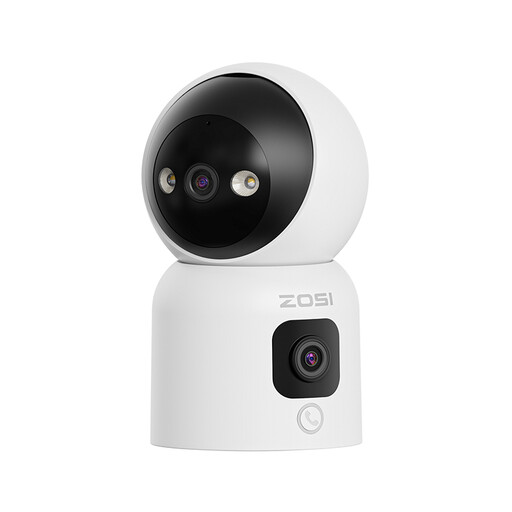
Why it stands out: This dual-lens camera from ZOSI combines a panoramic view with a rotating view for seamless coverage. Its standout feature: the ability to initiate a call with a simple button press or a wave of the hand. A major plus that makes it ultra-accessible for children or the elderly.
Key Features:
Who is it for? Ideal for families with young children or for those caring for elderly parents. The simplified calling function is a real asset for staying in touch, with no technical barriers.
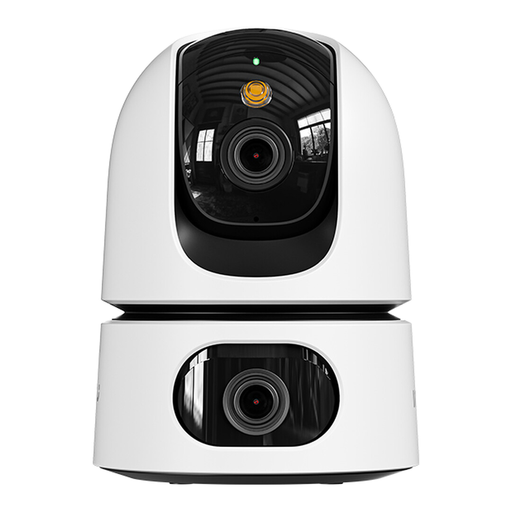
Why it stands out: The IMOU Ranger Dual is another excellent dual-lens camera, with a slightly different approach: it combines a 3MP fixed lens for a critical area and a 5MP motorised (pan/tilt) lens. Its real advantage: a privacy mode that physically masks the lens, a guarantee of peace of mind in your daily life.
Key Features:
Who is it for? Perfect for those who want to monitor two areas at once (the crib and the bedroom door, for example) and for whom privacy is non-negotiable.
The smart home surveillance market is constantly evolving, with solutions for every budget and need. If the models in our selection don't check all your boxes, know that there are countless other alternatives available.
To discover a wider range of fixed, motorised, or specialised cameras, feel free to explore our complete category.
? Explore Our Entire Smart Home Surveillance Selection
1. Is an indoor security camera legal? Yes, installing a camera inside your own home is generally legal. However, you must respect the privacy of individuals who live or work there. For example, you typically cannot film a household employee (like a nanny or cleaner) without informing them and obtaining their consent. Likewise, the camera should never capture public spaces (the street, a neighbour's garden) from your window. Always check your local laws and regulations.
2. How does AI person detection work?AI-powered person detection relies on machine learning algorithms to analyse the video feed in real time. The software is trained to recognise the shapes and movements specific to a human being. As soon as it identifies a human silhouette, it triggers an alert. This system helps filter out unwanted notifications caused by a pet, a change in lighting, or a curtain moving, making the alerts much more relevant.
3. Do I need a subscription to use these cameras? Generally, no. Most essential features (live viewing, two-way audio, motion notifications) are accessible for free. However, a paid subscription is often required to store video recordings in the cloud for more than a few hours or days. Fortunately, all the models in our selection offer an alternative: local recording on a MicroSD card (usually sold separately), which frees you from any monthly fees.