
Livraison le jour même ou le lendemain

Qualité garantie

Débloquez vos offres de bienvenue: Livraison GRATUITE | Jusqu'à -80 % | 30 jours d'essai gratuits à JoyPlus
Téléchargez l'application
Whether you want to keep an eye on your home while on holiday, watch over your newborn, or check in on your pet, finding the right indoor security camera can quickly become overwhelming. The market is flooded with models and features, making it easy to get lost.
This guide is here to help. As the Head of Product Recommendations at Joybuy, my mission is to give you the keys to making an informed choice, cutting through the usual marketing jargon. Together, we'll break down the criteria that truly matter and introduce a selection of products tailored to specific use cases.
Before you dive in, let's review the key technical specifications that will make a real difference in your day-to-day use.
A clear image is the foundation of effective surveillance. Most cameras today offer Full HD (1080p) resolution, but 2K (or higher) models provide superior detail, which is essential for zooming in on a specific area without getting a pixelated mess.
Night vision is just as crucial. Standard infrared technology displays a black and white image. However, some more advanced cameras offer colour night vision, allowing you to distinguish important details like the colour of clothing, even in low light.
A fixed camera covers a set angle, while a 360-degree camera (motorised or PTZ) can pan horizontally and tilt vertically to scan an entire room, leaving no blind spots.
For renters or anyone who doesn't want to drill into their walls, a drill-free camera is the ideal solution. These models simply sit on a piece of furniture or use strong yet removable adhesive mounts for an installation that takes just minutes.
Today's smart features are designed to make your life easier:
Here are a few models we've selected for their unique strengths and their ability to meet a variety of needs.

Why it stands out: The ZOSI C680 tackles a common problem: reflections that ruin surveillance through a window. Its anti-glare technology ensures a clear image, day or night, even through double-glazed windows.
Pros:
Who is it for? Ideal for those in apartments or houses who want to monitor their entrance, driveway, or garden from the inside, without the hassle of installing an outdoor camera.
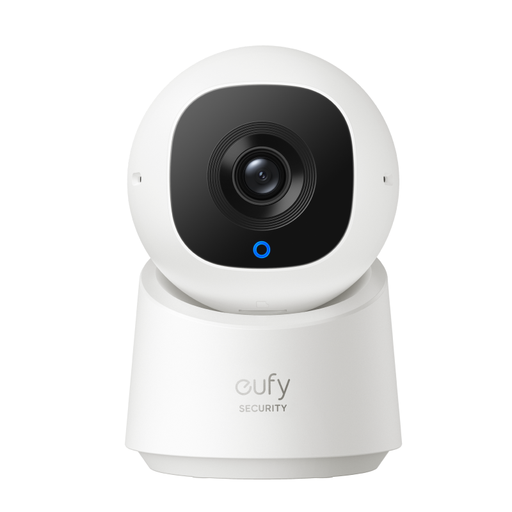
Why it stands out: This 360-degree camera offers complete coverage of a room. Its AI doesn't just detect humans; it tracks their movement to ensure you don't miss a single detail.
Pros:
Who is it for? Perfect for monitoring a large living area, an office, or as an all-in-one indoor security solution.
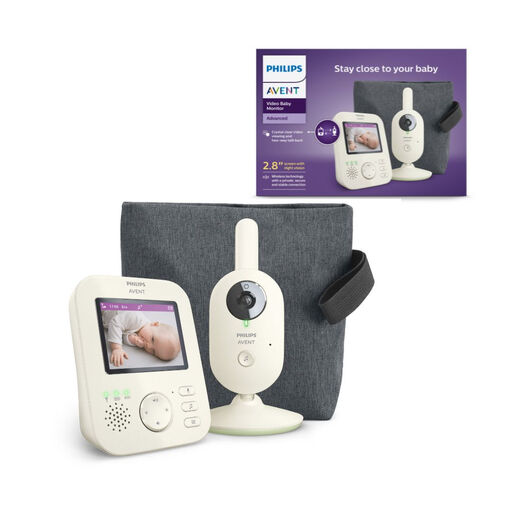
Why it stands out: Unlike a standard indoor Wi-Fi camera, this video baby monitor uses a direct, private wireless connection between the baby unit and the parent screen. This guarantees an ultra-secure, interference-free link that is independent of your Wi-Fi network.
Pros:
Who is it for? New parents looking for a reliable, secure, and straightforward baby monitoring solution that doesn't rely on a smartphone app.
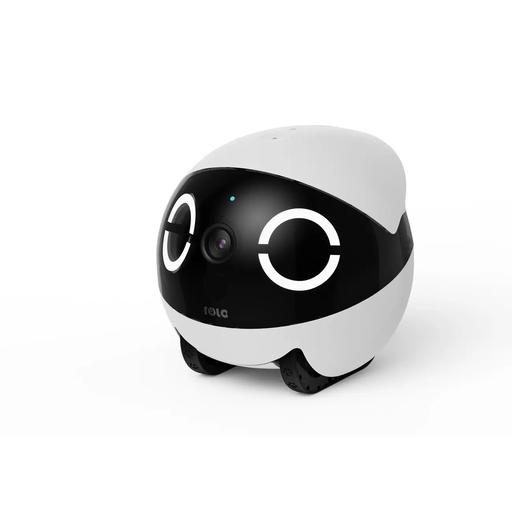
Why it stands out: Much more than a simple pet camera, the ROLA Mini is a small, mobile robot that you can control remotely. It allows you to patrol your home and interact with your dogs or cats.
Pros:
Who is it for? Pet owners who not only want to watch their companions but also play and interact with them remotely to ease their loneliness.
Our selection focuses on specific use cases, but the market is vast. If none of these models check all your boxes, don't worry—other solutions are available.
To discover a wider range of products, feel free to explore our full category of remote cameras.
Local storage is done on a microSD card inserted into the camera. You maintain physical control of your recordings, and there are no subscription fees. Cloud storage saves your videos on remote servers. This protects them if the camera is stolen or damaged, but it almost always involves a paid subscription.
Yes, most current models are designed for incredibly simple installation. Just plug in the camera, download the app on your smartphone, and follow the instructions to connect it to your Wi-Fi network. Drill-free camera options make life even easier for renters.
It's definitely possible, and many parents do. An indoor Wi-Fi camera offers excellent image quality and access from anywhere via your phone. However, a dedicated video baby monitor like the Philips Avent provides a more stable and secure direct connection, independent of your Wi-Fi. This is a major advantage for parents for whom reliability and simplicity are top priorities.