
Livraison le jour même ou le lendemain

Qualité garantie

Débloquez vos offres de bienvenue: Livraison GRATUITE | Jusqu'à -80 % | 30 jours d'essai gratuits à JoyPlus
Téléchargez l'application
Whether you want to keep an eye on your home, children, pets, or an elderly relative, peace of mind is priceless. The indoor security camera stands out as an excellent solution. But be warned: the market is a jungle of marketing promises that too often lead to buyer's remorse. Our mission? To help you decode the spec sheets and make a truly informed decision.
Before you pull out your credit card, here are 3 classic pitfalls that unwary buyers fall into:
For effective home surveillance, it's crucial to focus on a few key technical specifications.
While 1080p (Full HD) is the bare minimum today, a 2K resolution (around 3 megapixels) offers a significantly higher level of detail. This makes all the difference when trying to identify a face or zoom in on a detail without the image turning into a pixelated mess. The quality of the video encoding (often H.264) is also crucial: good encoding preserves quality while optimising storage space, whether on a microSD card or in the cloud.
The choice depends on the room you want to monitor.
A camera is only useful if it alerts you at the right time.
Rather than an endless list, we've selected models that meet specific needs while avoiding the pitfalls we've just discussed.
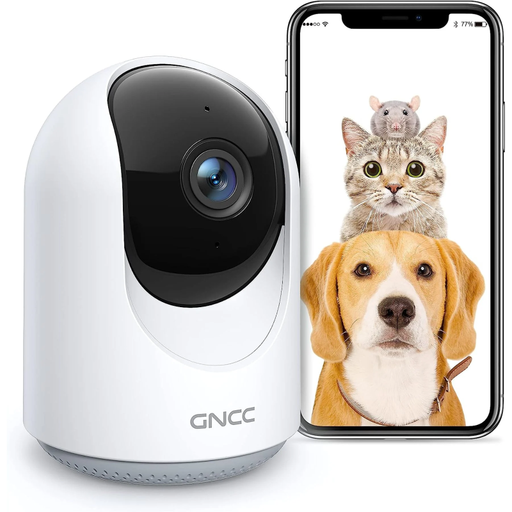
Why it stands out: Ideal for getting a complete surveillance solution without breaking the bank. It checks all the boxes for essential features, whether for a living room, a child's room, or for keeping an eye on a pet.
With its 360° motorised pan, it eliminates the blind spot problem typical of fixed cameras. The result: complete room coverage at an unbeatable price.
Motorised 360° coverage and all the basic functions (detection, two-way audio) in a highly affordable package.
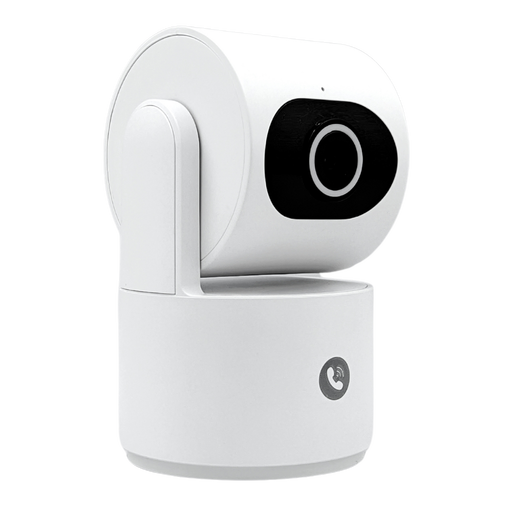
Why it stands out: Specially designed for those caring for a loved one (an elderly parent, a child). Its video call button is a standout feature that allows the person at home to call you directly for a video chat on your smartphone.
It addresses the thorny issue of privacy with a simple and effective solution: a physical lens cover. Once closed, there's no doubt: the camera is blind.
The video call button for easy contact and the physical lens cover for guaranteed privacy.
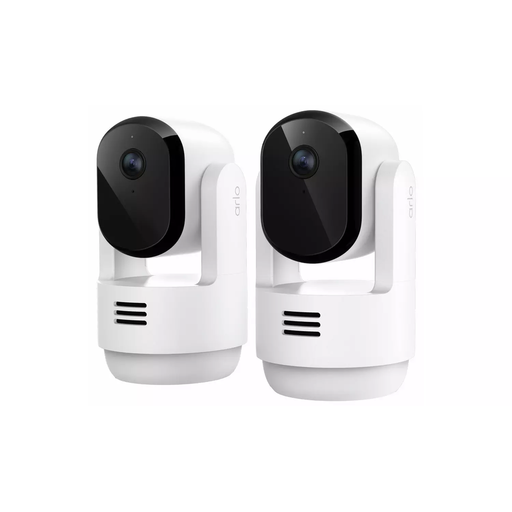
Why it stands out: For those who demand superior image quality and seamless integration into a smart home ecosystem. This two-camera pack is ideal for covering multiple rooms with flawless image definition.
It shatters the "disappointing Full HD" trap with its ultra-sharp 2K resolution. While the most advanced AI features are tied to the Arlo Secure subscription, the hardware quality and basic functionalities are already excellent with no extra cost.
Impeccable 2K image quality, automatic motion tracking, and a robust software ecosystem for state-of-the-art surveillance.
We have put together a complete selection of products that meet our demanding selection criteria.
The hardware lifespan of a Wi-Fi security camera is generally long (often over 5 years). The real limiting factor is software support. Security and app updates are crucial. Therefore, prioritise reputable brands that guarantee long-term support for their products.
Not necessarily. Most cameras offer essential features without a subscription, including live viewing, basic notifications, and often continuous or motion-detected recording to a local microSD card. A subscription becomes a smart choice if you want cloud video history (safer if the camera is stolen) and "intelligent" alerts (distinguishing between people, pets, and vehicles).
No, the vast majority of current models are designed to be "plug-and-play". Installation usually boils down to: