
Livraison le jour même ou le lendemain

Qualité garantie

Débloquez vos offres de bienvenue: Livraison GRATUITE | Jusqu'à -80 % | 30 jours d'essai gratuits à JoyPlus
Téléchargez l'application
By Joybuy, Your High-Tech Hardware Expert
Whether in the office or working from home, spending long hours in front of a screen has become a daily reality. Eye strain, poor posture, a desk cluttered with cables... these annoyances eventually take a toll on concentration and efficiency. The right equipment is therefore not a luxury, but the cornerstone of a healthy and productive workspace.
This guide is here to help you navigate the options for your next iiyama professional monitor. We will break down the essential criteria and present a selection of models from the iiyama ProLite range, designed for specific needs, from intensive office work to content creation.
Before diving into our selection, let's review the features that make a great work monitor. Here are the key points you shouldn't overlook.
An ergonomic monitor is designed to adapt to you, not the other way around. The ability to adjust the screen is fundamental for maintaining good posture and reducing neck and back strain. Opt for a monitor with an adjustable stand (HAS - Height Adjustable Stand) that allows you to adjust the height, tilt, and even pivot the screen 90° into portrait mode. This is a highly valued feature for reading long documents or for coding.
Visual comfort is just as crucial. Technologies like blue light reduction (blue light reduction monitor) and Flicker-Free are designed to reduce eye strain during long work sessions.
The screen's size and resolution determine image clarity and the available workspace. A 27-inch PC monitor is a very popular standard today, offering an excellent balance between viewing comfort and display area.
Regarding resolution:
Panel technology should also be considered. An IPS panel for office work ensures accurate colours and wide viewing angles, providing a consistent image even if you aren't perfectly in front of the screen.
A desk overrun with cables is a source of clutter and distraction. A USB-C monitor solves this problem: a single cable is all you need to transmit the video signal, data (via the monitor's USB ports), and power to your laptop.
It's the ideal solution for a remote work monitor, radically simplifying how you connect and disconnect your machine. This streamlined connectivity is also a major asset for a multi-monitor setup, where cable management is often a headache.
Here are three models from the iiyama range that stand out, with features perfectly suited for modern work environments.
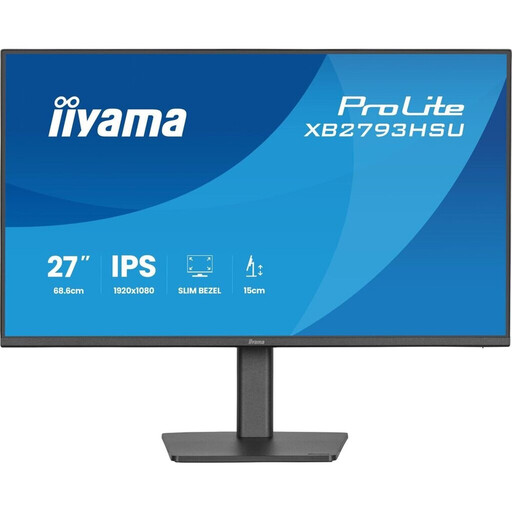
View the iiyama ProLite XB2793HSU-B1
Its Key Feature This model stands out with its 120 Hz refresh rate. This frequency, higher than the office standard, provides a very noticeable smoothness in daily use, whether scrolling through web pages or managing windows. Its ultra-thin bezels on all four sides make it ideal for multi-monitor setups, creating a nearly seamless panoramic image.
Advantages
Who is it for? For professionals and remote workers looking for a versatile and responsive monitor, perfect for intensive office work and multi-screen setups.
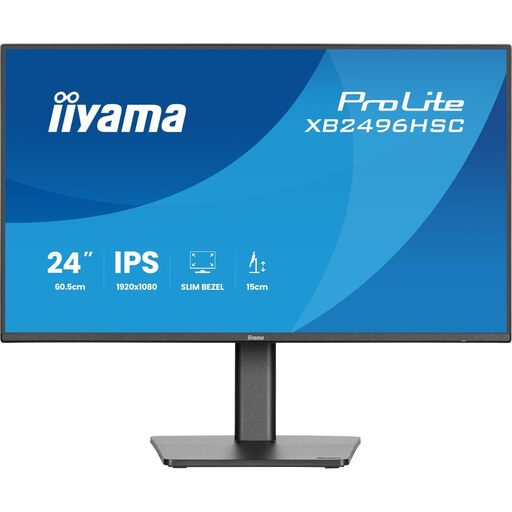
Its Key Feature The standout feature of this monitor is its USB-C port with 65W of Power Delivery. It transforms the screen into a true docking station: a single cable is all you need to display your laptop's screen, charge it, and connect your peripherals via the USB hub. It's the ultimate solution for a minimalist desk.
Advantages
Who is it for? Ideal for mobile professionals, remote workers, and anyone who wants a functional, clutter-free workspace.
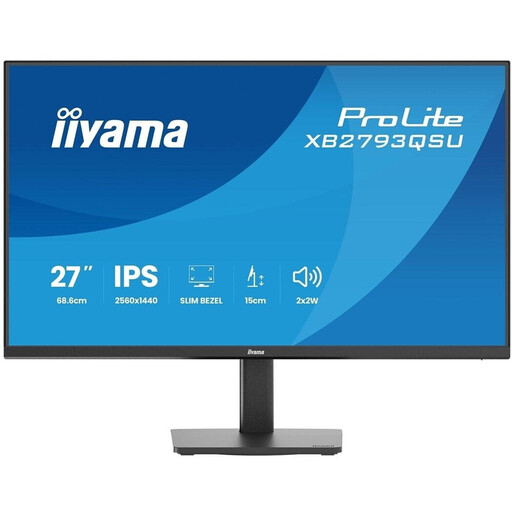
View the iiyama ProLite XB2793QSU-B1
Its Key Feature This monitor combines a large 27-inch panel with WQHD (2560 x 1440) resolution. The increase in pixel density translates to superior sharpness and a much larger workspace, allowing you to display more content simultaneously without constantly zooming or scrolling.
Advantages
Who is it for? For creatives, designers, developers, and data analysts who require high display precision and a vast workspace for their professional applications.
The iiyama range is extensive and covers many other needs. If the models in our selection don't exactly match your requirements, feel free to explore our full catalogue to find the monitor that will perfectly fit your desk.
Discover All Our Desktop Monitors
iiyama monitors are renowned for their pragmatic design, focusing on functionality and ergonomics. The brand prioritises features that are genuinely useful in daily work: fully adjustable stands, eye-care technologies, modern connectivity... all with a build quality known for its durability.
While Full HD is sufficient for simple tasks, a 1440p WQHD monitor provides undeniable comfort. It displays approximately 77% more content than a Full HD screen. In practical terms, this means more visible rows in a spreadsheet, the ability to display two full-size documents side-by-side, or working with more detailed images. The productivity gain is often significant.
The number one advantage is simplicity. A single USB-C cable between your laptop and the monitor handles everything: the display, charging the computer (thanks to Power Delivery), and connecting your peripherals (keyboard, mouse, etc.) plugged into the monitor's USB hub. The result: less clutter, freed-up ports on your PC, and instant setup when you switch from mobile to desktop mode.