
Livraison le jour même ou le lendemain

Qualité garantie

Débloquez vos offres de bienvenue: Livraison GRATUITE | Jusqu'à -80 % | 30 jours d'essai gratuits à JoyPlus
Téléchargez l'application
By our Joybuy product experts – Published 16 July 2026
Your printer's light starts blinking just as you're about to print a critical report or your holiday photos. It's an all-too-familiar scenario. Faced with a maze of model numbers, choosing the right HP XL colour ink cartridge can quickly become a headache. Don't panic: this guide is here to help you make sense of it all and find the perfect cartridge for your needs by demystifying compatibility, yield, and quality.
To avoid mistakes and make a smart purchase, a few checks are essential.
This is step number one: identify the exact cartridge model compatible with your printer. Each HP printer series (like the popular HP Envy, HP DeskJet, or HP OfficeJet) uses specific cartridge models. The cartridge number (e.g., HP 303XL, HP 305XL, HP 62XL) is the crucial piece of information. You can find it:
The wrong model number will render the cartridge simply unusable.
HP offers its cartridges in a standard format and a high-yield format, identified by the "XL" label. A high-yield HP cartridge contains more ink and can print a significantly higher number of pages than its standard equivalent.
While its purchase price is higher, its cost per page is much lower. This makes it the most cost-effective choice in the long run if you regularly print colour documents or photos. For an objective comparison, rely on the page yield, which is calculated according to the ISO/IEC 24711 standard.
Choosing an original HP ink means opting for a consumable designed by your printer's manufacturer. These cartridges are developed to work in perfect harmony with HP printheads and technologies. The result? Consistent print quality and rock-solid reliability, which protects your hardware's lifespan by preventing clogged nozzles.
We have selected the most popular original HP tri-colour cartridges in the XL format, compatible with the most common printer models.
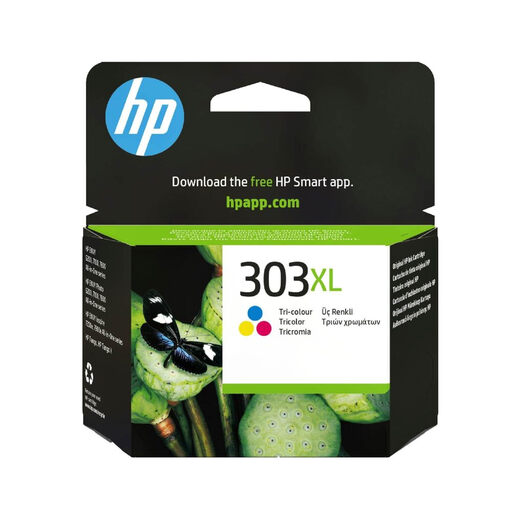
Why It Stands Out
The HP 303XL cartridge is the go-to choice for owners of HP ENVY Photo series printers. With its high yield of approximately 415 pages, it's the ideal option for those who frequently print photos and colour documents. Its secret? A dye-based ink specially formulated for snapshots with vibrant, nuanced colours.
Advantages:
Who is it for? Owners of HP ENVY Photo (6230, 7130, 7830 series) or HP Tango printers who seek superior photo print quality and excellent yield for family or creative use.
See details for the HP 303XL (T6N03AE) cartridge
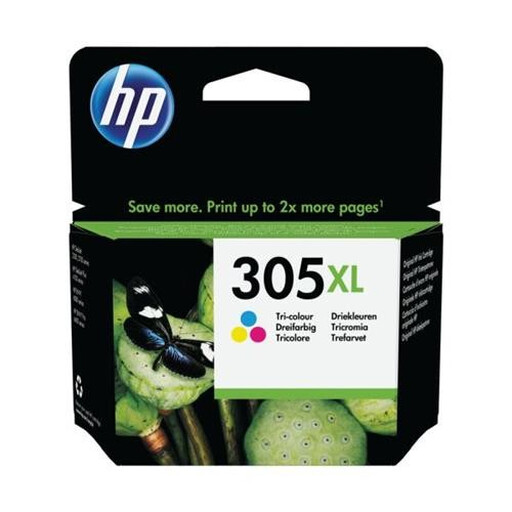
Why It Stands Out
The HP 305XL cartridge is designed for the latest consumer printers in the HP DeskJet and HP ENVY series. With a yield of about 200 pages, it doubles the capacity of the standard version, making it very practical for home or small office use. It's the quintessential all-rounder HP tri-colour cartridge for everyday printing.
Advantages:
Who is it for? Home users and freelancers who use a compatible HP DeskJet or ENVY printer for moderate printing needs (reports, homework, graphics).
See details for the HP 305XL (3YM63AE) cartridge
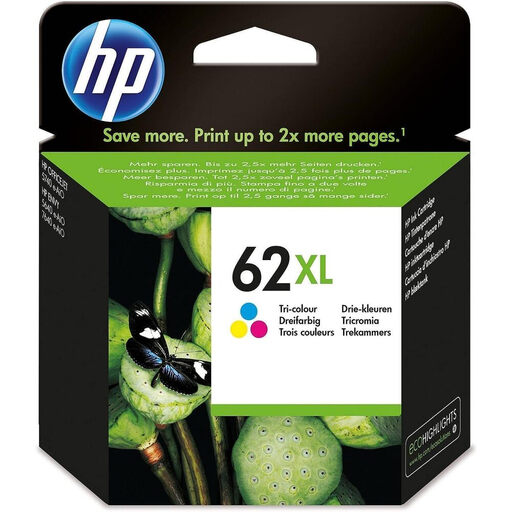
Why It Stands Out
The HP 62XL cartridge boasts a high yield comparable to the 303XL (around 415 pages), but it targets a different range of printers, notably the HP ENVY and HP OfficeJet series. Its compatibility with OfficeJet models makes it a perfect solution for work environments (small and medium-sized businesses) that require reliable, high-volume colour printing.
Advantages:
Who is it for? Professionals and individuals with HP ENVY (5540, 5640, 7640 series) or OfficeJet (200, 250, 5740 series) printers who have a significant colour printing volume.
See details for the HP 62XL (C2P07AE) cartridge
The HP cartridge range is extensive, and each printer has its own specific model number. Is your model not in our selection? Don't worry, many other options are available.
Explore our full range of colour printer ink to discover other models and find the cartridge that's perfectly suited to your printer.
1. What is the yield difference between an HP XL cartridge and a standard one? It's all about the amount of ink. A high-yield HP cartridge (XL) contains much more, allowing it to print up to twice as many pages (sometimes more!) as a standard model. The exact yield depends on the model number (e.g., 305 vs 305XL) and is always specified on the packaging.
2. How can I be sure an HP XL colour ink cartridge is compatible with my printer? The simplest and safest way: note your printer's model number, usually written on its front panel. Then, simply check that this model appears in the compatibility list, either on the cartridge packaging or on its online product page. Codes like T6N03AE, 3YM63AE, or C2P07AE are unique identifiers that don't lie: if your printer is on the list, it's compatible.