
Livraison le jour même ou le lendemain

Qualité garantie

Débloquez vos offres de bienvenue: Livraison GRATUITE | Jusqu'à -80 % | 30 jours d'essai gratuits à JoyPlus
Téléchargez l'application
By our Joybuy product experts, July 16, 2026
The printer light is flashing red, the pile of documents is growing... and the fateful question arises: which HP ink cartridge should you choose? Faced with a jungle of product numbers (HP 305, HP 62, HP 953...), finding the model compatible with your printer can quickly become a headache. Don't panic! This guide is here to help you make sense of it all and buy the perfect HP ink for your needs, with confidence and without making a mistake. Follow our advice to check the essentials and discover our selection of the best original cartridges for the most popular HP printers.
Before you pull out your credit card, a few checks are necessary to ensure you're making the right choice. Here are the crucial points to consider.
It's the classic rookie mistake: buying a cartridge that's incompatible with your hardware. To avoid this pitfall, the foolproof method is to identify your printer's exact model number. This number is usually engraved on the front or top of the device (for example, HP ENVY 6020e or HP OfficeJet Pro 8720).
Once you have the printer model, you can?:
This simple check for HP cartridge compatibility guarantees a successful purchase on the first try.
Choosing an original HP cartridge is, above all, choosing peace of mind. Designed by the manufacturer specifically for its own machines, these cartridges ensure perfect synergy with your hardware. HP promotes inks formulated to protect printheads, prevent clogging, and deliver consistent print quality with accurate colours and impeccably sharp text. It's also worth noting: using original consumables preserves your printer's manufacturer warranty.
It all depends on how often you print.
To guide you, we've selected some of the most popular models, designed for different user profiles and printer models.
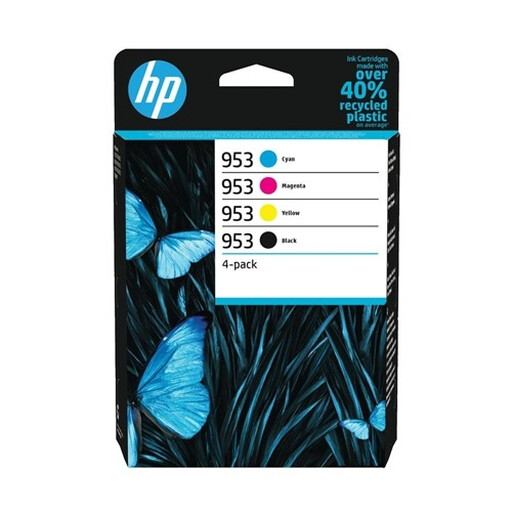
This complete pack brings together the four essential colours (black, cyan, magenta, yellow) for the OfficeJet Pro series. The secret to its performance?? The use of pigment-based inks for all colours, which ensures exceptional document durability. Prints are resistant to water, fading, and even highlighters—a real asset for professional documents. The yield is another strong point, with approximately 1,000 pages in black and 700 pages per colour, according to the ISO/IEC 24711 standard.
This HP 953 cartridge pack is particularly suited for small businesses, SMBs, and self-employed professionals who use an HP OfficeJet Pro series printer (7720, 8210, 8715, 8720, etc.) and regularly print reports, presentations, and other marketing materials that demand flawless quality.
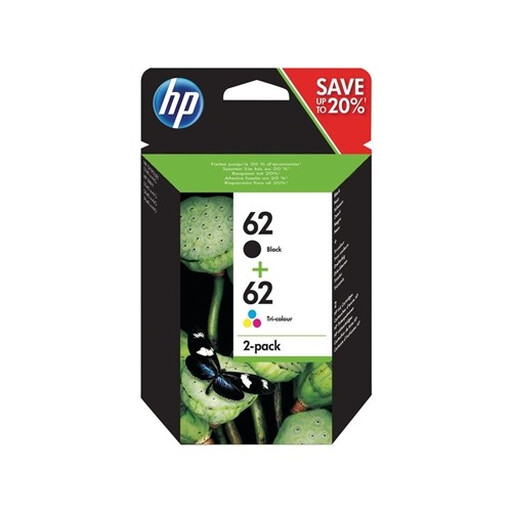
This smart pack combines one black and one tri-colour cartridge. It's the all-in-one solution for consumer printers in the HP ENVY and OfficeJet ranges. Its unique feature is its dual ink technology: pigment-based ink for black, ensuring sharp and durable text, and dye-based ink for colours, delivering photos with vivid tones. The yield is approximately 200 pages for black and 165 pages for colour (ISO/IEC 24711 standard), perfectly suited for moderate home use.
The HP 62 cartridge pack is the ideal choice for individuals and families who own an HP ENVY (5540, 5640, 7640 series) or HP OfficeJet (200, 250, 5740 series) printer. It's perfect for mixed use: printing children's homework, administrative documents, or holiday photos.
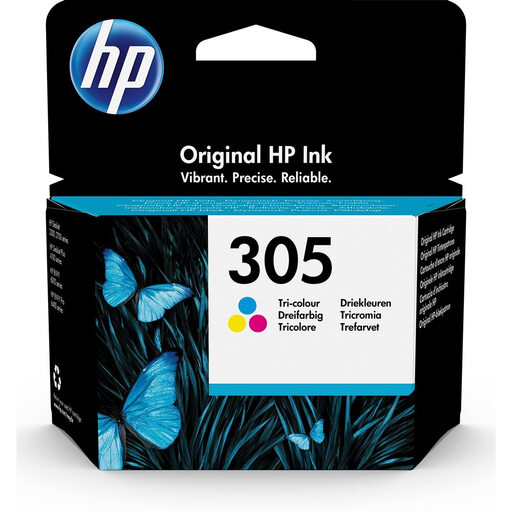
This three-in-one cartridge (cyan, magenta, yellow) is a staple for entry-level HP DeskJet and ENVY all-in-one printers. It uses dye-based ink, known for its vibrant colours and subtle gradients, making it a great ally for photo printing. Its yield is approximately 100 pages (ISO/IEC 24711 standard), which makes it suitable for occasional use. The technical plus: the printhead is integrated into the cartridge. This means every replacement gives you a brand-new printhead, ensuring consistent quality.
The HP 305 colour cartridge is aimed at users of HP DeskJet (2700, 4100 series) and HP ENVY (6000, 6400 series) printers who occasionally print colour documents or photos. It's the logical choice if only your colour cartridge needs replacing.
There is a myriad of cartridge references, as each printer series has its own. Is your model not in our selection? No worries, dozens of other options exist. To find the perfect match for your machine, feel free to explore our complete catalogue.
Explore our full range of printer ink
The most direct method: open your printer's cover. The model number (e.g., 305, 62, 953) is printed on the label of each cartridge. You can also find it in the HP Smart software on your computer or smartphone.
It's a matter of capacity. XL (high-yield) cartridges contain more ink than standard cartridges and can print a significantly higher number of pages. Although their purchase price is higher, they generally have a more favourable cost per page, making them more economical for those who print frequently.
It depends on your HP printer model. Some allow you to continue printing in black and white ("grayscale" mode) even if a colour cartridge is empty or removed. Others, particularly those using a tri-colour cartridge, may require all cartridges to have ink to function, mainly to protect the printhead from running dry. The safest bet is to consult your device's manual to be sure.