
Livraison le jour même ou le lendemain

Qualité garantie

Débloquez vos offres de bienvenue: Livraison GRATUITE | Jusqu'à -80 % | 30 jours d'essai gratuits à JoyPlus
Téléchargez l'application
Choosing a new laptop can quickly become a daunting task. Between indecipherable spec sheets, tempting promotions, and marketing jargon, it's easy to get lost and make the wrong choice. As a product expert at Joybuy, my mission is to demystify the process for you. The goal: to give you the keys to identifying the computer that will truly meet your needs, and to help you avoid the classic, costly mistakes.
Before diving into the technical details, let's review the three most common mistakes when buying a laptop?:
To make the right choice, focus on the few elements that will make all the difference in your daily use.
The processor, or CPU, is the brain of your machine. For everyday use (web, email, office tasks), a recent Intel Core i3/i5 or AMD Ryzen 3/5 will do the job perfectly. For more demanding tasks like video editing, 3D modelling, or for a gaming laptop, an Intel Core i7/i9 or AMD Ryzen 7/9 is a must.
Recently, a newcomer has joined the equation: the NPU (Neural Processing Unit). This is the heart of the new Copilot+ PCs. This processor specialises in artificial intelligence calculations: real-time translation, AI-assisted photo editing, battery life optimisation... If these features appeal to you, the NPU's power, measured in TOPS (tera operations per second), becomes a key selection criterion in its own right.
RAM is your computer's short-term memory, allowing it to juggle multiple tasks at once. The more you have, the more programs you can run simultaneously without the machine slowing down. Here's a quick guide for 2026?:
In 2026, forget about mechanical hard drives (HDDs). The standard is the SSD (Solid-State Drive), which guarantees incomparable responsiveness.
To move from theory to practice, here are a few models that perfectly illustrate the criteria we've just discussed, each tailored to a specific profile.
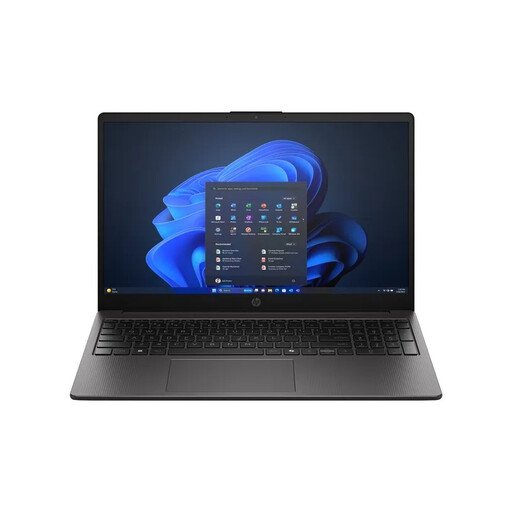
Why it's a great choice : It strikes the perfect balance for daily use or for a student laptop. It combines an efficient AMD Ryzen 5 processor, a comfortable amount of RAM for multitasking, and a fast SSD. All in a versatile 15-inch laptop form factor.
With its 16 GB of DDR5 RAM and its 512 GB SSD, it avoids the twin pitfalls of insufficient memory and sluggish storage. The result : long-lasting smoothness, without breaking the bank.
Its AMD Ryzen 5 7535U processor offers excellent performance for its price range. Its modern connectivity (Wi-Fi 6, USB-C) makes it a future-proof investment.
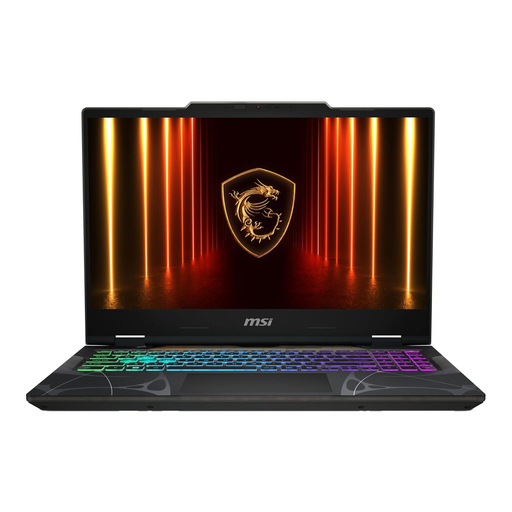
Why it's a great choice : This gaming laptop is built for performance. It combines a powerful Intel Core i7 processor and a dedicated, latest-generation NVIDIA GeForce RTX graphics card, capable of running recent games at max settings.
This machine doesn't bet everything on the CPU. The focus is on the winning combination for gaming : a NVIDIA GeForce RTX 5060 graphics card and a 144 Hz Full HD screen for flawless image fluidity.
Its cooling system, a MSI signature, maintains stable performance even during long gaming sessions. The added bonus : its futuristic design will appeal to fans of gaming aesthetics.
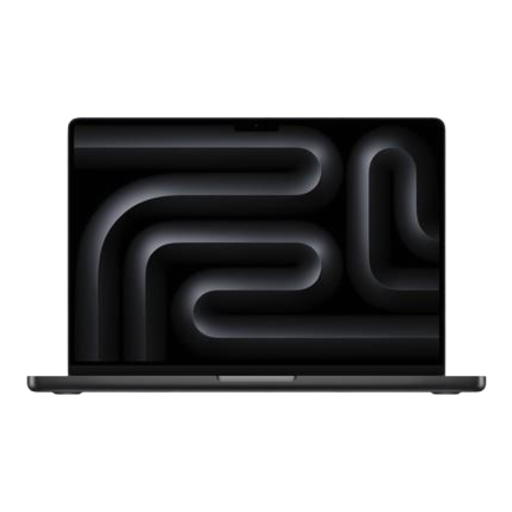
Why it's a great choice : The MacBook Pro is the go-to choice for creatives and professionals. The Apple M5 chip offers a remarkable balance of power and energy efficiency, ideal for video editing, graphic design, or coding, all with record-breaking battery life.
The unified architecture of the Apple chip (which merges the CPU, GPU, and RAM) optimises performance far beyond the spec sheet. Here, everything is designed for the experience, from the stunning Liquid Retina XDR display to the seamlessness of the ecosystem.
The ProMotion display ensures exceptional image quality for graphic work. Its comprehensive connectivity (Thunderbolt, HDMI) and marathon battery life (up to 24 hours) make it the ultimate tool for working on the go.
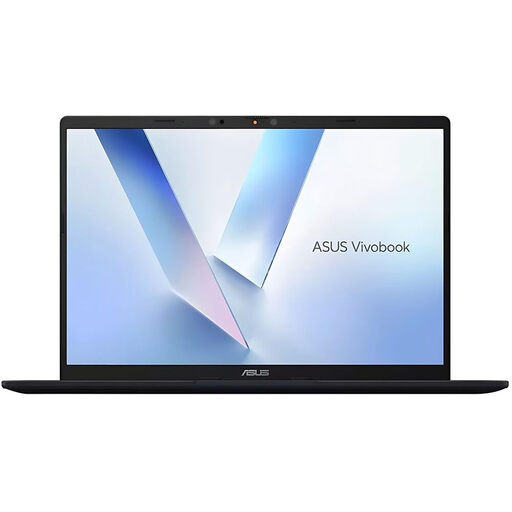
Why it's a great choice : This ASUS Vivobook is a Copilot+ PC, built for the AI era. Its Qualcomm Snapdragon X processor is optimised for energy efficiency and AI tasks, making it a prime choice for mobile users eager to experience the latest Windows innovations.
This PC shifts the conversation beyond the race for GHz. Its performance is measured by the power of its NPU (45 TOPS) and its battery life—far more relevant criteria for modern uses focused on AI and mobility.
Its Qualcomm Hexagon NPU runs AI functions locally, without relying on the cloud, which is faster and more secure. Add a feather-light weight (1.49 kg) and Wi-Fi 6E, and you have the ideal travel companion.
Discover our full selection of laptops, all rigorously chosen for their performance and value.
The lifespan of a laptop depends on its price range, your usage, and how well you maintain it. On average, a mid-range device will remain performant for 4 to 6 years. Premium models, like a professional laptop or a MacBook, can exceed this, often lasting 6 to 8 years thanks to more robust construction and better software support.
In short?:
A Copilot+ PC is an excellent choice if you're intrigued by the new artificial intelligence features in Windows. These machines, equipped with a powerful NPU (Snapdragon X chips, or the new generations from Intel and AMD), are designed to be particularly energy-efficient and therefore often offer superior battery life. If you are a mobile professional, a creative, or simply a curious technophile, it's an option to consider very seriously. For more traditional use or purely for gaming, a standard PC remains a safe bet.